AI Interior Design for Airbnb: Stand Out in a Saturated Market
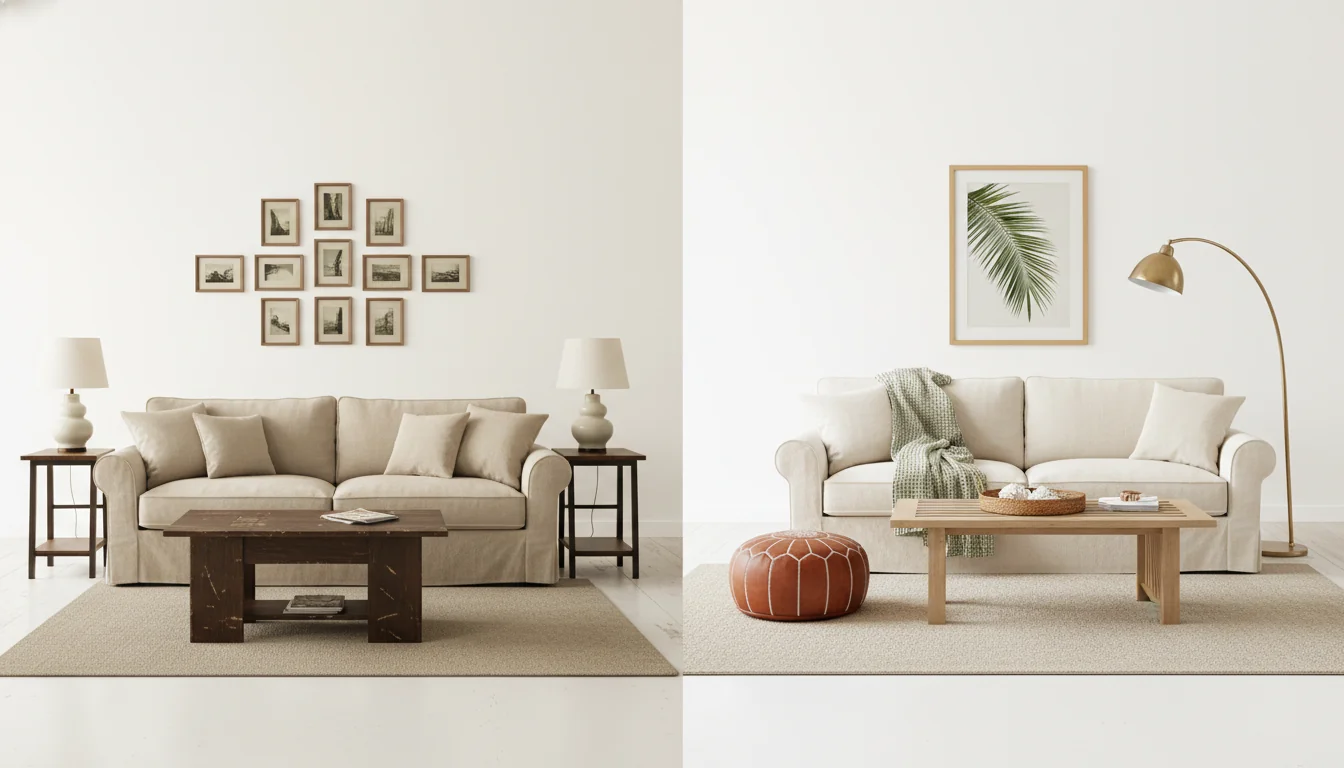
Your listing has been live for three years. The photos are the same photos. The reviews still say “comfortable” and “clean,” which is what reviews say when nothing about the place pops. Your nightly rate hasn’t moved. Two new listings opened on your block last month and both undercut you by $15. The photos are the problem — and the photos have always been the problem, because the room behind the photos has been telling the same story since 2023.
AI interior design for Airbnb is the shortest path from “this is what the place looks like now” to “this is what the listing should look like to get booked tomorrow.” You upload one phone photo per room, pick a direction, and get back styled redesigns that read as a different listing — the kind that earns the click in a results page where buyers swipe through twelve thumbnails in eleven seconds. This guide is the working playbook for short-term-rental operators in 2026: when to refresh, how to design for a search algorithm that scores on photos, the data behind themed versus neutral styling, and the budget tiers that move the needle versus the ones that don’t.
What is AI interior design for Airbnb? AI interior design for Airbnb is the use of generative AI to redesign a listing’s rooms from the photos a host already has — producing photoreal styled previews that show the property as it could look after a paint refresh, furniture swap, or full redesign. For hosts, it shortcuts the usual “imagine then commit” cycle: hosts can preview five style directions for a few dollars each, pick the one that fits the market, and either implement it themselves or brief a contractor with confidence. Pairing the AI redesign with a real photo refresh is the fastest way to lift click-through rate, occupancy, and average daily rate on a tired listing.
Why Airbnb listings need design refreshes every 18 months
Two things have changed in the short-term-rental market that make the 18-month refresh cycle a hard rule rather than a nice-to-have. The first is supply. Active Airbnb listings worldwide crossed 8 million in 2024 and have continued to grow into 2026, and most of that growth concentrated in established markets — the same markets your listing competes in. Search results pages that used to show you alongside two or three peers now show you alongside eight, and the buyer scrolls them all in one motion.
The second is the algorithm. Airbnb’s ranking model has been progressively reweighted toward image quality and listing freshness. Their internal teams have publicly described “professional-quality photos” as one of the strongest predictors of booking conversion, and AirDNA’s 2025 STR analytics consistently flag listings with refreshed hero images as outperforming peers by 8–14% on click-through within the first 60 days of a refresh. A listing that looked great in 2023 doesn’t look bad in 2026 — it looks safe, and safe loses to listings that look like the one the buyer is currently saving on Pinterest.
The 18-month figure shows up in operator data too. Hosts who refresh photos and styling on that cadence keep their relative position in their market. Hosts who don’t typically see ADR slip 4–8% over a 24-month window even with no negative reviews — the listing is the same, but the comp set has moved on. The refresh isn’t about taste; it’s about staying in the same competitive bracket the listing started in.
A useful frame: every Airbnb listing has a design half-life. The hero photo loses about 15% of its conversion power per year as competing listings refresh around it. AI shortens the design half-life problem from “what should we even do?” to “which of these five renders should we build toward?” The decision compresses from months to an evening.
The photo-first design loop
Most design advice starts with the room. Short-term-rental design has to start with the photo, because the photo is what gets booked. The order matters: design for the camera angle, then for the guest standing in the room.
The four photos that drive most STR booking decisions are the cover photo, the primary bedroom, the kitchen-or-living-area, and the bathroom hero. Search-results thumbnails crop tight on the cover photo at 4:3 or 16:9 depending on device, and the buyer’s eye lands inside that frame for less than a second before deciding whether to tap. Whatever is in that frame has to read as styled, intentional, and current.
Here is the photo-first loop most refreshed listings now use:
Step 1 — Shoot the rooms as they are, on a phone, in the same light you’d shoot a real listing photo (mid-morning or late afternoon, lights on, blinds open). One photo per room is enough.
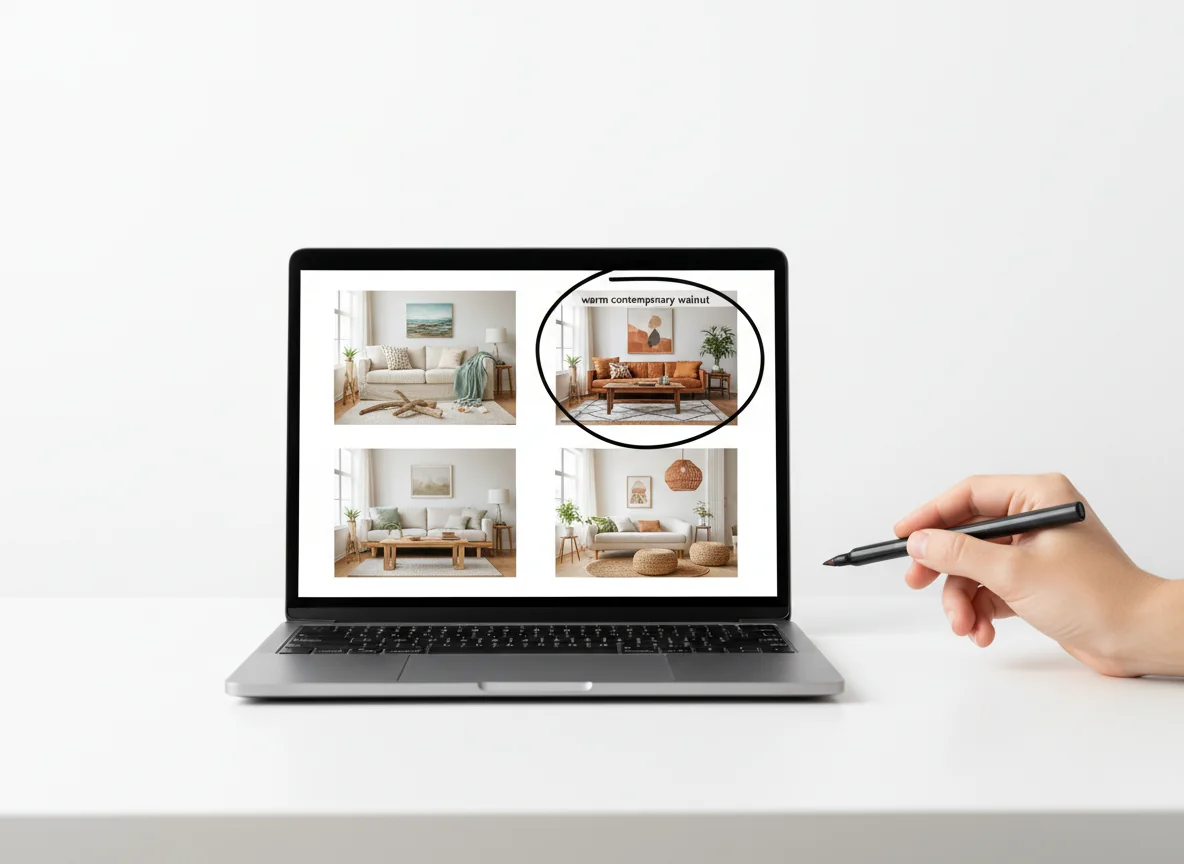
Step 2 — Run each photo through an AI redesign in 3–5 styles that fit your market. Coastal in Charleston, alpine modern in Park City, warm contemporary in Austin, Scandi in Brooklyn. Don’t render every style — render the ones your market’s top-25 listings use, plus one wildcard.
Step 3 — Pick the style that wins on the cover-photo crop. The cover photo isn’t the whole room; it’s the 4:3 thumbnail Airbnb cuts. If a redesign looks brilliant in full but cluttered in the thumbnail, it loses.
Step 4 — Build toward the render, room by room, prioritizing the four hero photos before the rest. Most refreshes don’t replace everything — they swap a sofa, repaint, switch lighting, restyle, and reshoot.
Step 5 — Reshoot at the same angles as the renders, then update the listing.
The loop is tight by design. RoomGenius and other tools render in 30–90 seconds per room, and a host running the full loop on a 2-bedroom listing usually finishes the AI step in under fifteen minutes. The implementation is where the time goes — but the difference between a good refresh and a regretted one is decided in those fifteen minutes. For more on capturing the photo the AI needs, our real estate photography tips post covers framing, lighting, and the camera-angle math.
Themed vs neutral styling: what the data says
The oldest argument in short-term-rental design — should the place have a theme or stay neutral — has finally moved past opinion in 2026. There’s enough operator data from AirDNA, Rabbu, and platform-level reporting to call it. The honest answer is: it depends on your market and your management bandwidth.
Themed listings — the “Boho Treehouse,” the “Mid-Century Bungalow,” the “Coastal Cottage” — outperform on average daily rate by 12–22% in their categories when the theme is executed well and the market supports it. They underperform on occupancy in shoulder season by 5–10% because they polarize buyers; the guests who book a themed property are the ones who specifically want that theme, and that’s a smaller pool. Net revenue per available night usually still favors themed by 6–12% in markets where buyers travel for the property itself (mountain towns, beach destinations, weekend-trip markets within driving distance of major cities).
Neutral listings — soft contemporary, warm transitional, gentle Scandinavian — convert at a higher rate across all guest segments and hold their occupancy through shoulder season. They lose pricing power but make it up in nights booked. They also age better: a neutral listing refreshed in 2026 still works in 2028 with paint and styling tweaks, where a heavily themed listing usually needs a more expensive reset.
| Dimension | Themed listing | Neutral listing |
|---|---|---|
| ADR vs market average | +12% to +22% | +0% to +6% |
| Occupancy in peak season | Comparable | Slightly higher |
| Occupancy in shoulder season | -5% to -10% | Comparable to peak |
| Guest review tone | Polarized (love/hate) | Consistent |
| Refresh cost cycle (18 mo) | $4,000–$12,000 | $1,500–$5,000 |
| Refresh cost cycle (5 yr full reset) | $20,000–$45,000 | $10,000–$22,000 |
| Best-fit markets | Destination, weekend-trip | Urban, business travel |
| AI redesign use case | Preview new theme directions | Test palette and lighting tweaks |
A practical rule: if your market’s top-10% listings by ADR are themed, theme yours. If they’re neutral and the differentiator is amenities or location, stay neutral. AI redesign is unusually useful at the boundary — you can render your room as both a themed version and a neutral version, then ask three friends in the target guest demographic which one they’d book. The answer is almost always obvious once it’s visual. Our home interior design ideas post covers the broader style families that translate well across both directions.
Budget refresh vs full redesign
Hosts roughly cluster into three refresh budgets, and AI is most useful for the ones who haven’t decided yet which cluster they’re in. Render the room three ways — paint-only, paint-plus-soft-furnishings, and full redesign — and the right budget tier becomes obvious from looking.
The $500–$1,500 paint-and-styling refresh is what most listings need most years. New paint on the most-photographed wall, new throw pillows, new art for the hero photos, a styled tray on the coffee table, fresh towels and bedding in the visible bedrooms. The AI render functions as a brief: “this exact look, those exact colors, this much art.” This tier moves nightly rates 4–8% in most markets — small in absolute terms, large relative to the spend.
The $3,000–$8,000 partial replacement refresh swaps the items that age fastest and read most prominently in photos: the sofa, the bed frames, the dining table, the rug. Lighting is the single highest-ROI line item in this tier — replacing a builder-grade ceiling fixture with a styled pendant changes the whole room’s photo signature. Hosts who do this every 18–24 months usually hold their relative ADR position even as the market evolves around them.
The $15,000–$45,000 full redesign is what tired listings need every five to seven years, and what hosts often delay too long. Flooring, paint, kitchen finishes, bathroom fixtures, all furniture, all lighting, all art. AI is most useful here because it’s the lowest-decision-error mode of testing a new direction before committing serial-numbered receipts to it. The render is the design brief; the contractor builds toward it. Our virtual home staging app post covers the staging-tool side of the same workflow.
A common mistake at the budget tier: hosts default to the full redesign because the listing “feels tired,” when the AI render at the partial-replacement tier usually reveals the listing was actually 70% there and just needed paint, lighting, and one statement piece. Budget by what the render demands, not by what the host’s anxiety demands.
Previewing renovations without closing the listing
The most expensive cost of a full STR redesign isn’t the renovation budget — it’s the booking-revenue gap during the closure. A two-bedroom listing in a popular market often loses $4,000–$12,000 in monthly revenue while it’s offline. AI design previews compress that gap by frontloading the design decisions that used to require contractor walkthroughs and showroom trips.
The workflow that hosts using AI heavily in 2026 actually run looks like this:
Two months before the closure, render the rooms in three to five directions. Pick the winner. Use the render to brief the contractor, the painter, and the furniture order, all simultaneously. Most furniture lead times are 4–10 weeks, and the early render lets the host order before the closure starts.
The week before closure, place final orders for paint, accent items, and lighting. Have the AI render printed at 11×17 in each room as the on-site reference. Painters and stylists take direction from a printed render the way they don’t from a Pinterest board.
During closure, the contractor works against the render rather than against vague guidance. Decisions that used to surface at “what color do you want this wall?” have already been made. Most full redesigns close 20–35% faster against an AI brief than against a verbal brief.
The day after work finishes, reshoot at the exact angles of the renders. Update the listing the same day. Don’t wait two weeks for the perfect photographer slot — reshoot on a phone, update, and re-book the slot for the polished version a week later. Listings that go dark during closure and don’t reopen aggressively lose search-ranking momentum that takes 30–60 days to recover.
The compounding effect: the closure is shorter, the post-closure ADR is higher because the new photos are aligned to the redesign, and the listing reopens with a hero photo that reads as new. The math is straightforward. A listing earning $200/night that closes for 45 days instead of 60 recovers $3,000 of revenue, which usually pays for the AI work and a chunk of the new lighting. Our ai virtual staging for realtors post covers the adjacent renovation-preview workflow on the real-estate side.
What AI gets right — and what it misses — for Airbnb specifically
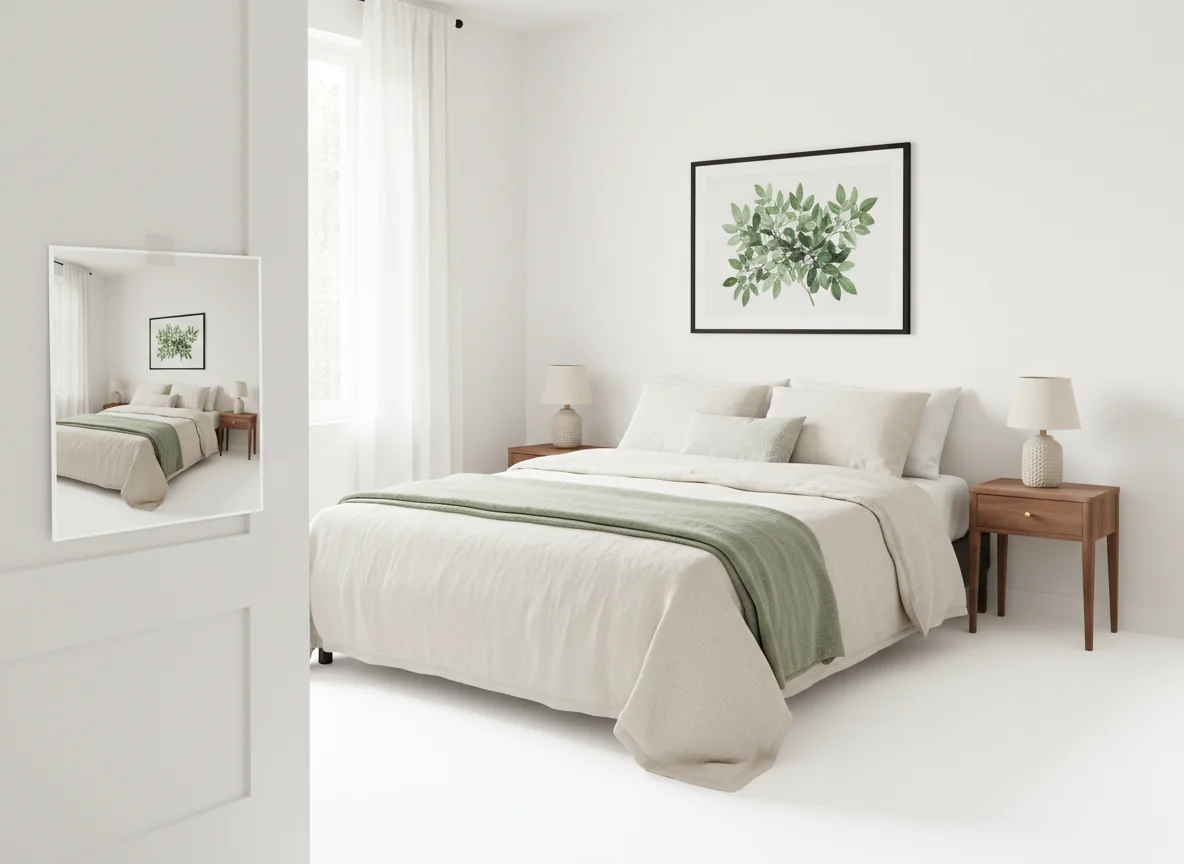
Durable materials translate accurately. Dark wood floors, performance fabric sofas, leather seating, and stone counters render cleanly because the model has trained on plenty of contract-grade material. Lighting in renders looks better than reality, though — most AI tools render at near-golden-hour ambient that the actual room won’t have at 7 PM in February. Build the room with one more light source than the render suggests. Storage and “guest-proofing” don’t render either. AI doesn’t show where the extra towels go, where the locked closet for the host’s stuff lives, or where the noise machine sits next to the bed. Treat the render as the visible 80% and plan the operational 20% separately. Pair the render with a host’s checklist and the gap closes — Airbnb’s Resource Center for hosting covers the operational side that complements the design pass.
Frequently asked questions
How much does it cost to use AI interior design for an Airbnb listing?
For a typical 2-bedroom listing with five rooms staged in three style directions, the AI redesign step costs $30–$200 in 2026, depending on the tool and tier. Per-room renders run $5–$25 each on the major platforms, and most hosts use a subscription that covers 30–100 photos per month for $40–$100. The render is the cheapest line item in the entire refresh — the cost lives in the paint, furniture, and reshoot that follow. RoomGenius and similar apps give hosts unlimited iterations during the design phase, which is where most of the value compounds.
Will guests notice if the photos are AI-rendered?
If you list the AI render as the actual room, yes — and that’s a problem. Airbnb’s terms require listing photos to represent the actual property. AI is a design tool, not a staging tool: render the room you want, build it, then photograph the real thing. The reshoot is non-optional. Hosts who skip it end up with one-star “the photos didn’t match” reviews that erase any ADR gain from the refresh in two weeks.
Does AI design work for unique or themed Airbnb properties like A-frames, treehouses, or barndominiums?
Reasonably well, with caveats. Common, well-photographed property types render cleanly. Less-common types — A-frames with steep angled walls, geodesic domes, converted shipping containers — render the interior styling fine but sometimes hallucinate the architecture. Check that ceilings, beam locations, and window placement in the render match the real room before using it as a brief. For unusual architectures, render the styling on a single wall or corner rather than the full room.
How often should I refresh the photos and design on my Airbnb?
The market consensus in 2026 is to reshoot photos every 12 months, restyle (soft furnishings, art, accent items) every 18 months, and partial-replace major furniture every 3–5 years. Listings in saturated urban markets or destination markets where new supply is constant compress those cycles by 20–30%. The cheapest version of a refresh is just reshooting in better light with restyled accents — that alone often lifts click-through 5–10% with no design change. AI lets you preview the restyle before committing the time.
What’s the typical ADR lift after an AI-driven refresh?
A paint-and-styling refresh ($500–$1,500 spend) typically lifts ADR 4–8% in the first 90 days post-refresh. A partial replacement ($3,000–$8,000 spend) lifts 8–15%. A full redesign ($15,000–$45,000 spend) lifts 18–35% but takes 6–12 months to recover the spend through accumulated nightly-rate gains and occupancy improvement. The ADR lift compounds with new five-star reviews and improved search-rank position, both of which take 60–120 days to fully reflect. The AI redesign portion is the smallest cost in the workflow and the largest upstream determinant of which tier of refresh is actually right for the listing.
Can AI interior design help me decide between two markets I’m considering buying in?
It can render the styling direction each market rewards, which is a useful proxy. If you’re choosing between a beach market and a mountain market, render the same room as coastal contemporary and as alpine modern, then check each against the top 25 listings in each market. The render that fits its market more cleanly tells you which market is also the easier styling problem to solve. It doesn’t replace ADR comp analysis on AirDNA or Rabbu — but it adds a visual axis to the decision that hosts who’ve never operated in either market often miss.
Preview the redesign before you close the listing
The listing on your dashboard doesn’t need a full year-long design committee. It needs a visual answer to one question: what should this place look like to get booked at the rate you want, in the market you actually compete in? AI redesign hands you that answer in an evening, in five style directions, for less than a single night’s revenue. Pick the render that wins on the cover-photo crop, build toward it, reshoot, and relist before the next batch of new listings opens on your block.
Open RoomGenius, upload tonight’s photos of the listing, and have the redesign brief printed by morning — before you commit to closing the calendar.