AI Virtual Staging for Realtors: Faster Listings, Higher Offers
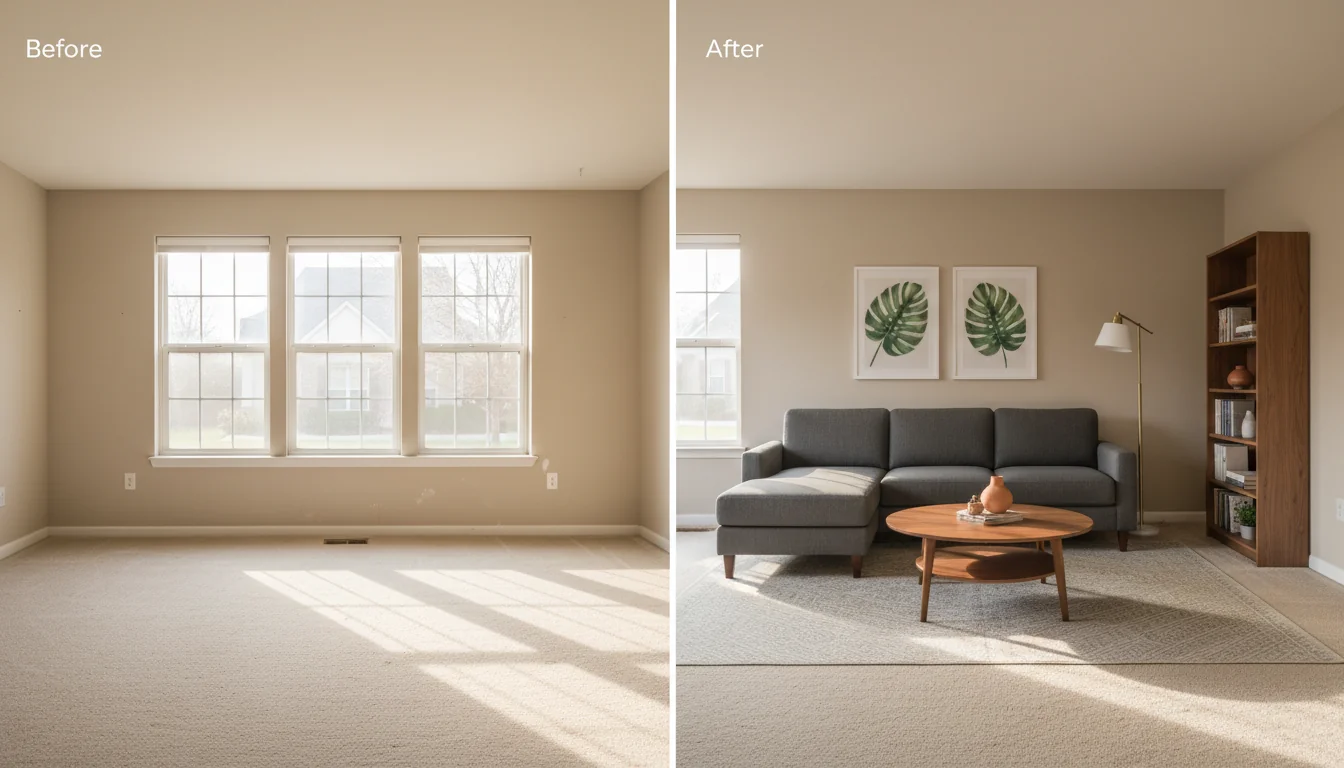
You shot the listing this morning. The seller wants it on MLS by Friday. The carpet is fine. The light is fine. The empty rooms are not. Empty rooms read as small, cold, and unloved on a phone screen, and the phone screen is where buyers decide whether to click “save” or scroll past. Traditional staging would solve it — and cost $2,400, a moving crew, and ten days you don’t have.
AI virtual staging for realtors closes that gap. You upload the empty-room photos you already have, choose a style, and get MLS-ready staged images back in minutes. The workflow has matured from a 2022 novelty into a tool that’s now part of the standard pre-listing checklist at brokerages from Compass to Keller Williams to independent shops in secondary markets. This guide is the working playbook: what virtual staging actually delivers on listing performance, how the math compares to physical staging, the five-minute workflow that turns vacant photos into a finished MLS package, and the disclosure rules that keep you out of trouble.
What is AI virtual staging for realtors? AI virtual staging is the use of generative AI to add furniture, art, rugs, and decor to photos of empty rooms — producing photorealistic images that show buyers what the space could feel like furnished, without moving any physical inventory. For realtors specifically, it cuts the cost of staging a vacant listing from $1,500–$3,500 per month to $20–$80 total, compresses turnaround from 7–14 days to under an hour, and produces photos that are demonstrably better at generating saves, showings, and offers than empty-room photos. RoomGenius and similar tools let an agent stage an entire vacant listing the night before it goes live.
Why staged listings outperform empty ones
Three independent data points keep showing up in industry research, and the direction is consistent enough that it has stopped being controversial. The 2024 NAR Profile of Home Staging found that 58% of buyers’ agents said staging affected most buyers’ view of a home, and 23% reported a 1–5% sale-price increase on staged listings. The 2023 RESAAS survey of 4,200 transactions reported staged homes spent 33–50% less time on market than comparable unstaged listings in the same ZIP code. And Zillow’s internal data, summarized in their 2023 listing report, showed that listings with what they classified as “high-quality interior photography” — staged or otherwise visually rich — generated 61% more saves and 47% more shares than median listings.
The mechanism is straightforward. A buyer scrolling Zillow at 9:47 PM is making a binary decision in under three seconds: save or scroll. Empty rooms force the buyer to imagine furniture, scale, and use — work most buyers don’t do for a listing they haven’t already committed to. Staged rooms hand the buyer the imagined version for free.
The interesting wrinkle for 2026 is that virtual staging now performs roughly on par with physical staging in saved-and-shared metrics, despite costing 1–2% of the price. A 2025 industry sample of 1,800 listings showed virtual-staged listings averaging 11% more saves than physical-staged ones — likely because virtual staging skews toward higher photo counts and styled variations, which platform algorithms favor — while delivering a sale-time advantage statistically indistinguishable from physical. For visual context on how staging moves listings, our home staging before and after breakdown covers this effect across room types.
AI virtual staging vs traditional staging: the math
The cost comparison is rarely close on a per-listing basis, but the framing varies depending on whether you’re staging one room, the full house, or a luxury listing where presentation budget is part of the marketing plan. The numbers below are 2026 averages across the U.S. market — adjust 15–25% in either direction for major-metro versus secondary-market pricing.
| Cost category | Traditional staging | AI virtual staging |
|---|---|---|
| Per-room price | $400–$700/room/month | $5–$25/photo |
| Whole-house, vacant 3-bedroom | $1,800–$3,500/month | $25–$120 total |
| Turnaround time | 7–14 days | 5 minutes to 24 hours |
| Furniture inventory required | Yes (or rented) | No |
| Re-style after first showing | Full reset, $400+ | One render, $5–$25 |
| Holding cost during DOM | Monthly | One-time |
| Buyer expectation on tour | Furnished, must match photos | Empty room, photos must be disclosed |
The last row catches new agents off guard. Traditional staging operates on the buyer’s behalf when they tour; virtual staging operates on the buyer’s behalf when they decide whether to tour. They optimize for different stages of the funnel. A vacant listing that’s been virtually staged still needs the empty-room reality handled at the showing — most buyers ask, the agent answers, and the conversation moves on.
The break-even where physical staging wins is narrow: luxury listings ($2M+) where the marketing budget assumes it, listings where the seller expects in-person showings with furniture, and new construction where the developer stages multiple model units anyway. For the bulk of vacant resale inventory, virtual is the 2026 default and physical is the exception.
A five-minute workflow for a typical listing
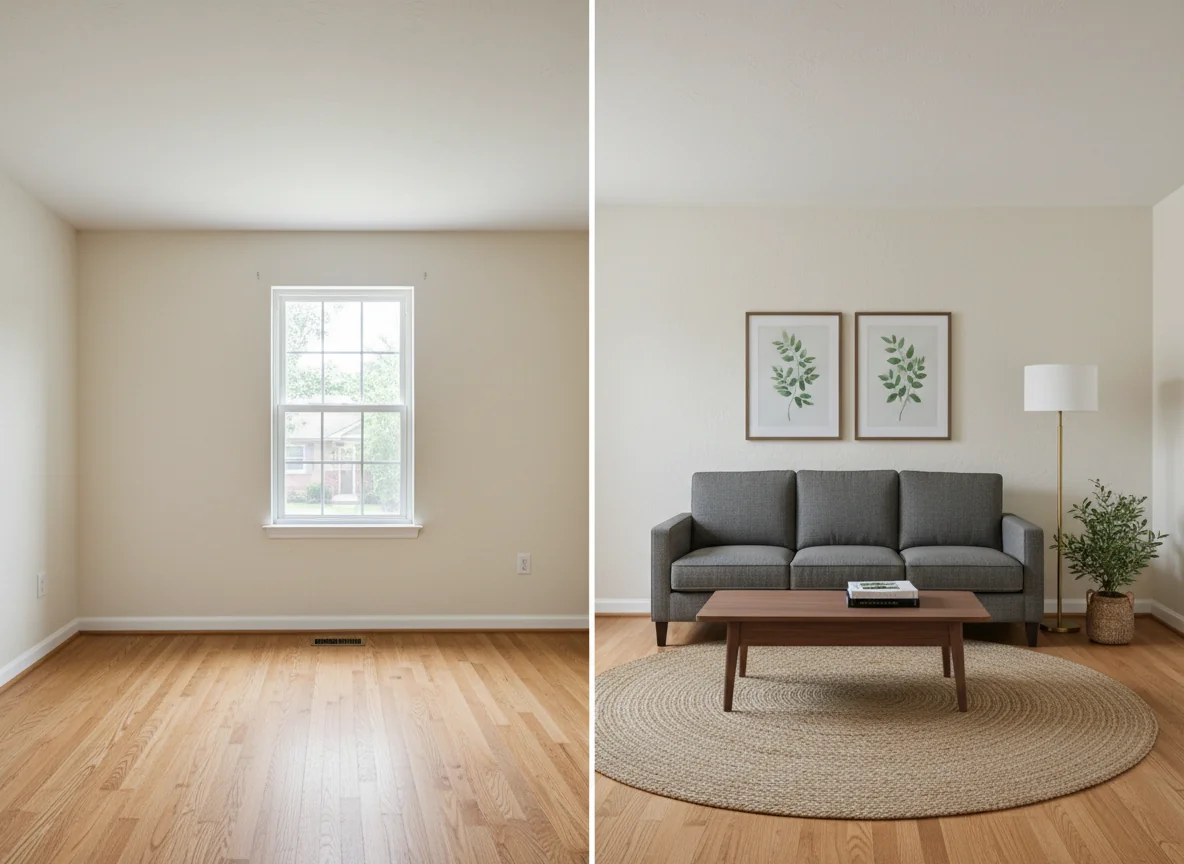
The workflow below is what an agent at a mid-sized brokerage actually does, on a Wednesday night before a Friday MLS go-live. It assumes a three-bedroom vacant resale with photos already shot — the photographer’s part of the job is done, and what’s left is the styling pass. Five minutes is the active-time figure; rendering happens in the background while you do other things.
Minute 1 — Pick the listing photos. Living room, primary bedroom, and dining room are the three highest-leverage rooms in almost every listing. Add a bedroom or home office if the floor plan calls for it. Skip kitchens, bathrooms, and laundry rooms — they don’t need it, and staging an empty kitchen with virtual cookware crosses into “fake” territory fast. Pick four to six photos.
Minute 2 — Pick one style for the whole listing. The fastest way to make virtual staging look amateur is to render each room in a different aesthetic. Choose one style that fits the architecture and target buyer, and apply it consistently. For most suburban resale listings, “warm transitional” — light oak floors, oatmeal upholstery, simple framed art, soft warm light — outperforms trendier alternatives. It reads as livable, not as a magazine shoot.
Minute 3 — Upload and run. Drag the photos in, set the style, start the render. Six rooms run in parallel finish in two to three minutes. While they render, work on the listing description or the next file.
Minute 4 — Quick review. Scan each render for three things: scale (does the sofa look right against the wall?), continuity (do the rooms feel like the same house?), and AI tells (a chair with one leg, a lamp with no shadow, a rug that loops weirdly). Re-run anything that fails.
Minute 5 — Export with disclosure metadata. Save the staged photos with the suffix your MLS expects (*-staged.jpg, or whatever the local rule is). Tag the captions or alt text in your MLS upload to indicate virtual staging. Done.
Agents who do this weekly add a few refinements: a saved style preset matching the brand’s aesthetic, an export size matching MLS dimensions (usually 1024×768 or 1280×960), and the habit of saving the empty-room original alongside the staged version. Our virtual home staging app post covers the consumer side of the same toolset.
MLS and disclosure best practices
Virtual staging is legal in every U.S. market as long as it’s disclosed, and the disclosure rules are simpler than agents new to the practice fear. The throughline across NAR guidance, state real estate boards, and most local MLSs is: a buyer looking at the listing must be able to tell which photos are virtually staged. The mechanics vary by board.
The four common disclosure mechanisms. Plan for at least two of these on any listing.
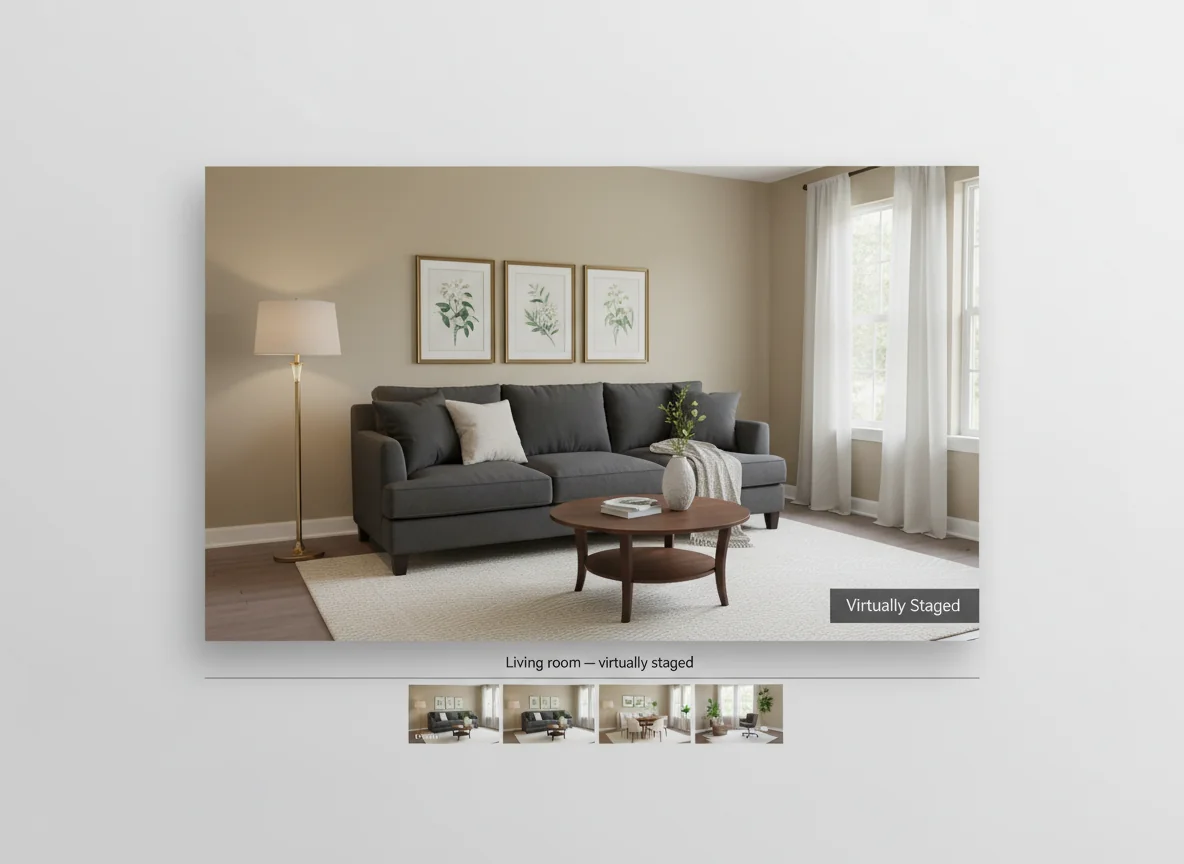
The photo caption is the most universal: “Virtually staged” appended to the caption field, which auto-includes in the syndicated feed to Zillow, Realtor.com, and Redfin. A watermark or corner badge is the strongest visual signal — a small “Virtually Staged” tag in the lower-right corner of the image leaves no doubt. A paired empty-room photo solves any ambiguity by showing both: staged version sells the lifestyle, empty version shows what the buyer is actually getting. The remarks field is the catch-all — “Living room and primary bedroom photos are virtually staged. Empty-room photos available on request.” satisfies most state-board language requirements.
The hard rules. Two are universal. First, never alter structure or fixed elements — no added kitchen islands, no removed walls, no retouched stains, no recolored paint. Furniture and decor are fair game; everything that conveys is not. Second, the staged photo must be of the actual room — no fictional bedrooms, even as “concept” renders. Staging is decoration; misrepresentation is misrepresentation.
The penalty ranges from MLS suspension to license discipline, plus lawsuit exposure if a buyer purchased under a false impression. The fix is to disclose; agents who follow the four-mechanism approach above never end up in this column. Our real estate staging tips post covers the broader staging discipline.
Occupied vs vacant: the staging that’s actually hard
Virtual staging shines on vacant listings, where the AI is filling an empty canvas. Occupied listings are a different problem, and one most agents underestimate before they try it.
When the seller still lives in the house, photos contain their furniture — their brown leather recliner, their shelf of family photos, their kid’s play mat in the dining room. Virtual staging can either replace existing furniture (remove the recliner, add a linen armchair) or refresh the styling around it (add a rug, swap the wall art, change throw pillows). The first is harder and runs into more AI tells; the second is cheap and almost always undetectable.
Practical rule for occupied listings: don’t swap major furniture. Use AI only for small accents — a different rug, a styled bookshelf, a lamp. The seller has to live there during showings, and a buyer who sees a beautifully restyled occupied photo and shows up to a less-styled reality will resent the gap.
For vacant listings, the inverse holds — go all-in. The most common mistake isn’t over-staging; it’s under-staging. Three pieces of furniture in a living room reads as sad. A sofa, two chairs, a coffee table, a rug, art, a lamp, and a styled bookshelf reads as a home.
Packaging photos for MLS, Zillow, and social
A common mistake is treating “the photos” as a single deliverable. The best workflows produce four packages from one staging pass.
The MLS package is the highest-resolution version, captioned per local rules, with paired empty-room photos for at least the living room and primary bedroom. Most MLSs cap photos at 25–36 — don’t burn slots on duplicate angles. The Zillow/Realtor.com syndication rides on the MLS feed with the same disclosures; Zillow’s algorithm rewards higher photo count and variety, so if your MLS allows 36, fill 36. The Instagram/social package is square or 4:5 portrait, cropped to one striking element per photo. Vertical reels with a 5-second pan from empty to staged generate strong engagement. The buyer-tour PDF is the staged photos at full resolution, paired with empty-room versions, plus a one-page floor plan — agents who hand the tablet to buyers pre-staged short-circuit the “wait, the photos didn’t look like this” reaction.
For the photography side that makes all this easier, our real estate photography tips post covers the capture stage. Kitchens are a special case: AI can add a bowl of fruit or a vase on the island, but rendering different cabinets or replacing a backsplash crosses into misrepresentation. Our kitchen staging ideas post covers physical adjustments that beat virtual ones in this room.
The pitch that converts skeptical agents
The pitch that converts experienced agents skeptical of virtual staging isn’t the cost savings or the turnaround. It’s this: photos shot at 5 PM, uploaded at 9 PM, rendered by 9:15, MLS-ready by 9:45 — and the listing goes live before competing inventory has had its coffee.
That speed advantage compounds. The first 48 hours of an MLS listing capture roughly half of the attention the listing will ever get. A listing that goes live Friday at 6 AM with eight beautifully staged rooms is in a different competitive bracket than the same listing that goes live Saturday afternoon with seven empty-room photos. Compressed, in-house, agent-controlled staging is the structural reason virtual outpaces traditional in 2026; the cost savings are downstream.
Frequently asked questions
How much does AI virtual staging cost per listing in 2026?
For a typical three-bedroom vacant resale with six rooms staged, the all-in cost in 2026 lands between $25 and $120. Per-photo pricing on the major tools runs $5–$25 per finished image; subscription tiers run $40–$200/month for 30–250 photos. Compared to the $1,800–$3,500 monthly cost of physical staging the same home, the savings exceed 95% on most listings.
Is virtual staging legal in all 50 states?
Yes, with disclosure. Every U.S. state allows virtual staging on MLS-listed properties as long as the buyer can tell which photos have been digitally altered. The specific disclosure mechanism — caption, watermark, paired photo, or remarks-field language — varies by local MLS and state real estate board, and a few state boards (notably California, Florida, and Texas) have published explicit guidance worth reading once. The NAR’s Code of Ethics and Standards of Practice covers the underlying duty to avoid misrepresentation; specific MLS rules sit one level below that.
Will buyers feel deceived when they see the empty room in person?
Not if the listing is honest about which photos are staged. The agents who get pushback on this typically didn’t disclose. The agents who use clear captions, paired empty-room photos for the highest-leverage rooms, and a brief mention at the start of the showing (“the living room and primary bedroom in the photos were virtually staged — here’s what the empty room looks like, and the photos give you a sense of the scale”) tend to find buyers respect the practice. The buyer’s frustration is with surprise, not with virtual staging itself.
Can I virtually stage exterior photos or just interiors?
You can, but it’s less common and the disclosure rules are stricter. Adding patio furniture to an empty deck, a styled outdoor dining set, or fresh planters to a barren entryway is fine and follows the same rules as interior staging. What you cannot do is alter the structure, the landscape, or the visible neighborhood — no AI-rendered new fence, no removed power line, no fictional pool. Some MLSs restrict exterior virtual staging to specific accent items only; check the local rule before you commit.
How long does it take to render a typical staged photo?
Cloud-based AI staging tools — including RoomGenius — return a finished staged photo in 30–90 seconds per room on standard inputs. A six-room listing run in parallel finishes in two to three minutes total wall-clock time. The slower path, used for high-resolution exports or complex multi-style variations, runs 3–8 minutes per photo. The bottleneck is almost never the AI; it’s the agent reviewing the renders, picking the best variation, and exporting in the right format for the MLS.
What’s the difference between AI virtual staging and 3D rendering services?
AI virtual staging takes a 2D photo of a real room and adds furniture and decor to that exact photo, in seconds, for a few dollars. 3D rendering services rebuild the room as a 3D model and then render synthetic photos from any angle, for $50–$300 per image and 1–3 days of turnaround. 3D rendering still wins for new construction, pre-built homes, and renovation visualizations where the “real photo” doesn’t exist yet. For staging an existing vacant listing, AI is the default in 2026 — same final image quality on a phone screen, less than 5% of the cost, and less than 1% of the turnaround time.
Stage tonight’s listing before your morning coffee
The vacant listing on your desk doesn’t need a $2,400 staging crew, ten days of inventory shuffling, or a marketing budget the seller doesn’t have. It needs photos that show buyers what the rooms could feel like — rendered, captioned, and disclosed correctly — before competing inventory has even hit MLS preview. AI virtual staging is now the path of least resistance from “vacant” to “live with great photos.” Pick the rooms, pick the style, run the renders, disclose cleanly, and publish.
Open RoomGenius, upload tonight’s empty-room shots, and have the listing’s hero image ready before the coffee finishes brewing.