What Is a Rendered Floor Plan?
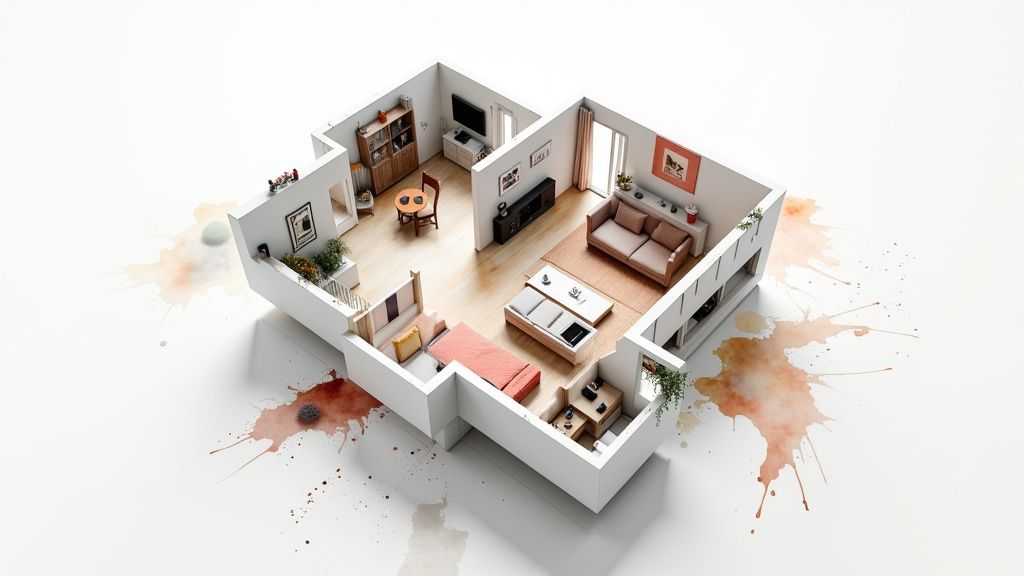
A rendered floor plan takes a standard, flat blueprint and turns it into a vibrant, realistic preview of a space. Think of it as the difference between looking at a simple road map and getting a full-color, 3D satellite view. It adds depth, furniture, textures, and lighting to help you truly see and feel how a property will come together.
What Is a Rendered Floor Plan, Really?
Let’s cut through the jargon. A traditional floor plan is a technical diagram—a bird’s-eye view of a property using lines and symbols to show walls, doors, and windows. While it’s essential for construction, it often leaves potential buyers or clients feeling a bit lost. They have to mentally build the space in their imagination, a process that’s both difficult and frequently misleading.
A rendered floor plan is designed to bridge that imagination gap. It’s a digital illustration that takes the basic architectural layout and breathes life into it. This is done by layering in details that mimic the real world, turning an abstract drawing into an easy-to-understand visual story.
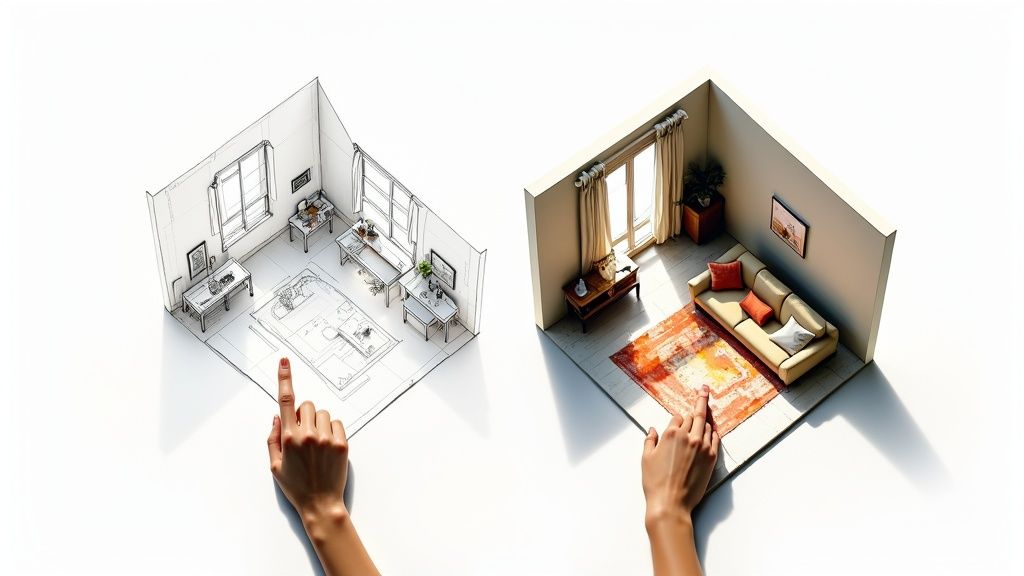
From Abstract Lines to Realistic Spaces
This technology is less about strict architectural precision and more about creating an emotional connection and communicating clearly. Instead of just showing room dimensions on paper, a rendered floor plan demonstrates how a space lives. If you’re not used to architectural drawings, understanding how to read floor plans can be a challenge, and this is where rendering makes all the difference.
What really sets a render apart from a simple blueprint are a few key elements:
- Realistic Textures: You can actually see the difference between hardwood floors, plush carpets, or sleek granite countertops. This adds a powerful layer of realism.
- Furniture and Decor: Placing sofas, beds, and tables into the plan illustrates scale and potential layouts. It immediately answers that crucial question: “Will my stuff fit?”
- Lighting and Shadows: By simulating how natural and artificial light falls in a room, the render creates depth and mood, making the space feel authentic and inviting.
To put it simply, here’s how the two stack up against each other.
2D Blueprint vs Rendered Floor Plan at a Glance
| Feature | Traditional 2D Blueprint | Rendered Floor Plan |
|---|---|---|
| Primary Purpose | Construction & technical specs | Visualization & marketing |
| Visual Style | Black & white lines, symbols | Full color, realistic textures |
| Furniture/Decor | Not included or symbolic | Realistic, to-scale models |
| Ease of Reading | Requires technical knowledge | Intuitive for anyone |
| Emotional Impact | Low, purely functional | High, helps envision a lifestyle |
This table makes it clear that while blueprints are for building, rendered plans are for understanding.
An Essential Tool for Modern Design and Sales
The use of this technology has exploded across real estate, interior design, and construction. In fact, one study found that over 60% of residential construction and design firms now use 3D floor plans as a standard part of their presentations. That’s a huge leap from just 35% back in 2018, as detailed in the Houzz U.S. State of the Industry report.
A rendered floor plan stops forcing people to guess what a space could look like and instead shows them what it will look like. This clarity is the key to faster decisions and greater confidence.
Ultimately, this visual tool is incredibly versatile. Real estate agents use rendered plans to create compelling online listings that grab attention. Architects and designers rely on them to get client buy-in before construction begins, preventing costly changes down the road. Even homeowners find them invaluable for planning renovations, allowing them to see the final result before the first wall comes down.
Exploring Different Rendered Floor Plan Styles
Not all rendered floor plans are created equal. Just like a painter might choose between watercolor and oil, a designer picks a specific rendering style to get a particular job done. The right choice really comes down to what you’re trying to communicate. Are you just showing a quick spatial layout, or are you trying to create a full-blown marketing experience?
Understanding the different flavors of rendered plans is the key to unlocking what they can do for you.
The Clarity of 2D Rendered Floor Plans
Most people start their journey with a 2D rendered floor plan. This takes the familiar, flat, top-down view of a traditional blueprint and gives it a serious visual upgrade. Instead of just stark black-and-white lines, you get color, textures, and furniture icons that make the layout instantly understandable to anyone.
Think of it as the difference between a plain road map and one with parks colored green, water blue, and major landmarks highlighted. You can immediately tell the living room from the bedroom, see how the kitchen flows into the dining area, and get a feel for the home’s overall circulation without needing an architect’s eye. That elegant simplicity is its greatest strength.
A 2D rendered floor plan is all about clarity and quick comprehension, not photorealism. It’s a fantastic way to deliver essential information beautifully. You’ll often see them used for:
- Property Listings: They give potential buyers a clean, easy-to-read overview that perfectly complements property photos, helping them understand the home’s structure at a glance.
- Construction Documents: While they can’t replace technical blueprints, a colored 2D plan helps clients and contractors get on the same page about finishes and how each room will be used.
- Space Planning: It’s the perfect starting point for homeowners and designers to play around with furniture arrangements and test different layouts without getting bogged down in a complex 3D model.
When you just need to show spatial relationships and basic design ideas efficiently, this is your go-to. It’s the workhorse of rendered plans, delivering a ton of value with minimal fuss. From here, though, we can add a whole new dimension.
The Immersive World of 3D Rendered Floor Plans
Taking the next step up from 2D, a 3D rendered floor plan brings in the crucial element of depth. This style turns a flat layout into a tangible, three-dimensional space, giving viewers a much better sense of volume, scale, and perspective. It’s like the difference between looking at a photograph of a room and actually standing inside it.
Within the 3D world, there are a couple of dominant perspectives, and each offers a unique viewpoint for a different purpose.
The best 3D renders don’t just show a layout; they tell a story. By illustrating how morning light fills a room or how a furniture arrangement creates a cozy reading nook, they help people emotionally connect with a space before they ever set foot inside.
The Dollhouse View
Perhaps the most recognizable style is the top-down 3D view, which everyone calls a “dollhouse” view. This perspective essentially slices off the roof and maybe an exterior wall or two, giving you a complete, bird’s-eye look into the entire furnished property at once.
It’s an incredibly intuitive way to understand a home’s layout.
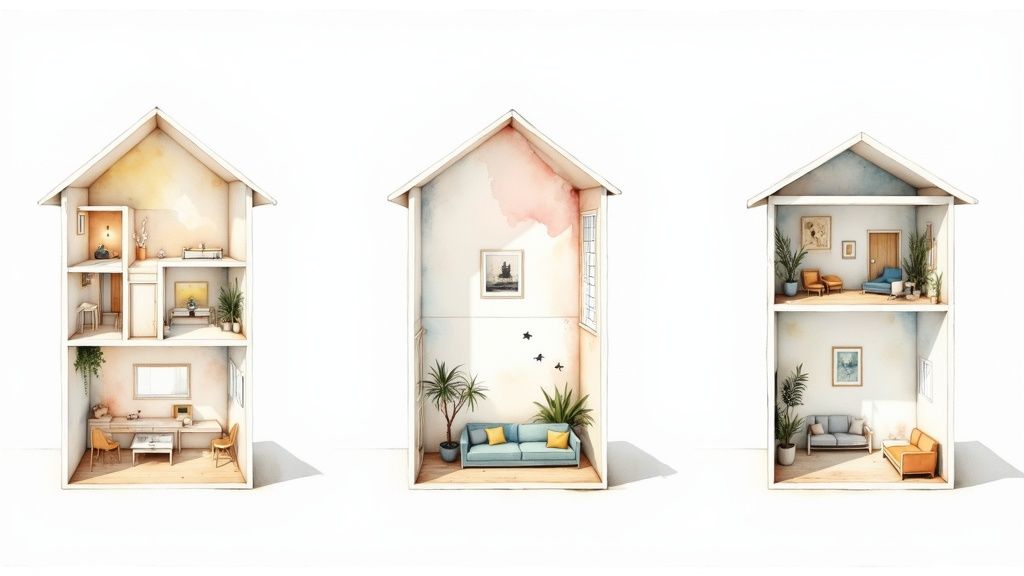
The dollhouse style is a powerhouse for showing the relationship between rooms, especially across multiple floors. This makes it an invaluable tool for real estate marketing and client presentations where the overall flow of the home is critical.
Eye-Level Perspective Views
The other common approach is the eye-level or isometric perspective. Instead of looking from directly above, this view places the “camera” at an angle, almost as if you were standing in a corner of the room looking in. This gives you a more intimate and realistic sense of what it actually feels like to be in the space.
This perspective is incredibly effective for:
- Highlighting Key Features: Zeroing in on a stunning kitchen island, a spa-like master bathroom, or a living room with vaulted ceilings.
- Interior Design Presentations: Showing clients exactly how specific material choices, light fixtures, and furniture will look together in detail.
- Virtual Staging: Creating photorealistic images of an empty property to showcase its true potential and help buyers envision themselves living there.
So, how do you choose? It all comes back to your audience and your goal. For a quick, clear layout, 2D is perfect. For a comprehensive overview of the entire property, the 3D dollhouse view is unbeatable. And for an emotional, detailed snapshot of a single room, nothing beats an eye-level perspective.
Here is the rewritten section, designed to sound natural and human-written, as if from an experienced expert.
Why Rendered Floor Plans Are a Game Changer
Let’s be honest, a standard black-and-white blueprint is functional, but it’s hardly inspiring. It’s a technical document. A rendered floor plan, on the other hand, is a storytelling tool. It takes that same abstract layout and breathes life into it, turning a diagram into a tangible, inviting home that buyers can step into and instantly start imagining their lives in. That’s how a marketing asset becomes a powerful sales driver.
Think about it. Instead of forcing a client to guess if their sectional sofa will cramp the living room, a render shows them. A young family can see exactly where the crib fits in the nursery, or a couple can picture themselves hosting Thanksgiving dinner in the dining room. This kind of clarity just melts away the uncertainty and makes saying “yes” a much easier and faster decision.
It’s All About the Emotional Connection
The real magic of a rendered floor plan isn’t just showing where the walls are—it’s about telling a compelling story. When you add furniture, lighting, and textures, you’re not just showing a space; you’re helping people mentally move in before they’ve even made an offer. This emotional bridge is what makes all the difference, leading to quicker sales and clients who are truly invested.
This isn’t just a gut feeling; the numbers back it up. Properties marketed with 3D renders have been shown to sell up to 20% faster than those relying on photos alone. It’s no surprise, then, that the U.S. 3D rendering market was valued at a whopping $1.17 billion in 2024 and is expected to explode to $7.14 billion by 2034. You can dig into the data on this incredible market growth over at Precedence Research.
A rendered floor plan stops asking people to imagine what a space could be and starts showing them what it will be. This shift from guessing to knowing is what accelerates decisions and builds unwavering confidence.
Wipe Out Costly Misunderstandings Before They Start
For architects and interior designers, clear communication is everything. A client might nod along and approve a design concept, but what they’re picturing in their head can be miles away from the finished product. That disconnect is the number one cause of frustration, delays, and budget-busting last-minute changes.
A detailed render acts as a universal language, getting everyone on the same page long before a single wall is touched. It’s a concrete visual that locks in the client’s expectations with the designer’s vision right from the start.
- Slash Revision Cycles: When a client sees a photorealistic preview, they can give specific, useful feedback early on. This proactive collaboration nips expensive changes in the bud.
- Boost Client Happiness: Getting on the same page from day one means a smoother project and a happy client who feels heard and confident in the process.
- Speed Up Approvals: A picture is worth a thousand words—and a thousand emails. Visual confirmation gets you to sign-off much faster than abstract conversations ever could.
Give Homeowners the Confidence to Decide
Rendered floor plans aren’t just for the pros. If you’re a homeowner planning a major renovation or building from the ground up, these visuals are your best friend. It’s one thing to look at a pile of tile samples and paint swatches, but it’s a whole different ballgame to see them all working together in a realistic preview of your future space.
With a render, a homeowner can see exactly how a new kitchen layout will flow during a busy morning or confirm that knocking down a wall for an open-concept living area really does create the airy feel they’re dreaming of. Having the ability to see the final result beforehand provides incredible peace of mind, replacing renovation anxiety with genuine excitement. It ensures that every dollar spent goes toward creating a home they’ll absolutely love.
How Rendered Floor Plans Are Made
Turning a simple sketch into a vibrant, photo-realistic rendered floor plan might sound like a deeply technical affair, but the workflow is actually quite logical. It’s a journey from a basic idea to a polished visual, broken down into a few key stages. The process works whether you’re starting with a hand-drawn diagram, a PDF blueprint, or a professional architectural file.
This creative process is a blend of technical skill and artistic vision. It’s about so much more than just drawing walls in a digital space; it’s about making that space feel real, inviting, and instantly understandable. Each step builds on the last, adding layers of detail that transform a flat outline into a compelling preview of a future home or venue.
This infographic breaks down how a rendered floor plan helps you connect with clients, align everyone’s expectations, and ultimately save time and money.

The visualization shows that by building an emotional connection and clarifying design choices upfront, these plans lead directly to better project outcomes and real financial savings.
The entire workflow can be summarized in a few key stages. Here’s a quick overview of how a simple layout becomes a fully realized digital space.
Key Stages in the Rendered Floor Plan Workflow
| Stage | Required Input | Key Activities | Output |
|---|---|---|---|
| 1. Modeling | 2D layout (sketch, PDF, CAD file) | Build 3D walls, floors, ceilings; add doors, windows, and architectural features. | Untextured 3D “white model” showing the space’s volume. |
| 2. Detailing | 3D white model | Apply materials (wood, tile), add furniture and decor, set up digital lighting. | Fully furnished and lit 3D scene ready for rendering. |
| 3. Rendering | Detailed 3D scene | Computer calculates light, shadow, and reflections to create the final image. | High-resolution image of the photorealistic floor plan. |
Each stage is critical for achieving a high-quality result that accurately communicates the vision for the space. Let’s dig into what happens at each step.
Stage 1: The Foundation and Modeling
Every great render starts with a solid foundation. This first step is all about the initial input—the source material that defines the layout. This can be anything from a simple napkin sketch with dimensions jotted down to a highly detailed CAD file (like a DWG or DXF). The more accurate your initial input, the smoother the rest of the process will be.
Once the 2D layout is locked in, the 3D modeling can begin. This is where designers digitally “build” the structure. Using specialized software, they extrude the walls upward from the 2D plan to create the basic shell of the property. Next, they cut out openings for doors and windows, add floors and ceilings, and construct any other major architectural features like staircases or archways. The result of this stage is a “white model”—a clean, untextured 3D structure that perfectly represents the space’s volume and layout.
For a closer look at the basics of getting a layout on paper (or screen), check out our complete guide on how to create floor plans.
Stage 2: Detailing with Materials and Lighting
With the 3D structure in place, it’s time to bring it to life with details. This is where the artistry really shines. Designers start applying textures and materials to every surface, turning plain gray walls into painted drywall and flat floors into realistic hardwood planks or plush carpeting.
Next up, the space gets furnished. Digital models of sofas, tables, beds, and decor are strategically placed within the layout to show scale and how the space might be used. This is followed by one of the most important steps: lighting. The artist sets up digital light sources to mimic sunlight streaming through windows, as well as interior fixtures like lamps and overhead lights. This step is absolutely critical for creating realistic shadows, reflections, and a convincing sense of depth.
The goal of the detailing stage is to transform the sterile 3D model into an environment that tells a story. The choice of furniture, the warmth of the lighting, and the texture of the materials all work together to evoke a specific mood and lifestyle.
The software that powers these detailed visualizations is getting better all the time. The architectural rendering software market is projected to grow at a CAGR of nearly 21.6% from 2025 to 2029, a trend driven by the demand for more efficient and realistic design tools.
Stage 3: The Final Render and Post-Production
The final stage is the rendering itself. This is a computer-heavy process where the software calculates how every single ray of digital light interacts with every surface in the scene. It crunches all the numbers for colors, shadows, and reflections to generate the final, high-quality image. Depending on the complexity of the scene and the quality you’re after, this can take anywhere from a few minutes to several hours.
Once the render is complete, designers often make minor adjustments in post-production. This might involve tweaking the brightness and contrast, enhancing colors, or adding subtle effects to make the image even more impactful. The final output is a polished, photorealistic rendered floor plan, ready to be used in marketing materials, client presentations, or design approvals.
If you want to go deeper into the technical skills and creative processes involved, there are great resources on creating realistic architectural renderings.
Getting Professional Results with RoomGenius
Creating a beautiful rendered floor plan used to be a real headache. You either needed to be a pro with complicated 3D software or spend a good chunk of time and money hiring someone who was. That whole process created a huge barrier for real estate agents, homeowners, and even designers who just needed great-looking visuals without the massive learning curve. Thankfully, today’s tools are completely rewriting the rules.
RoomGenius was built to sidestep all that complexity. It takes the old, multi-step slog of modeling, texturing, and rendering and boils it down into one simple, automated step. Forget spending days wrestling with software or going back and forth with a 3D artist. Now, you can get a stunning, fully furnished render in minutes.
From Blueprint to Beautiful in Minutes
Picture this: you’re a real estate agent who just got a new listing. You have the builder’s flat, black-and-white blueprint, but you need something that pops for your online marketing—and you needed it yesterday. The old way meant twiddling your thumbs for days waiting on a designer.
With RoomGenius, the whole timeline gets crushed:
- Upload Your Layout: Just upload your 2D floor plan. It can be anything from a napkin sketch to a formal PDF or CAD file.
- AI Does the Heavy Lifting: The platform’s AI gets to work, instantly reading the layout, building the 3D model, and even suggesting smart furniture arrangements that make sense for the flow of each room.
- Customize with Ease: From there, you can dive into a huge library of stylish, modern furniture and decor to get the exact look you’re going for.
- Generate Your Render: One click. That’s all it takes. RoomGenius spits out a high-resolution, photorealistic rendered floor plan that’s ready to go.
This isn’t just a little faster; it collapses a multi-day turnaround into a few minutes. That kind of speed is a massive advantage when you’re trying to move quickly in the market.
Overcoming Common Creative Hurdles
One of the sneakiest challenges in making a great rendered floor plan isn’t just the technical part—it’s having the eye for design. What furniture actually works in this space? How do you stage a room to make it feel bigger and more inviting? RoomGenius tackles this head-on with some clever thinking.
The platform’s AI doesn’t just randomly plop down furniture. It acts like a digital interior designer, suggesting layouts that are both beautiful and functional. It takes all the guesswork out of the equation, so even if you have zero design experience, you can create something that looks professionally done.
These AI-powered suggestions are designed to make every room shine, showing potential buyers a space that feels not just beautiful, but truly livable. That’s what really makes a render work. If you’re curious to see how artificial intelligence is changing interior spaces, it’s worth checking out the wider world of AI interior design tools.
Practical Benefits for Every User
At the end of the day, RoomGenius is about more than just pretty pictures. It’s a practical tool built to solve real problems and help you hit your goals, faster.
- For Real Estate Agents: You can whip up immersive visuals for every single listing, helping properties stand out, sell faster, and often for a better price.
- For Homeowners: Thinking about a remodel? You can play with different layouts and furniture ideas with total confidence, making sure the end result is exactly what you had in mind.
- For Interior Designers: It’s perfect for generating initial concepts for clients in a fraction of the time, speeding up approvals and freeing you up for the more creative parts of the job.
By automating the most tedious parts of rendering, RoomGenius lets you focus on what actually matters—selling a home, planning a project, or crafting the perfect design. To see more on how this all works, you can learn about using an AI app for interior design to bring your vision to life. It puts the power of professional-grade visualization right in your hands, no expert needed.
The Future of Property Visualization
We’ve walked through just how essential a high-quality rendered floor plan is in today’s market. It’s the tool that closes the gap between an idea on paper and a space someone can actually picture themselves in. For anyone trying to design, sell, or market a property, these visuals have gone from a nice-to-have bonus to a must-have asset for clear, compelling communication.
Before we peer into the future, let’s quickly touch on the core benefits one more time:
- Creates an Emotional Hook: A great render lets a potential buyer mentally “move in.” They start arranging furniture in their head and forming a connection long before they ever step through the front door.
- Wipes Out Confusion: For architects and designers, a render is the universal translator. It gets everyone on the same page, aligning the client’s vision with the final design and sidestepping expensive do-overs.
- Speeds Up Decisions: Seeing is believing. By offering a clear, realistic preview of a space, these plans erase doubt and give clients the confidence they need to sign on the dotted line.
What’s Coming Next?
The technology that powers property visualization is moving fast. The rendered floor plan of tomorrow won’t just be a static image; it will be a dynamic, immersive experience, pushed forward by breakthroughs in real-time rendering, virtual reality (VR), and artificial intelligence.
Think about interactive floor plans where you can swap out the hardwood for tile, test different paint colors, or drag and drop furniture—all in real time, right in the middle of a meeting. That kind of instant feedback and customization isn’t sci-fi; it’s right around the corner.
The future isn’t just about seeing a space; it’s about experiencing it. VR technology will soon let clients take true virtual walkthroughs of a rendered floor plan, giving them a genuine sense of scale and presence that a 2D image could never match.
On top of that, AI is set to play a much bigger role. Imagine AI generating multiple layout options for a room, all optimized for a client’s specific lifestyle—whether they work from home, have a big family, or love to entertain. This shift will make design more personal and efficient, cementing visualization as the absolute cornerstone of real estate and interior design.
Common Questions About Rendered Floor Plans
If you’re diving into the world of rendered floor plans, you’ve probably got a few questions. Whether you’re a real estate agent trying to make a listing pop or a homeowner mapping out a dream renovation, you need straight answers on cost, tools, and what’s really possible. Let’s tackle some of the most common questions head-on.
First up, the one everyone wants to know: what’s the price tag?
How Much Does a Rendered Floor Plan Cost?
The cost of a rendered floor plan really depends on what you’re looking for—it’s a bit like commissioning a painting. A simple sketch is one thing; a detailed oil masterpiece is another entirely. The price tag is shaped by a few key things.
- Level of Detail: A straightforward 2D color plan is your most affordable entry point. If you want a photorealistic 3D render complete with custom furniture and realistic lighting, you’re looking at a higher investment.
- Square Footage: It makes sense that larger, more intricate properties take more time to model and flesh out, and the price reflects that.
- Turnaround Time: Need it yesterday? Rush jobs that jump to the front of the line often come with a premium.
As a general ballpark, a simple 2D rendered plan might run you anywhere from $50 to $150. For a detailed 3D render, the price can climb, typically ranging from $300 to over $1,000, especially for a high-end visualization from a design agency.
What Software Is Used for Rendering?
Professionals have a whole arsenal of powerful tools to bring these visuals to life. Architects and designers usually lean on industry-standard programs that give them incredible control and produce jaw-droppingly realistic results.
You’ll often hear names like Autodesk Revit and AutoCAD for the initial modeling. Then, to add that photorealistic magic—the light, shadows, and textures—they’ll use rendering engines like V-Ray or Enscape. SketchUp is another favorite for its flexible 3D modeling capabilities. The catch? These tools have a steep learning curve and demand serious technical skill. That’s exactly why platforms like RoomGenius have become so popular—they do all the heavy lifting for you.
Can You Render From an Old Blueprint?
Yes, absolutely! Taking an old, dusty blueprint or even a hand-drawn sketch and turning it into a vibrant, modern render is one of the coolest things you can do with this technology. It’s perfect for visualizing a renovation or marketing a property that only has old documents on file.
It’s all about digitizing the old plan, building it out in 3D, and then dressing it up with modern finishes and furniture. This is how you show someone the true, hidden potential of a space.
The process starts by getting a clean digital copy of the blueprint, either by scanning it or snapping a high-quality photo. From there, a designer—or an AI-powered tool—can trace the layout to build an accurate 3D model. It’s a fantastic way to breathe new life into an old drawing and transform it into a powerful marketing tool.
Ready to create stunning, professional-grade visuals in minutes without the high cost or steep learning curve? With RoomGenius, you can upload any floor plan—from a simple sketch to a detailed blueprint—and let our AI generate beautiful, fully furnished renders automatically. Try it now and see how easy it is to bring your vision to life.