Interior Design Software for Professionals: Top Tools & Guides
Think of professional interior design software as the central nervous system for a modern design business. It’s a huge leap beyond the simple floor planners you might find online. These are powerful, all-in-one platforms built for drafting, 3D modeling, stunning renderings, and even managing the entire project from start to finish.
Professionals rely on these tools for their accuracy, their ability to wow clients, and the sheer efficiency they bring to complex projects.
Why Professionals Need Specialized Design Software

Trying to run a design firm with generic drawing software is a bit like a Michelin-starred chef trying to cook a gourmet meal in a dorm room kitchen. Sure, you might be able to make something edible, but you’re missing the precision, power, and specialized equipment needed for a truly professional result.
Specialized software is your digital command center. It’s not just about making pretty pictures; it’s about running a tighter, more profitable, and client-friendly business.
From Concept to Construction Documents
The real magic of professional software is how it pulls every critical task into one cohesive workflow. No more jumping between five different apps to get the job done. This integration is what truly sets professional tools apart.
- Pinpoint Accuracy: You can create precise, to-scale 2D floor plans that contractors can actually build from. This avoids the kind of costly on-site mistakes that can torpedo a budget.
- Powerful Client Communication: Imagine showing your client a photorealistic 3D rendering or a virtual walkthrough of their future space. It gets them excited and helps you get approvals much faster.
- Integrated Project Management: Keep everything in one place—from the initial mood boards and FF&E schedules to budgets and client notes. It’s a game-changer for organization.
Investing in the right software is a strategic business decision. It directly impacts your ability to manage complexity, communicate value, and ultimately, scale your operations.
A Growing Market for Professional Tools
This move toward more powerful digital toolkits isn’t just a hunch; it’s a massive market trend. The global interior design software market was valued at over USD 5.3 billion in 2024 and is expected to nearly double by the end of the decade.
That kind of growth tells you one thing: designers are demanding tools that deliver professional-grade results and make their lives easier.
At the end of the day, adopting professional software is essential to mastering the business of interior design. It gives you the power to deliver incredible creative work while keeping the entire project running like a well-oiled machine.
The Core Features of Professional-Grade Software
Making the jump from a casual design app to professional interior design software is a lot like swapping a point-and-shoot camera for a full-blown DSLR kit. Both can take a picture, sure, but only one gives you the granular control, precision, and power needed for high-stakes creative work. Professional software is really defined by a collection of core features designed to support a demanding workflow, from the first spark of an idea to the final handover.
Think of these platforms as being built on three essential pillars: precise 2D drafting, immersive 3D visualization, and seamless business management. Each one plays a critical role, turning the software from a simple drawing tool into the command center for your entire design business.
Precision 2D Drafting and Documentation
First and foremost, any serious design software has to nail the basics: creating precise, construction-ready 2D documents. This is so much more than just drawing lines on a screen. We’re talking about generating meticulously scaled floor plans, elevations, and lighting plans that a contractor can take and build from without a single question.
Key features you absolutely need here include:
- Layering Systems: The ability to organize complex information is a game-changer. You can place electrical, plumbing, and furniture layouts on separate, toggleable layers to keep your plans clean and easy to read.
- Accurate Scaling: Every single measurement must be exact. This is non-negotiable for ordering materials, getting custom furniture built, and preventing incredibly costly mistakes on-site.
- Construction Documents: The software must be able to produce professional-grade blueprints and schedules that meet all industry standards.
To illustrate the difference, let’s compare what you get with tools aimed at consumers versus what professionals require.
Professional vs. Consumer-Grade Software Capabilities
| Feature | Consumer-Grade Tools | Professional-Grade Software |
|---|---|---|
| 2D Floor Plans | Basic room shapes, drag-and-drop | Scaled architectural plans, layers, custom symbols |
| Measurement | Approximate or user-input only | CAD-level precision, automatic dimensioning |
| Object Libraries | Generic, non-branded furniture | Extensive, real-world product catalogs |
| 3D Visualization | Basic, often cartoonish renders | Photorealistic, ray-traced renders |
| Documentation | Simple image exports, shopping lists | Full construction documents, FF&E schedules |
| Project Management | None | Integrated budget tracking, client portals, quoting |
As you can see, the professional toolset is built for accuracy, efficiency, and the realities of running a business—not just for visualizing a new sofa in your living room.
Immersive 3D Modeling and Visualization
This is where the magic happens. It’s how you bring your vision to life for your clients and get them truly excited about the project. A core function of any professional interior design software is its power to produce stunningly high-quality renders. If you want a deep dive on this, a great resource is this guide to 3D rendering for interior design, which really breaks down how compelling visuals can sell a project.
Powerful 3D capabilities aren’t a luxury anymore; they’re the industry standard. The market reflects this, with 3D-capable platforms making up around 56.6% of the market in 2024. This trend underscores just how critical realistic visuals have become for communicating your design intent and, frankly, winning more work.
A photorealistic render does more than just show a room; it sells an emotion and a lifestyle. This is the feature that closes deals by helping clients see and feel themselves in the space you’ve designed.
Integrated Project and Business Management
The final piece that truly separates professional software from simpler tools is its ability to handle the business side of design. Modern platforms often come with built-in project management features that directly connect your creative work to your administrative tasks. Many of the most popular online interior design tools now integrate these features to offer a complete, end-to-end solution.
This integration typically includes:
- FF&E Schedules: Automatically generating itemized lists of all furniture, fixtures, and equipment straight from your design plans.
- Budget Trackers: Keeping project finances on track by linking the products you select directly to a live budget.
- Client Portals: Creating a single, organized place to share progress, get feedback, and keep communication flowing smoothly.
Building Your Digital Toolkit with CAD, 3D, and AI
Picking the right interior design software isn’t about finding one miracle program that does it all. A seasoned professional knows it’s about building a digital toolkit, where each piece of software has a specific job. Think of it like a chef’s kitchen: you have your workhorse chef’s knife for the heavy lifting, a delicate paring knife for fine details, and maybe a food processor to speed up the tedious prep work.
In our world, the tools generally fall into three buckets. Each one shines at a different point in the design journey, from the nitty-gritty technical drawings to the stunning visuals that win over a client.
The Foundation: CAD-Based Precision
At the very heart of any serious design project, you’ll find Computer-Aided Design (CAD) software. Tools like AutoCAD are the gold standard for a reason—they are built for creating painstakingly accurate 2D construction documents. Every line, measurement, and note on a floor plan has to be perfect, and CAD delivers that precision.
This isn’t just a “nice-to-have”; it’s non-negotiable. When you’re handing off plans to architects, engineers, and contractors, they need an undeniable source of truth. A well-drafted CAD plan prevents costly mistakes on-site, ensuring that what you designed is exactly what gets built.
Bringing Visions to Life with 3D Rendering
While CAD is busy with the “how,” dedicated 3D rendering software is all about the “wow.” This is where you take those flat, technical plans and turn them into photorealistic images and walkthroughs that clients can actually feel. It’s how you sell the dream.
Programs like SketchUp and rendering engines like V-Ray are masters of visual storytelling. They excel at recreating the subtle play of light on a surface, the texture of a fabric, and the true sense of a room’s volume. A client might get lost looking at a floor plan, but they’ll have an instant emotional connection to a gorgeous 3D render that lets them picture themselves in the space.
This diagram breaks down how these different functions—from drafting to modeling—come together.
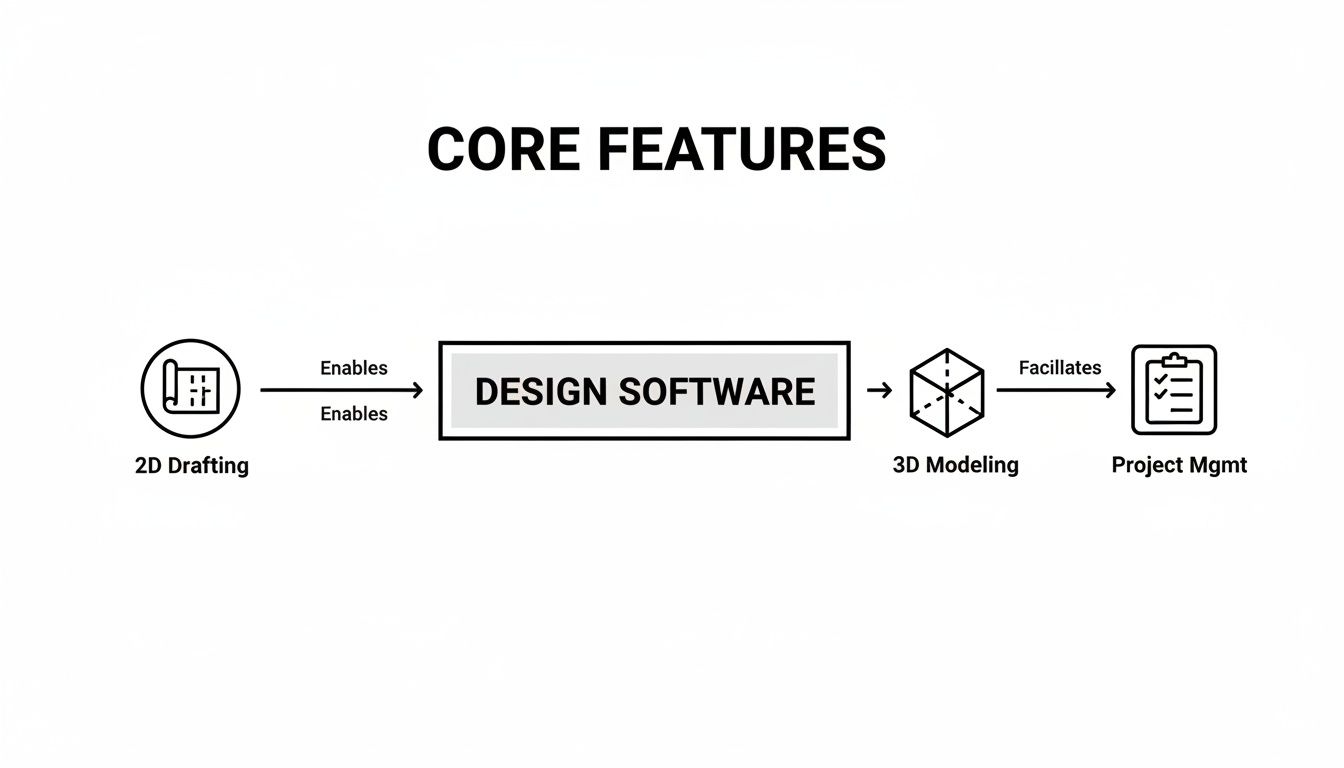
As you can see, specialized tools are built around distinct but connected functions, creating a complete professional workflow.
Accelerating Creativity with AI-Powered Platforms
The newest player on the field—and a real game-changer—is AI-powered design software. Platforms like RoomGenius are built to turbocharge the most creative part of the process: the initial concept phase. Forget spending hours manually dragging and dropping furniture to create a few different layouts. These tools can generate dozens of compelling design variations in minutes.
AI tools don’t replace your expertise; they amplify it. They take over the time-consuming grunt work of initial ideation, so you can focus on the creative strategy and client collaboration that truly matter.
Imagine sitting with a client and exploring countless possibilities in real-time. You can instantly toggle between styles, test different furniture arrangements, and zero in on the perfect direction together. Once a concept is approved, you can export the layout to your CAD or 3D software to refine the details. The most effective modern workflow weaves all three together, moving seamlessly from an AI-generated concept to CAD-level precision and finishing with a stunning 3D visualization.
How to Select the Right Software for Your Business
Choosing the right interior design software isn’t just about picking a tool; it’s more like hiring a new team member. This is a big decision that will directly impact your workflow, your efficiency, and how you present ideas to clients for years to come. To find the right fit, you have to look past the feature list and get real about what your business actually needs.
The first step? Ignore the marketing hype for a minute and think about your day-to-day reality. Are you buried in technical 2D drafting for contractors, or do you spend most of your time creating jaw-dropping 3D visuals to wow residential clients? The answer to that question alone will point you in a completely different direction.
Define Your Core Evaluation Criteria
Before you start looking at specific platforms, make a personal checklist. What’s truly important to you? This simple framework will keep you focused and stop you from getting distracted by flashy features you’ll never actually use.
Your list should cover a few key areas:
- Learning Curve and Training: How intuitive is this thing? Some advanced CAD programs have a notoriously steep learning curve, which means a significant time investment. See if the company offers good tutorials, responsive customer support, or active community forums to help you get going.
- Pricing Model: Take a hard look at subscription services versus one-time perpetual licenses. Subscriptions usually have a lower upfront cost and include all the latest updates, but a one-time purchase might be cheaper in the long run—just be aware you might have to pay again for major version upgrades.
- Compatibility and Integration: Your new software has to play nice with your existing tools. Can it easily import and export common file types like DWG or SKP? If it can’t, collaborating with architects, contractors, or other designers will be a constant headache.
Test Before You Invest
Never, ever commit to software based on the website alone. The most critical step is to get your hands dirty with a free trial and put the platform through its paces on a real project. Don’t just click around the demo files—try to complete a small, actual client task from start to finish.
This hands-on experience is where the truth comes out. You’ll discover the real workflow, uncover those little frustrations that drive you crazy, and see if the software’s promises hold up in the real world. A trial can save you from a very expensive mistake.
As you’re testing, think about scalability. Will this software grow with your business? A tool that’s perfect for a solo designer might lack the collaborative features you’ll need as you build a team. To get a wider view of the market, you can explore the top picks for interior design software for professionals for a helpful comparison.
Finally, consider your niche. If kitchen design is your bread and butter, you need a program with extensive cabinet libraries and appliance catalogs. Our guide on the best kitchen design software dives into tools built specifically for that purpose. By building a clear framework and testing with real-world scenarios, you’ll find a true asset for your business, not just another subscription.
Putting Your Software into Practice
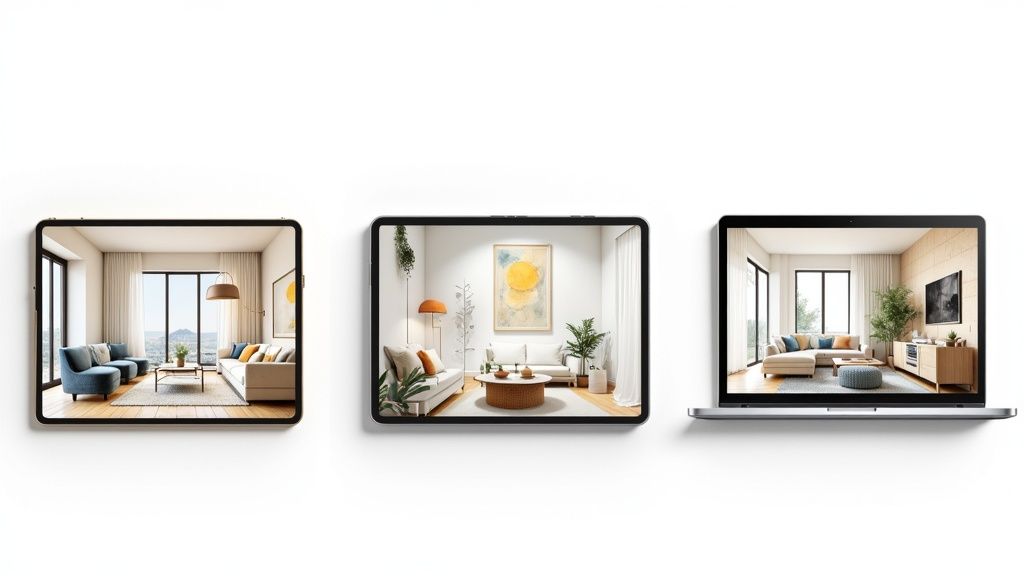
Knowing what a piece of software can do is one thing. Seeing how it actually works in the real world is where the lightbulb really goes on. The right tool isn’t just another program on your computer; it becomes a genuine partner, flexing to meet the unique challenges of different jobs in the design and property worlds.
Let’s pull back the curtain and see how specific pros put these digital toolkits to work day in and day out. From getting a client’s sign-off to closing a sale, you’ll see that each professional uses the software in their own way to solve their biggest headaches and get results.
The Residential Interior Designer
For a residential designer, the entire job is about taking a client’s fuzzy vision and turning it into a concrete, buildable plan. It’s an art and a science.
Their process often kicks off with an AI-powered platform like RoomGenius to get ideas flowing fast. Instead of spending days meticulously crafting a handful of mood boards, a designer can generate dozens of layout and style variations right there in a client meeting. That kind of instant feedback loop builds excitement and gets everyone on the same page from the get-go.
Once the client points to a direction they love, the designer exports that concept. From there, it’s time to get technical. The next step is often a CAD program, where that initial idea is refined into precise, detailed plans. This is where every measurement is double-checked and the construction documents that contractors depend on are created.
Finally, for the big reveal, the designer turns to 3D rendering software to create those jaw-dropping, photorealistic images of the finished space. These visuals are absolutely essential for the final client presentation, making sure the vision is crystal clear before anyone even picks up a paintbrush.
The Real Estate Agent
A real estate agent’s job is to sell a dream, not just four walls and a roof. They need to help potential buyers see themselves living in a space, and empty rooms just don’t cut it. They often feel cold, confusing, and completely uninspiring. This is where virtual staging becomes a secret weapon.
An agent can snap a few photos of a vacant house and use software to digitally furnish it. In just a few hours, they have a library of marketing photos that show off the property’s true potential.
This isn’t just a neat trick; it has real business benefits:
- It’s smart money. Virtual staging is a fraction of the cost of renting physical furniture, which can run into the thousands.
- It’s flexible. Don’t like that modern sofa? You can swap it for a traditional one with a few clicks to appeal to different buyers.
- It gets results. Homes that are staged—physically or virtually—tend to sell faster and for more money because buyers make an emotional connection.
By turning empty listings into beautifully furnished, aspirational homes, agents create an emotional hook that traditional photos simply can’t match. This digital-first strategy is a game-changer for marketing properties effectively.
The Commercial Designer
Designing a commercial space like an office or a retail store is a whole different ball game. It’s less about personal taste and more about functionality, workflow, and getting a dozen stakeholders to agree.
A commercial designer’s workflow leans heavily on powerful space planning and 3D visualization. The first step is all about mapping out layouts that make sense—optimizing foot traffic, complying with building codes, and meeting the client’s business goals.
Once the floor plan is locked in, they bring it to life with detailed 3D models and virtual walkthroughs. This is the key to presenting the design to a committee. Instead of trying to interpret flat blueprints, stakeholders can “walk” through the proposed space and give meaningful feedback. This level of clarity helps get that crucial buy-in and prevents expensive changes later on.
The Future of Design: AI as Your Creative Co-pilot
The ground is shifting under the world of interior design software. For years, we’ve relied on powerful but often cumbersome tools. Now, we’re seeing a move toward platforms where artificial intelligence isn’t just a feature—it’s a creative partner.
This isn’t about replacing the designer’s touch. Far from it. Think of this new wave of AI as a brilliant junior designer who handles the grunt work, freeing you up to focus on the big picture. It tackles the repetitive, time-sucking tasks that bog down the initial design phase.
Augmentation, Not Automation
AI-driven platforms like RoomGenius are built to ignite the conceptual stage. Imagine this: instead of spending a whole afternoon manually drafting a handful of layout options, you generate dozens of high-quality arrangements in just a few minutes. This completely changes the dynamic of client discovery and feedback.
The philosophy here is simple: let the machine manage the tedious tasks so you can pour your energy into the high-value work—creative strategy, client relationships, and perfecting the final vision.
This approach creates a powerful bridge between rapid brainstorming and detailed execution. A designer can use an AI tool to quickly explore concepts with a client, get immediate buy-in, and then export that validated design into their go-to CAD or 3D modeling software for the technical deep-dive.
Building a Smarter, More Profitable Practice
When you weave AI into your workflow, you unlock some serious efficiencies. Suddenly, you can take on more projects without ever compromising on the quality of your work. It’s a strategic shift toward running a more innovative and client-centric business.
Ultimately, this is where professional design software is headed. It’s a smart collaboration between your creative instincts and the machine’s incredible speed, letting you deliver better results, faster than ever before.
Got Questions? We’ve Got Answers.
Stepping into the world of professional interior design software can feel a little overwhelming. Let’s clear up some of the most common questions we hear from pros just like you.
Do I Really Need to Be a CAD Expert Anymore?
Honestly, not always. While knowing your way around traditional CAD is a fantastic skill for creating technical, construction-ready documents, it’s no longer a deal-breaker.
Many of the newer, more intuitive platforms have completely changed the game. AI-powered tools, for instance, let you whip up incredible layouts and design concepts without ever touching a complex command line. That said, having a solid grasp of basic drafting principles will always give you an edge in making sure your plans are accurate and practical.
What’s the Real Difference Between BIM and 3D Modeling?
It all comes down to one word: data.
Think of 3D modeling software as the ultimate visual tool. It’s all about creating a stunning, photorealistic picture of a space—the look, the feel, the materials, the way the light hits the floor. It’s built to create that “wow” moment for your client presentations.
Building Information Modeling (BIM), on the other hand, is the brains behind the beauty. Tools like Revit create an intelligent 3D model where every single element—from a wall to a window to an electrical outlet—is packed with information. This makes BIM indispensable for large-scale projects where architects, engineers, and designers all need to work from one unified, data-rich playbook.
Can I Find One Tool to Run My Entire Project?
Absolutely, and it’s a huge shift in how designers are working today. The best interior design software for professionals is moving toward becoming a complete business hub. These platforms blend powerful design capabilities with serious project management muscle.
You’ll often find features like:
- Dedicated portals for client communication and approvals
- Built-in tools for invoicing and tracking your budget
- Streamlined product sourcing and FF&E schedule creation
Pulling everything into one place isn’t just a convenience; it’s a massive time-saver. It cuts down on administrative headaches and keeps every shred of project information organized and accessible, giving you total control from the first sketch to the final walkthrough.
Ready to see how AI can supercharge your design workflow? Find out how RoomGenius helps you create beautiful, client-ready concepts in a fraction of the time. Start designing faster today.