How to Prompt AI Interior Design Apps for Better Results
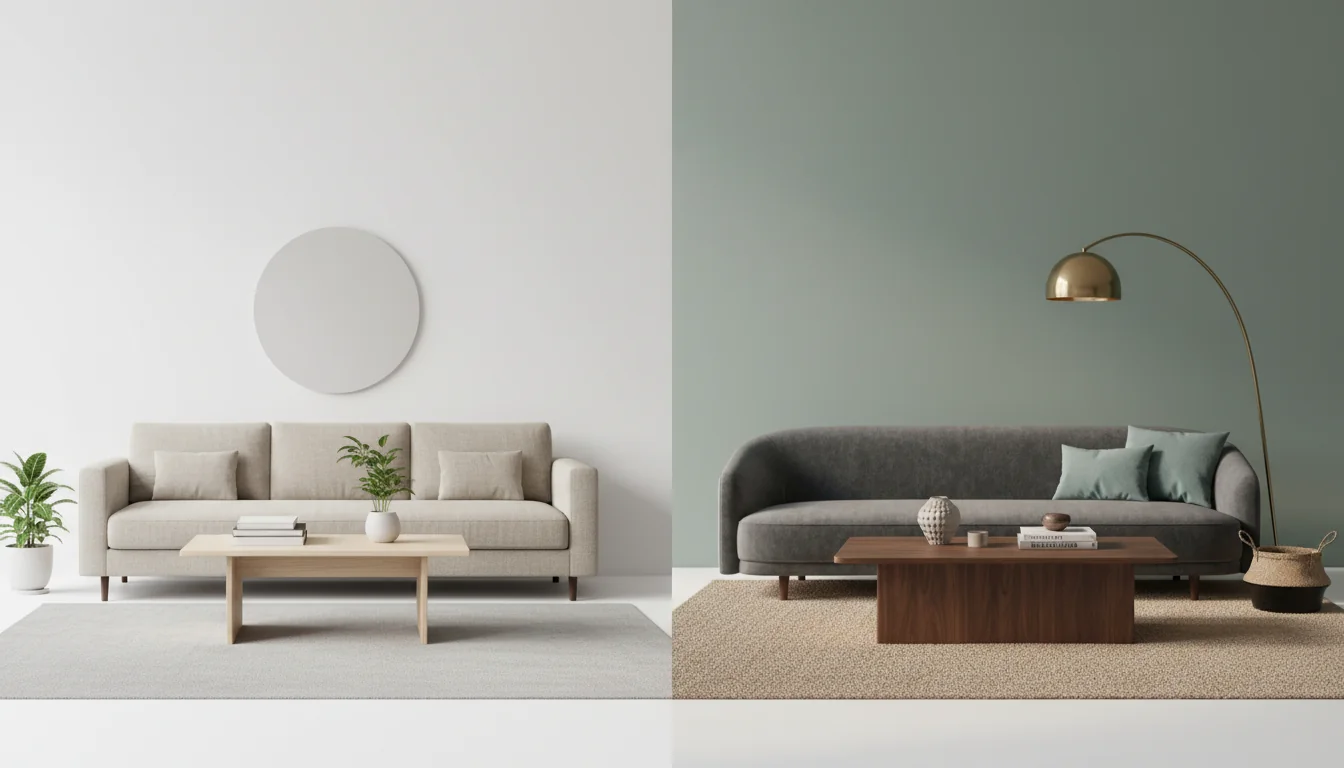
You typed “modern living room” into the prompt box, hit generate, and got back a room that looks like every other modern living room on the internet. A grey sofa. A pale wood coffee table. A round mirror you’ve seen a thousand times. Technically the AI did what you asked. Practically, the result has no point of view, no relationship to your taste, and no relationship to your actual room. So you regenerate. And regenerate. And eventually give up and decide the AI is the problem.
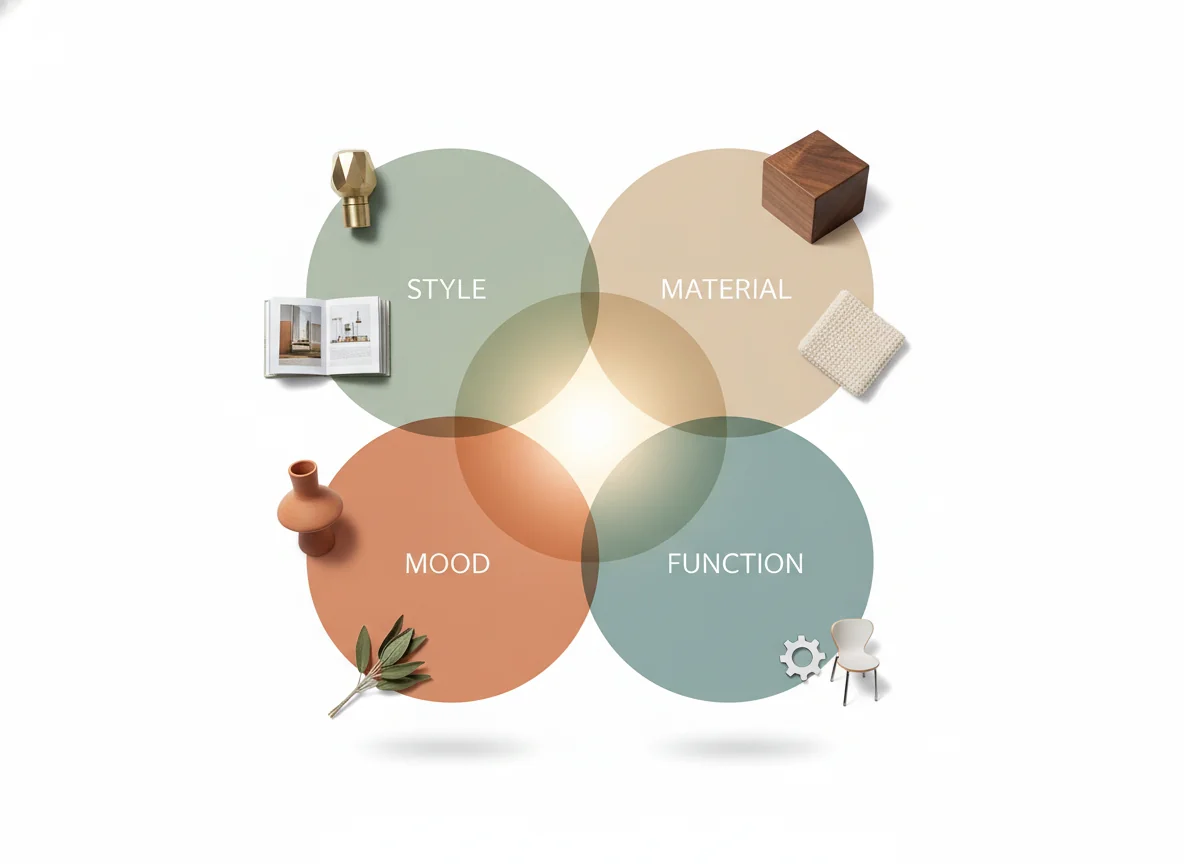
The AI is not the problem. The prompt is. Good AI interior design prompts are not a single trendy adjective — they’re a short, specific description of style, materials, mood, and function, written the way a designer would brief a contractor. This guide is the working playbook: why vague prompts produce generic rooms, the four-variable formula that fixes them, weak-vs-strong sample prompts for three of the most-requested room types, the negative prompts most people skip, and the iteration loop that turns a near-miss into the render you actually wanted.
What makes a good AI interior design prompt? A good prompt names four things: the style (e.g. Japandi, mid-century modern, warm contemporary), the dominant materials (e.g. white oak, bouclé, brushed brass), the mood (e.g. calm, energetic, cozy), and the room’s function (e.g. reading nook, family movie room, work-from-home office). It is one or two sentences long, uses concrete nouns and material names instead of generic adjectives, and tells the AI what to exclude as clearly as what to include. The difference between a 30-word prompt and a 3-word prompt is roughly the difference between hiring a designer who’s met you and one who hasn’t.
Why vague prompts give generic rooms
AI interior design tools work by mapping the words in your prompt to patterns in the millions of design images they were trained on. A short prompt like “modern living room” maps to the statistical center of every modern living room the model has ever seen — which is, by definition, the most generic possible result. The same way a search for “good restaurant” returns chain restaurants and a search for “good neighborhood pasta place with hand-cut tagliatelle” returns something interesting, prompt specificity is the lever that moves the render from average to right.
There’s a second reason vague prompts fail: they hand the model the most decisions. When you write “modern,” the AI has to pick between Scandinavian-modern, mid-century-modern, contemporary-modern, and industrial-modern — four very different rooms — and it picks the statistical default, not what’s most relevant to you. Every adjective you don’t specify is a decision the model makes for you.
The third reason: vague prompts produce inconsistent results across regenerations. A short prompt has a wide possibility space, so each regeneration lands in a different corner. A specific prompt has a narrow space, so regenerations converge on close variants of the same idea. Our interior design tips for beginners post covers the design vocabulary that makes specific prompts possible.
The four-variable prompt: style + material + mood + function
The formula that produces consistently strong AI interior design renders has four variables. Write a prompt that names all four and the output quality jumps a tier. Skip any one and you’ll feel the gap in the render.
Style is the named design movement or aesthetic. “Modern” is not a style; it’s a category. Specific names — Japandi, mid-century modern, warm contemporary, English country, Scandinavian, industrial loft, dark academia — each map to a tight cluster of images in the training data, so the model knows which corner of “modern” to render. If you don’t know the name, describe the era and feeling (“1960s California ranch house”) and the AI will figure it out.
Material is the dominant physical substance the room is made of. “Wood” is too broad; “white oak” or “walnut” or “ebonized ash” each render differently. “Fabric sofa” is too broad; “bouclé,” “linen,” “performance velvet,” “leather” each render differently. Two or three named materials per prompt is the right density.
Mood is the emotional register you want the room to project. Calm, energetic, cozy, formal, playful, moody, airy, grounded. Mood adjectives steer the AI toward warmer or cooler palettes, brighter or softer lighting, denser or sparser styling, before you specify any colors. A “cozy” mid-century modern looks different from a “minimal” one.
Function is what the room is actually for. A reading-nook living room is styled differently from a family-movie-room living room, and both differ from a dinner-party one. Naming the function tells the AI which furniture to prioritize and what the room should optimize for. Skipping it produces beautiful, photogenic, unusable rooms.
Putting it together: “Warm contemporary living room with white oak floors, a charcoal bouclé sofa, and brushed brass lighting; calm and grounded mood; designed as a reading-and-conversation room for two adults.” Twenty-eight words, all four variables, a categorically different render than “modern living room.”
Sample prompts: bedroom, living room, kitchen
Theory is cheap. The fastest way to internalize the four-variable formula is to read weak and strong versions of the same prompt side by side and see how the words map to the render. Three of the most-requested room types, with the prompts that produce average results and the prompts that produce great ones.
Bedroom
Weak prompt: “Modern bedroom, neutral colors, cozy.”
What the AI hears: render any bedroom from the last fifteen years, in some neutral palette, with some cozy element. The output will be a competent but anonymous beige bedroom with a generic linen-look bed, a generic round mirror, and a generic potted plant.
Strong prompt: “Japandi-style primary bedroom with a low-profile white oak platform bed, oatmeal linen bedding, a single black-framed window, warm matte plaster walls in soft greige, paper pendant light above the bed, calm and restorative mood; designed as a sleep-first sanctuary with no TV and no desk.”
The strong prompt names the style (Japandi), four materials (oak, linen, plaster, paper pendant), the mood (calm and restorative), and the function (sleep-first sanctuary, no TV/desk). The “no TV, no desk” is the negative prompt buried inside the function clause — it tells the AI what to exclude. The render that comes back will be specific, intentional, and recognizably yours rather than the statistical mean of “modern bedroom.”
Living room
Weak prompt: “Cozy living room with a fireplace.”
What the AI hears: any cozy room with any fireplace. You’ll get a generic farmhouse-ish room with a generic brick fireplace, generic plaid throw, and a generic leather chair.
Strong prompt: “English country living room with a stone-clad fireplace, forest-green velvet sofa, mohair tartan throw, an antique walnut coffee table, brass picture lights over framed botanical prints, moody and grounded mood; designed for evening reading and after-dinner conversation, not for family movie nights.”
The strong prompt anchors a specific aesthetic (English country), specifies four named materials (stone, velvet, mohair, walnut), sets a mood (moody and grounded), and tells the AI what the room is for (evening reading and conversation) and what it’s not for (movie nights). A model that knows English country will give you a render that reads as a real designer’s room rather than a generic farmhouse.
Kitchen
Weak prompt: “White kitchen with island.”
What the AI hears: any white kitchen, any island. The result will be the most-photographed white kitchen on Pinterest from the last five years — and the one you’ve already seen a hundred times.
Strong prompt: “Warm contemporary kitchen with rift-sawn white oak lower cabinets, honed Carrara marble countertops, unlacquered brass hardware, a plaster-finish range hood, open shelving in white oak above the range, soft warm-white pendant lights over the island, inviting and confident mood; designed for two people cooking together with seating for casual breakfast at the island.”
The strong prompt names the style, specifies the cabinet wood and cut (rift-sawn), the countertop stone and finish (honed), the hardware metal and finish (unlacquered brass), the mood, and the function (two-cook kitchen with casual seating). It is forty-six words and produces a render that could be sketched by a real kitchen designer. Our home decor style finder post is the right next step if you don’t yet know which named style is yours.
Negative prompts: what to exclude
The single most-overlooked tool in AI interior design prompting is the negative prompt — the explicit list of what you do NOT want in the render. Most users only describe what they want and assume the AI will infer the rest. The AI does not infer; it generates, and what gets generated is whatever the prompt didn’t actively exclude.
Four legitimate uses of negative prompts:
Exclude a style you keep getting by accident. If prompts keep returning “farmhouse” elements you didn’t ask for (shiplap, barn doors, mason jars), add “no shiplap, no farmhouse elements.” The AI’s default for “cozy” leans farmhouse; the negative prompt redirects it.
Exclude a furniture type that doesn’t fit the function. “No TV” for a reading room. “No desk” for a sleep-first bedroom. The model’s default for “living room” includes a TV; if yours doesn’t, say so.
Exclude an overused trend. Round arched mirrors, fluted millwork, bouclé everything — if you’re tired of them, name them. The AI’s defaults track design trends, so trend-fatigue requires explicit pushback.
Exclude colors you dislike. “No mustard yellow, no terracotta” stops the AI from reaching for the autumnal palette it sometimes defaults to when you ask for “cozy.”
The format is a comma-separated list at the end of the prompt, prefaced with “no.” For a deeper read on how named design movements differ from generic style tags, see our design concepts in interior design overview.
Iterating: prompt, regenerate, refine
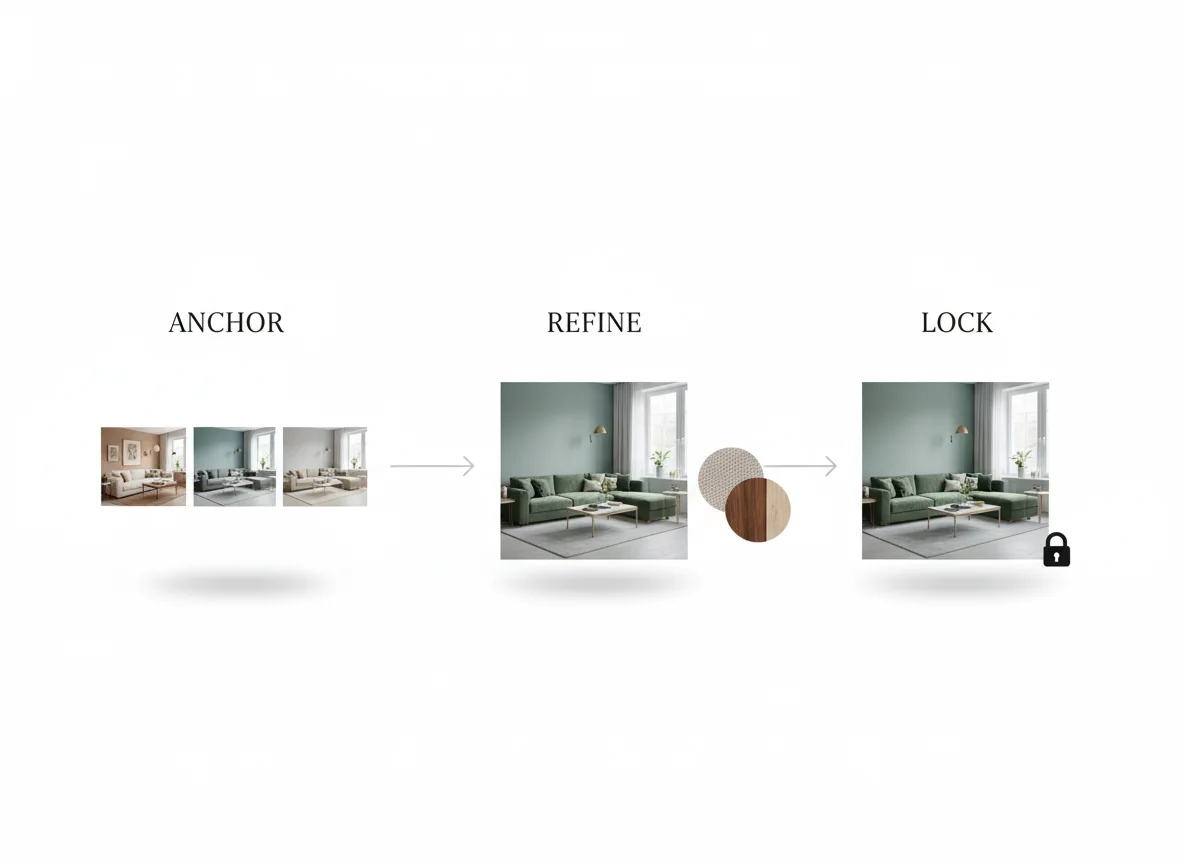
The first render of a strong prompt is rarely the final answer; it’s the start of a conversation. The workflow that produces designer-quality results is iterative, not one-shot, and it has three phases.
Phase one — anchor. Write a strong four-variable prompt and generate three to five renders. The goal is not a final answer; it’s a direction. Pick the render whose mood, palette, and main furniture feel closest to right.
Phase two — refine. Edit the prompt one variable at a time. Swap bouclé to velvet. Swap white oak to walnut. Swap “calm” to “moody.” Single-variable refinement is the secret to learning what each word is actually doing — and to converging on a final render that reflects deliberate choices.
Phase three — lock. Save the exact prompt text that produces a render you’d live with. The same prompt produces close variants on regeneration, letting you generate a small family of options around one direction without losing the anchor.
A common iteration mistake: changing two or three variables between renders. When the output shifts, you can’t tell which change moved the needle, and you lose the chain of cause and effect that makes prompt engineering learnable. Slower, single-variable iteration converges faster than fast, multi-variable iteration. For a structured external read on how named color systems shape mood in interiors, the Pantone Color Institute publishes color-of-the-year notes that double as a vocabulary primer for color-related prompt terms.
Prompt patterns that work — a quick reference
| Pattern | Example | When to use |
|---|---|---|
| Style + material + mood + function | ”Japandi bedroom, white oak + linen, calm, sleep-first” | Every prompt — this is the base formula |
| Negative prompt at the end | ”…no shiplap, no barn doors, no mason jars” | When defaults keep pulling you toward a style you don’t want |
| Single-variable swap | Same prompt, “bouclé” → “velvet” | Phase-two iteration to learn what each word does |
| Function-first phrasing | ”Designed for two cooks; warm contemporary kitchen with…” | When the room’s use is unusual or specific |
| Named designer reference | ”…in the style of a Studio McGee project” | When you want a recognizable, named aesthetic shorthand |
| Era anchor | ”1960s California ranch, mid-century modern” | When you know the feeling but not the named style |
| Color count limit | ”…three-color palette only: oatmeal, walnut, charcoal” | When the AI keeps adding accent colors you didn’t ask for |
The patterns compose. A strong real-world prompt might use the base formula, a negative prompt at the end, and a color-count limit in the middle — all in two sentences. The only penalty is excessive length, where the AI starts ignoring later constraints. Two to three sentences is the sweet spot.
When prompts don’t transfer between apps
A prompt that works brilliantly in one AI interior design app may underperform in another. This is normal, not a bug — different models were trained on different datasets, with different bias toward different style vocabularies. “Japandi” is well-represented in models trained on recent interior design content and poorly represented in general-purpose ones. If a named style isn’t landing, swap it for a description (“low, horizontal, natural wood, minimal ornament” instead of “Japandi”) and the render usually jumps. The named-style shortcut is a luxury, not a requirement. Our AI interior design app overview compares how different consumer tools handle the same prompt vocabulary.
FAQ
How long should an AI interior design prompt be?
Twenty to fifty words is the sweet spot. Shorter than twenty and you’re under-specifying — the model fills in defaults and you get a generic render. Longer than fifty and the model starts weighting later constraints less, so the negative prompts and edge-case requests get dropped. Two sentences is the right rhythm: the first carries style + material + mood, the second carries function + negative prompts.
Should I include color names or describe colors with adjectives?
Both, in different cases. Named colors (“walnut,” “Carrara marble,” “forest green velvet”) tied to a material work better than abstract color names alone (“brown,” “white,” “green”) because they encode a finish, sheen, and texture along with the hue. Pure color adjectives (“warm,” “cool,” “muted”) work well to set a palette direction without pinning down specific hues. The hybrid — “warm palette built around white oak, oatmeal linen, and brushed brass” — outperforms either approach alone.
Can I just upload a reference image instead of writing a prompt?
You can, and many AI interior design apps support reference-image prompts. The trade-off: reference images lock in a specific aesthetic but lose the explicit control over style + material + mood + function that a written prompt provides. The right move for most users is to combine the two — upload a reference image as the visual anchor, and write a short prompt that tells the AI which dimensions of the reference to copy (e.g. “Match the palette and materials of the reference, change the layout to fit my room”). Reference + prompt outperforms either alone.
Why does the AI keep ignoring part of my prompt?
Three reasons, usually. The prompt is too long and later constraints get under-weighted (cut to two sentences). The constraint conflicts with the model’s strongest learned association (the AI’s default for “cozy” pulls toward farmhouse — fight it with explicit negative prompts). Or the named term isn’t in the model’s vocabulary (swap the name for a description, as in the Japandi example above). Almost every “the AI ignored my prompt” complaint resolves to one of those three.
Do AI interior design prompts work for sketches, not just photos?
Yes — and the prompt becomes more important when the input is a sketch, because the visual anchor is weaker. With a photo input, the AI uses the photo’s geometry, light, and existing furniture as a baseline and the prompt steers the style on top. With a sketch input, the prompt has to do more of the structural work as well. Use the four-variable formula and lean a little more heavily on material and mood; the sketch handles layout, the prompt handles look.
Better prompts, better rooms
The whole post collapses to one insight: an AI interior design app is a designer that needs a brief. Hand it a one-word brief and you get a one-word room. Hand it a four-variable brief — style, material, mood, function — with a short negative prompt at the end, and you get a render that feels considered, specific, and yours. Add a single-variable iteration loop on top and the renders converge on something you’d actually live with.
The skill is learnable in an afternoon. Pick a room. Write the longest, most specific prompt you can. Generate. Edit one variable. Generate again. Watch what changes. By the fourth or fifth iteration you’ll know which words are doing the heavy lifting, and the next prompt you write will land closer to the target on the first try. Better prompts. Better rooms. Same app. Try it now.