AI Patio Design: Plan Your Outdoor Space from One Photo
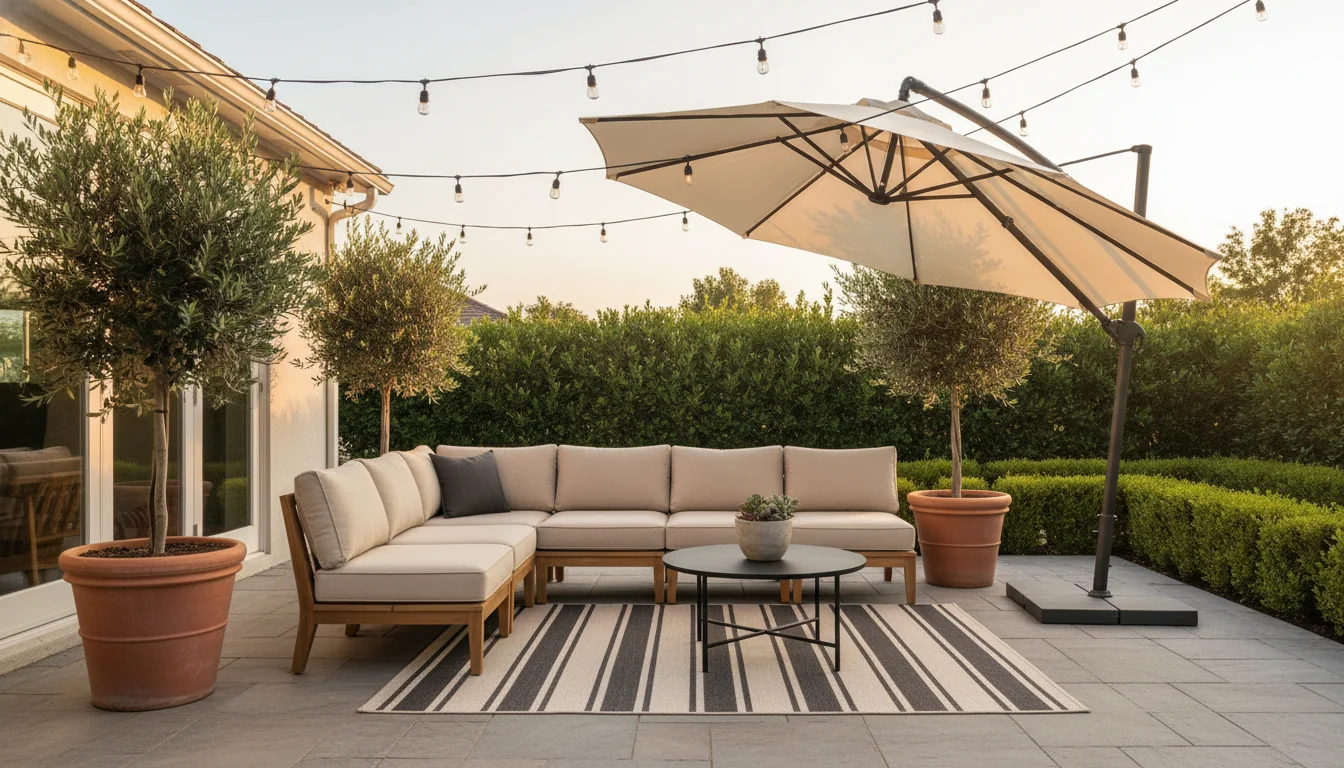
Most people design their living room three times before they design their patio once. The patio is where the grill lives, where two folding chairs ended up after a barbecue, and where a half-bag of potting soil has been propped against the wall since April. It’s also, in square-footage terms, often the cheapest room in the house to transform — and the one that returns the most usable hours per dollar spent. AI patio design is the small workflow that closes the gap: you photograph the patio you already have, the AI generates a styled redesign that treats it like a real room, and you finally see what the space could look like without spending a weekend pushing furniture around in the heat.
This guide is the working tour for the first outdoor post on the blog: why patios stay neglected, how AI fixes the visualization problem specifically, the layouts that actually work outside, the shade and planting layers that decide whether a render reads as livable or staged, the balcony-vs-patio scaling question, and the furniture-matching layer that turns a render into something you can buy. If you’ve been staring at a patio that doesn’t quite work and don’t know where to start, the fastest fix is to start with a photo.
What is AI patio design? AI patio design is the use of an AI room-rendering tool to transform a phone photo of an existing patio, deck, or balcony into one or more styled outdoor redesigns. The render preserves the patio’s architecture (paving, walls, railing, roofline) and proposes a new decor layer: furniture layout, shade structure, planting, lighting, soft goods, and accessories. The same workflow used to redesign an indoor living room applies outdoors — the model treats the patio as a room with three walls and a sky, and produces dining, lounging, or multi-zone arrangements scaled to the footprint. Modern AI patio tools also match each rendered piece to a real, weather-resistant product so the styled image can become a shoppable plan rather than a mood board.
Why patios get neglected (and how AI fixes that)
Patios sit in a strange middle ground in most homes. They’re outside, so they get filed under “yard” and inherit the yard’s lower expectations. They’re attached to the house, so they get filed under “house” and inherit the house’s longer to-do list. They lose both ways. The kitchen gets remodeled because you cook in it every day. The patio gets a folding chair because nobody is sure what it wants to be.
The visualization problem is real. A living room comes pre-furnished in your mind — you’ve seen ten thousand living rooms in magazines, films, and friends’ apartments. Outdoor rooms have a thinner reference library. Most people can name three patio looks at most, and one of them is “the one with the umbrella.” When you can’t picture it, you don’t shop for it, and the patio stays a folding chair.
The shopping problem compounds it. Outdoor furniture is bulky, expensive, hard to return, and harder to imagine in your specific space. A sectional that looks great on a showroom floor in Phoenix can swallow a 12-by-14 patio in Boston. The fear of buying wrong keeps people from buying at all.
AI fixes the visualization side directly. A phone photo of the patio you currently have, run through a styled render, becomes a credible preview of what the space could look like with a dining set, a lounge layout, a pergola, or a fire pit — scaled to your actual footprint, in under two minutes per render. The model doesn’t solve the budget question or the durability question, but the visualization question was the one keeping the patio empty.
Treating the patio like an outdoor room
The single mental shift that changes how a patio reads is treating it as a room rather than as an outdoor surface that happens to be near the house. A room has a function. A room has a primary anchor piece. A room has a rug — even outside. A room has lighting layered above eye level. A room has plants. Outdoor surfaces have a grill and a folding chair.
The first move is to name the function. A patio can be a dining room, a lounge, a reading nook, a bar, a play space, an outdoor office, or a multi-purpose zone that combines two of those. Picking one before you render gives the AI a clear brief and keeps the result from drifting into showroom-generic territory. “Outdoor dining room for six” produces a tighter render than “patio design.”
The second move is to commit to an anchor. Indoors, the anchor is the sofa; outdoors, it’s whatever the room is built around — a six-seat dining table, an L-shaped sectional, a daybed, a fire pit with a ring of chairs. Pick one. The render organizes itself around the anchor.
The third move is to define a ceiling. Outdoor rooms feel like rooms when there’s something overhead — a pergola, a cantilevered umbrella, a stretched shade sail, a string of catenary-hung lights, or the canopy of a nearby tree. The sky is not a ceiling. Renders that don’t include an overhead element read as parking lots no matter how nice the furniture is. Even a casual line of bistro string lights changes the read entirely.
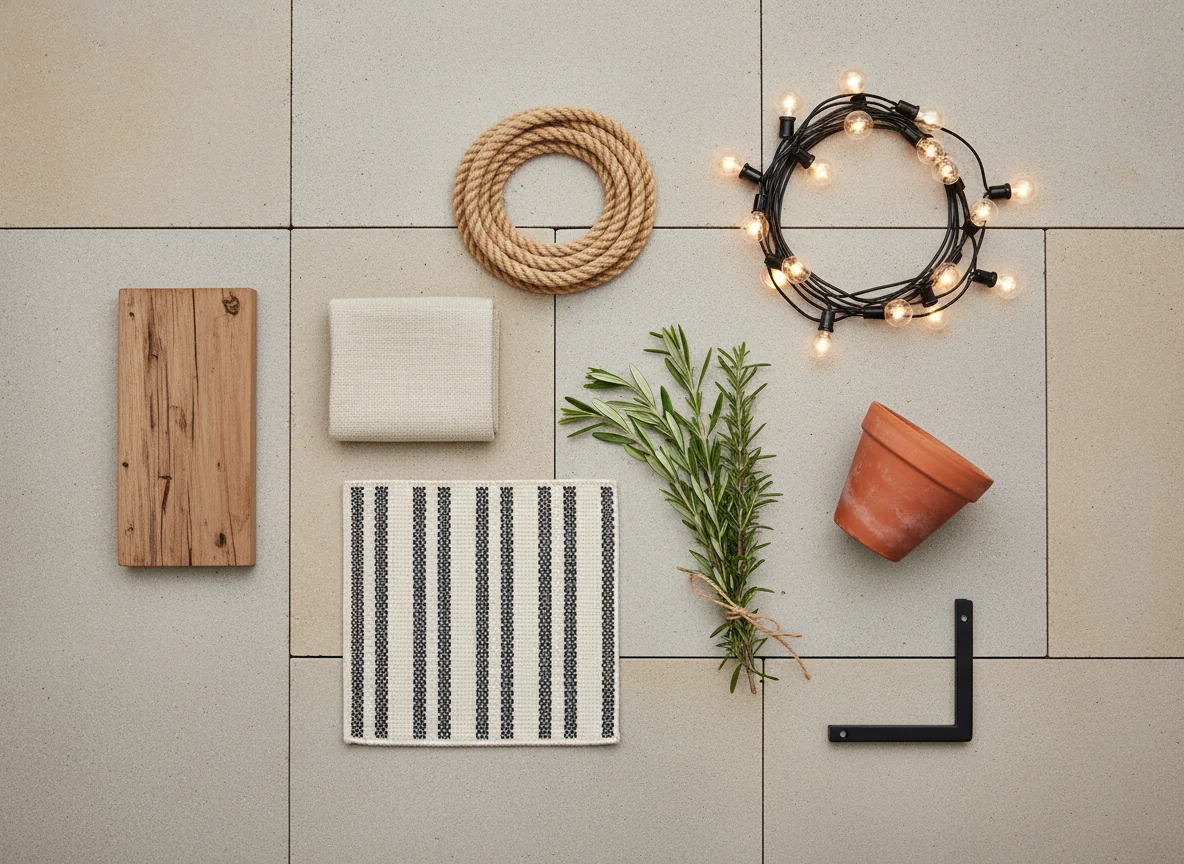
The fourth move is to layer the floor. An outdoor rug — yes, even on existing pavers or a wood deck — does the same thing it does indoors: it visually anchors the seating cluster and signals “this is one room, not loose furniture in a yard.” Wool-look polypropylene rugs are inexpensive, weatherproof, and the single most underused tool in residential patio design.
The same instincts that build a coherent indoor room apply outside; for the indoor companion to this thinking, our how to arrange living room furniture walkthrough covers the anchor-and-traffic-lane logic that translates directly to outdoor zones.
Patio layouts: dining, lounging, and multi-zone
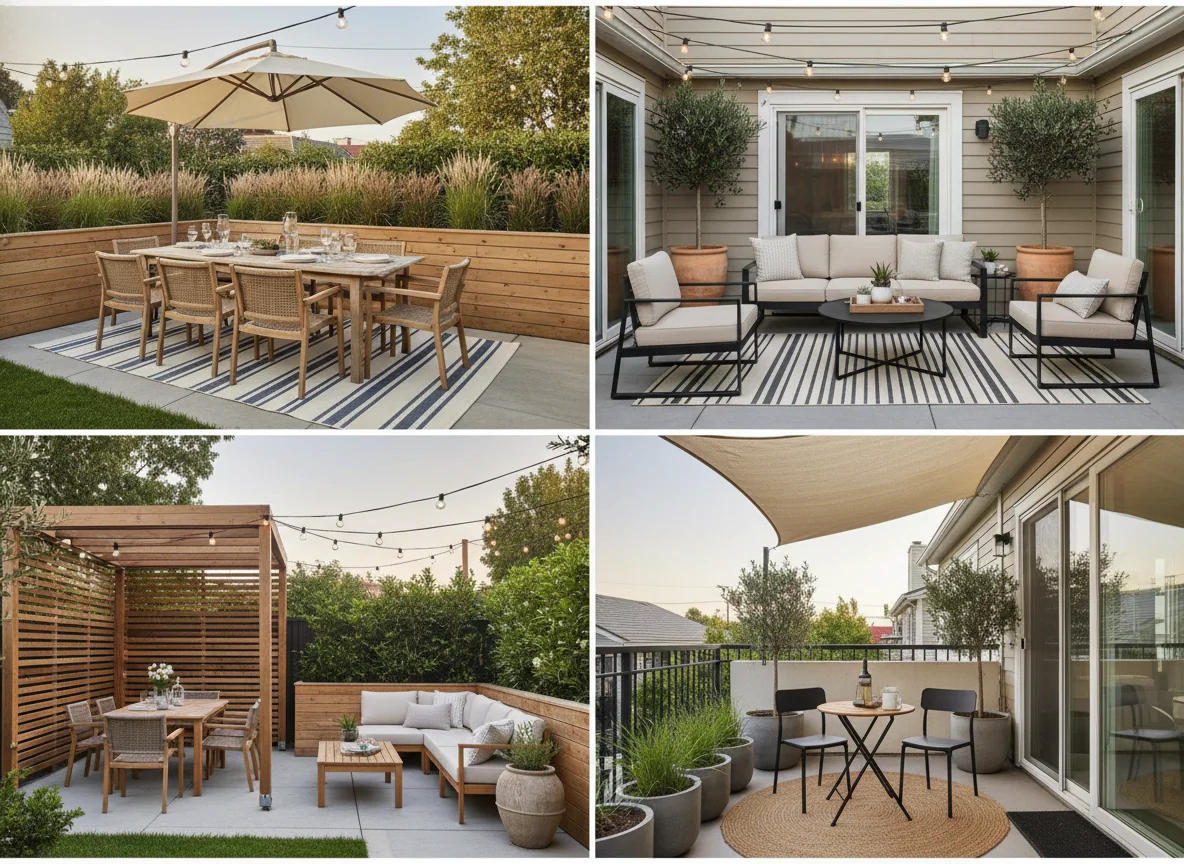
Three layouts cover the great majority of residential patios. Picking which one fits your space — and your actual life — is the most consequential decision in the whole project. The AI will render any of them, but the renders only land if the layout matches the footprint and the use.
Dining-first. The patio is built around a table for four to eight. This is the right answer when you eat outside three or more nights a week in season. The table sits central or slightly off-center, with the chairs pulled out about 24 inches each — tight dining patios feel tight because the chair pull-out wasn’t accounted for. An overhead element is non-negotiable: an umbrella centered on the table, a pergola sized to the table footprint plus a foot on every side, or a stretched sail. A sideboard against the house wall handles serving. The render should feel like an outdoor restaurant, not a picnic.
Lounge-first. The patio is built around an L- or U-shaped sectional with a low coffee table. This is the right answer for evening drinks, reading, and the kind of conversational hosting that doesn’t require plates. The sectional faces the most interesting view — a planted bed, a fence with climbing greenery, the back of the house, or the sky. A pair of accent chairs at 45 degrees creates a conversation cluster instead of a row. String lights overhead handle the ceiling problem. This layout consistently produces the most “I’d actually live here” renders.
Multi-zone. The patio is large enough — call it 250 square feet or more — to host two functions, usually a six-top dining table on one end and a small lounge cluster on the other. The trick is defining the boundary between zones explicitly: a runner of pavers in a different tone, a low planter wall, a single large planted urn, or a perpendicular outdoor rug. Without the boundary, the AI tends to mush the two zones together.
| Layout | Best at | Patio size (sq ft) | Anchor piece | Overhead needed |
|---|---|---|---|---|
| Dining-first | Frequent outdoor meals; hosting | 100–250 | Table for 4–8 | Yes — umbrella or pergola |
| Lounge-first | Evening relaxation; small hosting | 80–250 | L- or U-sectional | Yes — string lights or pergola |
| Multi-zone | Hosting + family use | 250+ | Two anchors, one per zone | Yes — separate ceilings per zone |
| Reading nook | Solo or two-person use | 40–100 | Daybed or pair of chairs | Optional — tree canopy ok |
| Bar / outdoor office | Single-purpose extension | 50–150 | Counter or desk | Yes — directional shade |
For a sanity check on whether the layout you’re picking actually fits, our how to decorate small spaces post is the right companion read — most patios that “don’t work” are patios where the layout asked too much of the footprint.
Shade, planting, and softscape in AI renders
Hardscape — the paving, the walls, the railing — is fixed before the AI ever sees the photo. The render’s job is to layer everything that sits on top of the hardscape: shade, planting, and the soft textiles that turn the patio into a room.
Shade decides whether the patio is usable at all in summer. The AI handles four shade types well: the cantilevered umbrella (flexible coverage, simple geometry), the freestanding pergola (specify cedar or black powder-coated steel by name), the stretched shade sail (specify “tensioned cream shade sail” to avoid the model rendering a droopy tarp), and the bistro string-light grid (not shade, but it does the ceiling job in the evening). Most usable patios end up with two of these in combination.
Planting does the most emotional work in a render. A patio without plants reads as a hardscape staging area. A patio with one good planted moment reads as someone’s home. The AI is good at three planting moves in particular. A pair of large terracotta or fiberglass urns flanking a door, holding olive trees or boxwood topiaries, gives the entry a portico-like formality. A long planter box on a low wall, planted with mixed grasses, softens any hard edge it sits on. A scatter of three or four mid-size pots in a back corner — a fan palm, a fiddle-leaf, a tall grass — turns dead space into a green wall.
Specify the plant by name. “Patio with plants” produces generic greenery. “Two large terracotta urns flanking the door planted with olive topiaries, a long cedar planter box of mixed grasses behind the seating, and three mid-size fiberglass pots holding a small fan palm, a fiddle-leaf fig, and a tall grass” produces a render you can shop.
Softscape — rugs, cushions, throws — warms the whole thing. Outdoor rugs come up first in most rendering iterations because the model often forgets one. Sunbrella or solution-dyed acrylic cushions in oatmeal, cream, charcoal, or warm gray are the safe default; bright colors render fine but date faster.
Small balcony vs large patio
The patio prompts that produce the best renders are the prompts that match the footprint honestly. The same “outdoor sectional with fire pit” prompt that lands beautifully on a 300-square-foot patio looks ridiculous on a 40-square-foot balcony — and the model will faithfully render the absurd version if you ask it to. Scaling the brief to the footprint is the easiest single-step quality improvement on outdoor renders.
Balconies under about 60 square feet need miniaturized vocabulary. A bistro set for two in black powder-coated steel or weathered teak is the canonical anchor. A single tall planter on each side replaces the pair of urns. A small jute or polypropylene rug under the bistro set replaces the area rug. The “ceiling” is usually a stretched shade sail or a clip-on awning rather than a pergola. String lights still work; balconies benefit disproportionately from them.
Mid-size patios — 60 to 200 square feet — handle either a six-top dining set or a small L-sectional comfortably, but rarely both. Pick one. Multi-zone attempts at this size usually crowd. You’ll get more hours out of a single-purpose dining patio than a half-realized hybrid.
Large patios above 250 square feet are where multi-zone starts to pay off, and where the planting layer carries proportionally more weight — bigger spaces look emptier without bigger plants. Specify trees in pots, not just shrubs. A 7-foot olive tree in a 30-inch fiberglass urn anchors a large patio the way a fiddle-leaf fig anchors a living room.
For more on adapting design vocabulary to small footprints, the indoor analog is apartment interior design ideas — the small-space discipline translates almost one-to-one outside.
Matching weather-resistant outdoor furniture
The hardest part of acting on a patio render isn’t the render. It’s that outdoor furniture has a much wider range of durability than indoor furniture, and the wrong piece in the wrong climate is a five-figure mistake. The AI render is the visualization layer; the durability layer is what turns it into a buying plan.
Four material categories cover most weather-resistant outdoor furniture worth buying. Teak is the gold standard for frames — weathers to a silver-gray patina, lasts decades with minimal maintenance, expensive and heavy. Powder-coated aluminum is the modern lightweight default — rustproof, available in every color, and noticeably less expensive than teak. HDPE recycled lumber looks like painted wood, doesn’t rot or splinter, and is the right answer for Adirondack-style chairs and dining sets in wet climates. Powder-coated steel is the right choice for compact bistro and balcony pieces — heavy enough not to blow over, slim enough to render as elegant rather than chunky.
Cushion fabric is the second durability question, and the one most people get wrong. Solution-dyed acrylic — Sunbrella is the dominant brand — is the only fabric category worth specifying for outdoor cushions in any climate that sees rain or strong sun. Cheaper outdoor fabrics fade in a season and mildew in two.
When the render is locked in, work backwards: anchor piece, then chairs, then cushions, then rugs, then planters, then lighting, then accessories. The anchor’s material vocabulary cascades — a teak sectional pulls weathered teak side tables; a powder-coated aluminum dining set pulls aluminum-and-rope accent chairs. Mixing aggressively works in renders and rarely works in person.
For smaller decorative layer questions — outdoor pillows, lanterns, throws, planters, and the cheap-fast accessories that close the gap between a styled render and a real patio — our easy home decor ideas post is the practical companion, with most of the principles porting outside cleanly.
For broader durability research on specific brand-and-material combinations, the Outdoor Furniture page on The Wirecutter is the most rigorous independent source on cushion fabrics, frame materials, and weather performance, and the American Society of Landscape Architects’ residential design resources cover the planting and hardscape side at a level beyond what a consumer render alone can plan.
FAQ
Can AI patio design tools handle existing pavers and walls?
Yes — that’s specifically what makes them useful. The AI preserves the hardscape it sees in the source photo (existing paver pattern, retaining walls, railing, roofline) and changes only the decor layer on top. If you want to explore changes to the paving itself, generate a second render and specify the new paving explicitly in the prompt.
What’s the smallest patio worth designing with AI?
Anything large enough for a bistro set for two — about 30 square feet — is worth running through. Balconies are some of the best candidates because the constraint is so tight that visualization mistakes are expensive, and the AI’s scaled render shows the trade-off clearly before you buy.
How does AI patio design handle climate differences?
Climate enters at the material-selection layer, not the rendering layer. The AI renders the look you ask for regardless of climate; durability is what you bring to the render afterward. Specify climate-appropriate materials in the prompt — “powder-coated aluminum frame for coastal salt air,” “HDPE lumber for wet Pacific Northwest climate” — and the render returns the right vocabulary.
Can I match the rendered furniture to actual products I can buy?
Yes — and this is the layer that turns a styled render into a real plan. Modern AI patio tools, RoomGenius included, run a separate furniture-matching pass over the render and surface real, in-stock products that approximate each rendered piece. The search-by-image workflow takes you from “I like the look” to a shoppable list in minutes rather than the weeks of furniture-store visits a traditional patio project requires.
How many renders should I generate before committing?
Three to five per patio, varying one variable at a time: first the base layout in your top-pick style, then a different anchor (dining for lounge), then a different overhead (umbrella to pergola), then a different planting density, then a different style entirely as a sanity check. By the fifth render, you usually know which two combinations you’d actually live with.
Snap your patio, pick a style, design it like a room.
The patio doesn’t need to stay the room with a folding chair. Shoot a photo from the doorway, run it through a styled prompt, and you’ll see the dining patio, the lounge patio, and the multi-zone patio your footprint can support — all in under five minutes. That’s the visualization step that’s been missing.
RoomGenius is the AI room design app that treats the patio as a room, with outdoor furniture, shade structures, planting, and weather-tolerant soft goods built into how outdoor styles render. The free tier covers your first few rooms, indoor or out, and the furniture-matching layer ties each rendered piece — the teak sectional, the cantilevered umbrella, the cream Sunbrella cushion, the olive tree in the terracotta urn — to a real product you can actually order. Try it on the App Store or Google Play. Snap your patio, pick a style, design it like a room.