AI Interior Design Free Your Ultimate Guide

It’s true—you can absolutely get your hands on high-quality AI interior design free of charge. A surprising number of powerful tools now have free tiers that are more than capable of getting the job done. You just upload a photo of your room, and these platforms can generate a whole new set of design concepts in an instant. It’s a game-changer for visualizing a space without spending a dime.
How AI Is Changing Home Design for Everyone
Interior design is in the middle of a massive shift, and artificial intelligence is right at the heart of it. For years, redesigning a room meant one of two things: hiring a professional with a hefty price tag or painstakingly trying to imagine the final result yourself.
But AI tools are flipping that script. Compared to the often steep traditional interior design consultation costs, these new platforms are making design accessible to pretty much anyone with an internet connection.
This isn’t just a fleeting trend; it’s genuinely making good design available to everyone. Instead of holding up paint swatches and guessing if that new sofa will work, you can now see it all come together in seconds. This tech gives you the freedom to play with different styles, layouts, and furniture without any real-world risk.
The Technology Behind the Magic
At its core, AI interior design free technology runs on generative AI—the same kind of engine that powers AI art and text generators. When you feed it a photo of your room, the AI gets to work analyzing the critical elements:
- Spatial Dimensions: It figures out the room’s size, shape, and overall layout.
- Existing Features: It spots the non-negotiables like windows, doors, and other architectural details.
- Lighting and Shadows: It understands the current lighting situation and how it affects the look of the space.
Armed with that data, it generates new images based on the prompts you give it. You could ask for a “cozy minimalist living room” or a “bohemian bedroom with natural light” and get a realistic render back. This lets you tweak and refine your ideas until you land on something you love. The market is clearly responding, too—the AI in interior design sector was valued at a whopping USD 829 million in 2023 and is only expected to climb.
Why the Free Versions Are So Good
You might be wondering why companies give away such powerful tools. It’s simple: they want you to see the value for yourself. While the paid plans will always offer more bells and whistles like higher-resolution images and advanced features, the free versions are often perfect for that initial brainstorming phase.
Think of them as the ultimate entry point. They let you explore what’s possible and get your creative juices flowing before you decide to commit to a specific direction or a paid plan.
To get a deeper understanding, explore our complete guide on how AI is reshaping home design.
Finding the Right Free AI Design Tool for You
With so many platforms claiming to offer the best AI interior design free of charge, it’s easy to get analysis paralysis. The honest truth is that not all free tools are built the same. Some are brilliant for sparking instant style inspiration, while others are geared toward more nitty-gritty 2D and 3D floor planning.
The trick is to first figure out what you actually need. Are you just trying to visualize your living room in a “Coastal Grandmother” style for fun? Or are you getting serious about a kitchen remodel and need to map out exact furniture placements? Knowing your goal from the start will save you a ton of time and frustration down the road.
This is the classic dilemma most people face when starting a project: invest in a professional or see what you can accomplish on your own.

As you can see, when budget is the main factor, free AI tools offer a fantastic, no-risk way to get the ball rolling on any redesign.
Comparing Top Free AI Interior Design Platforms
To help you navigate the options, here’s a quick look at some of the most popular free platforms. Each has its own set of strengths and, more importantly, limitations you should be aware of before you dive in.
| Tool Name | Best For | Key Free Features | Limitations |
|---|---|---|---|
| Homestyler | Quick style mockups and mood boarding. | Upload a photo, get fast style variations, 3D floor planner. | Free renders are often watermarked and lower resolution. Limited credits. |
| Planner 5D | Detailed 2D/3D floor plans and layout planning. | Build rooms with precise dimensions, access a basic furniture catalog. | The free furniture and texture library is quite limited; advanced items require payment. |
| Roomstyler | Creating photorealistic 3D visuals with brand-name products. | Extensive library of real-world furniture, easy-to-use 3D room builder. | Less about AI style generation and more about manual 3D modeling. |
| IKEA Kreativ | Visualizing IKEA furniture in your actual space. | Scan your room with your phone, erase existing furniture, and place new IKEA items. | Naturally, you’re limited to only the IKEA product catalog. |
This table is just a starting point. The best way to find your favorite is to try a couple and see which one clicks with your project’s needs.
Tools for Quick Style Visualization
If your main goal is just to play with aesthetics and explore different vibes, you’ll want a tool that prioritizes rapid image generation. An app like Homestyler is a great example. You just upload a photo of your room, pick a style like “Minimalist” or “Industrial,” and the AI spits out several design concepts in seconds. It’s perfect for answering those nagging “what if” questions.
The free tiers of these tools usually work on a credit system, giving you a certain number of free designs. The images might have a watermark or be a bit lower in quality, but for creating a mood board and just getting a feel for a new look, they’re incredibly valuable.
My Two Cents: Don’t get bummed out if the first few results look a little wonky. AI can sometimes get proportions wrong or add a bizarre-looking chair. I’ve learned to treat these tools as idea generators, not as final, perfect blueprints.
Tools for Detailed Planning and Layouts
Now, if you’re planning a project that requires real-world precision, you’ll need something with more robust 2D and 3D modeling features. This is where a tool like Planner 5D comes in. Its free version lets you build a room from the ground up, plugging in exact dimensions and dropping in generic furniture to see how everything fits.
This approach is less about instant style makeovers and more about getting the function and flow right. It helps you answer those crucial practical questions:
- Will a king-sized bed really fit in this room with two nightstands?
- Is there enough space to open the oven door if we put an island there?
- How does this furniture layout impact the walking path from the door to the window?
These layout-focused tools often have a bit of a learning curve, but the payoff is a much deeper level of control over your plan. They’re the perfect bridge between a simple photo restyle and a full architectural drawing.
Making the Right Choice
Ultimately, the best tool is the one that aligns with your end goal. If you’re just dreaming and exploring, a fast, style-focused generator is your best bet. If you’re mapping out a project with real-world measurements and constraints, a layout-focused tool will serve you far better.
For a deeper look into the different types of platforms out there, this breakdown of AI-powered home design apps is a great resource to help guide your decision.
Kicking Off Your First Project with a Free AI Designer
You can read about theory all day, but the only way to really get how these free AI interior design tools work is to just dive in. Let’s walk through a super common project: turning that messy, unloved home office into a space where you actually want to work.
For this example, we’ll imagine using a tool like Homestyler, which is great for seeing quick visual changes. The goal here isn’t to nail it on the first try. It’s all about learning how to talk to the AI and nudge it toward your personal vision.
Give the AI a Good Starting Point
Before you even think about uploading, let’s talk about your photo. The quality of that initial image is everything. If you feed the AI a blurry, dark, or weirdly angled picture, you’re going to get some truly bizarre results back. Garbage in, garbage out.
Here’s my simple checklist for taking the perfect “before” shot:
- Tidy Up (Just a Little): You don’t have to scrub the floors, but get the major clutter off your desk and the floor. This lets the AI see the room’s bones, not just your stuff.
- Let There Be Light: Open the blinds! Natural daylight is your best friend. A well-lit photo shows the AI all the little details, textures, and dimensions it needs to understand the space.
- Get the Right Angle: Try standing in a corner or the doorway. You want to capture as much of the room as possible in a single, wide shot. A flat photo of just one wall won’t give it enough context to work with.
Once you have a photo you’re happy with, the next steps are usually pretty simple. You’ll upload it, tell the tool it’s a “Home Office,” and you might have to quickly trace the lines of the floor and walls so it understands the room’s geometry.
From Blank Slate to First Draft
This is where the fun begins. The tool will ask you to pick a design style. To give the AI a clear direction, let’s go with a popular one like ‘Mid-Century Modern.’ Hit generate, and within seconds, you’ll have a few different takes on your office in that style.
This is the kind of dashboard you’ll typically see, giving you the choice to start from a blank floor plan or, in our case, restyle an existing room from a photo.
Now, don’t get discouraged if the first few images aren’t quite right. One might have a tiny desk, another might use a color you can’t stand. That’s completely normal—it’s just the starting point.
Refining Your Vision with Text Prompts
Those initial designs are just a rough draft. The real magic happens when you start refining them with specific text commands. Instead of just hitting “generate” over and over, you take control.
My Pro Tip: Treat the AI like a very fast, very literal junior designer. It needs clear instructions. If you’re vague, you’ll get vague results. Specificity is your best friend.
Let’s take our Mid-Century Modern office and make it better. Look at what the AI gave you and decide what you’d change. Here are a few examples of prompts that actually work:
- “Add a floating oak shelf above the desk for books."
- "Change the wall color to a warm off-white."
- "Replace the office chair with a tan leather Eames-style chair."
- "Show this with warmer, indirect lighting from a floor lamp in the corner.”
Each prompt generates a new version, inching you closer and closer to the room in your head. This back-and-forth is the fundamental process for any ai interior design free tool. It’s less about one-click perfection and more about a creative conversation that turns a generic idea into a space that feels like yours.
Getting Photorealistic Results from Your Prompts
The real magic behind getting stunning results from any AI interior design free tool isn’t about the software itself—it’s about how you talk to it. I’ve seen countless people get frustrated, but the difference between a generic, slightly off-looking room and a truly photorealistic render almost always boils down to two things: your starting photo and your text prompts.
Think of the AI as an incredibly talented but very literal assistant. It can only work with what you give it. If you feed it a dark, cluttered, or weirdly angled photo, you’re going to get a distorted and unhelpful design back. The AI will struggle with the room’s dimensions, miss important architectural details, and might spit out a layout that’s physically impossible.
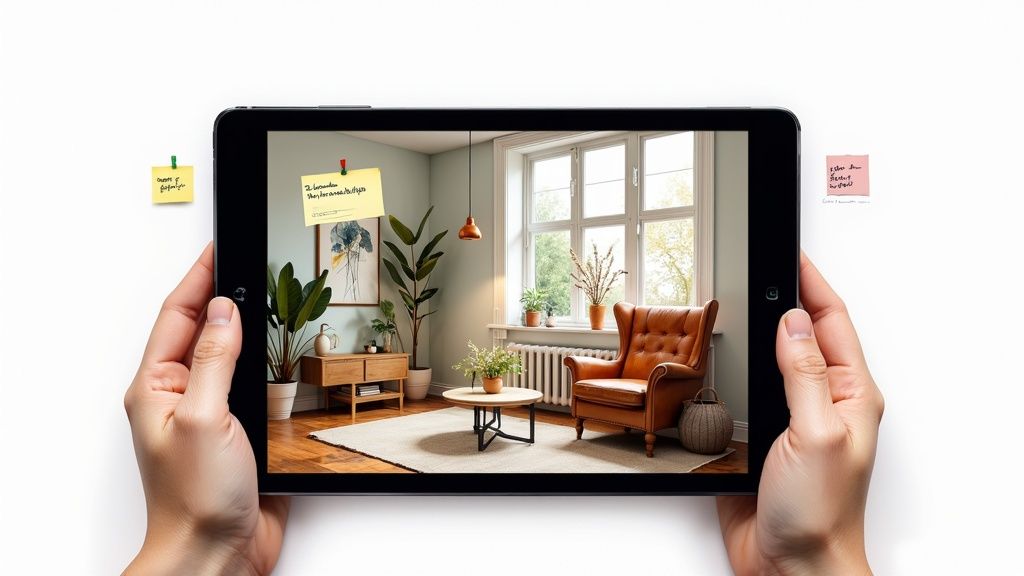
Start with the Perfect Source Photo
There’s an old saying in programming: garbage in, garbage out. It’s twice as true for AI design. Before you even think about uploading, you need to set the AI up for success with a great photo.
- Let the Light In: Open those curtains and snap your picture during the day. Natural light is key. It helps the AI see the true colors, textures, and depth of your space.
- Declutter the Scene: You don’t need a professional staging, but getting random stuff off the floor and surfaces gives the AI a clean slate to build upon.
- Get a Wide Shot: Stand back in a corner or a doorway. You want to capture as much of the room as you can in a single frame. This gives the AI crucial context on the layout and scale.
Taking just a few minutes to do this will dramatically improve the AI’s understanding of your room, leading to much more believable and accurate designs right from the start.
Master the Art of the Descriptive Prompt
With a solid photo in place, your text prompts are where you really take control. Vague instructions like “make it modern” will only get you vague, uninspired results. You have to feed the AI the details.
The AI doesn’t have taste or intuition. It’s a pattern-matching machine. Your job is to provide such a clear and detailed pattern that the result looks exactly like what’s in your head.
Let’s look at a real-world example for a living room refresh.
- A Basic Prompt: “Add a new couch and a coffee table.”
- A Descriptive Prompt: “Replace the sofa with a deep-seated, charcoal gray sectional. In the center of the room, add a round, light oak coffee table with black metal legs.”
See the difference? The second prompt gives the AI specific commands on style, material, color, and placement. That level of detail is what turns a rough concept into something that feels intentional and real. If you’re chasing truly jaw-dropping visuals, it’s also worth checking out resources dedicated to realistic AI image generators to see what’s possible.
Learning to write great prompts is a skill you’ll build with practice. The more you experiment with layering details about mood, lighting, and specific materials, the better you’ll become at translating your vision into a stunning digital reality. To see how these ideas work with specific software, take a look at our guide on choosing the best AI interior design tool for your exact needs.
Knowing the Limits of Free AI Tools
Free AI interior design tools are an amazing way to get a project off the ground and play around with different styles without spending a dime. But let’s be real—it’s important to walk in with your eyes open. These platforms are businesses, after all. Their free versions are a fantastic taste of what’s possible, but they’re built to nudge you toward the full experience.
Knowing what you’re getting into from the start will save you a lot of headaches down the road.

One of the first things you’ll probably notice is the trade-off in image quality. Free renders often come out at a lower resolution and might have a big watermark slapped right on them. That’s fine for your personal Pinterest board, but it’s not something you’d want to show a contractor or use in a client presentation.
Common Restrictions You’ll Run Into
Beyond just fuzzy images, free plans usually have a few other guardrails in place to manage their costs and encourage you to subscribe.
- Daily or Monthly Usage Caps: Most tools will limit how many designs you can create in a day or over a month.
- Limited Furniture Libraries: You might get excited about a design, only to realize the free catalog of furniture and decor is pretty lean. The really good stuff is often locked behind the paywall.
- Fewer Customization Features: Want to tweak the lighting or upload your own fabric texture? Those kinds of advanced controls are typically reserved for paying customers.
Now, these limits aren’t always a deal-breaker. For a lot of homeowners just looking for a bit of inspiration, the free features are more than enough to get a great feel for a project’s direction. The trick is knowing when your vision has outgrown what the free version can deliver.
When an AI tool keeps giving you layouts that completely ignore your room’s sloped ceiling or that awkward little nook, that’s a huge sign you’ve hit the wall of its free capabilities. The free models often see rooms as simple boxes, which just doesn’t work for spaces with real character.
Knowing When to Upgrade Your Tools
That moment of truth usually arrives when you shift from just brainstorming ideas to actual, serious planning.
If you suddenly need a crystal-clear render to get your spouse on board or show a carpenter exactly what you’re picturing, those low-res, watermarked images just won’t do the job. The same goes for when your entire design is built around a specific sofa that isn’t in the free library. At that point, you’ve officially graduated from the basic plan.
Think of it like this: ai interior design free tools are for inspiration, while paid tools like RoomGenius are for execution. When you need precision, professional-grade visuals, and the creative freedom to get your vision just right, investing in a paid solution is the logical next step.
Got Questions About Free AI Interior Design? We’ve Got Answers
Jumping into the world of free AI interior design is a blast, but it’s natural to have a few questions pop up. From technical hiccups to a few legal things to keep in mind, getting some clarity will help you design your space with more confidence. Let’s tackle some of the most common questions I hear.
One of the first hurdles people run into is the quality of their “before” photo. Does it really make a difference? You bet it does. A blurry, poorly-lit, or cluttered photo is the fastest way to get a distorted and frankly, useless, design back. The AI needs a clear, bright picture to understand your room’s layout and features.
Then there’s the question of who actually owns the designs the AI spits out. The short answer is, it’s complicated. For most free tools, the terms of service usually say you’re free to use the images for personal, non-commercial projects. But, the platform often holds onto rights to the images themselves. It’s always a good idea to skim the fine print before you think about using them for anything professional.
Why Do My AI Designs Look So Bizarre?
We’ve all been there. You get a render back and suddenly your armchair has six legs, or a window has appeared where your front door should be. So, what’s going on?
It usually boils down to a few key issues:
- Proportional Mishaps: AI can really struggle with scale. It might shrink a huge sofa into a loveseat or render a fireplace that’s bizarrely low to the ground.
- Architectural Blind Spots: Free AIs tend to see rooms as simple boxes. They often completely miss or misinterpret unique features like sloped ceilings, awkward corners, or charming built-in nooks.
- Too Many Cooks in the Kitchen: If you keep tweaking and adding conflicting commands in the same prompt, the AI can get confused. This is when you start getting those really “wonky,” nonsensical results.
Here’s my go-to advice: think of the AI as a brainstorming partner, not a flawless architect. When a design starts to go off the rails, it’s almost always better to start over with a fresh, simple prompt instead of trying to endlessly edit a broken image.
Is AI Going to Replace My Interior Designer?
That’s the million-dollar question, isn’t it? The honest answer is no, not anytime soon. AI is an amazing tool for getting a quick visual and sparking ideas, but it just doesn’t have the creative reasoning and real-world problem-solving skills of a professional designer.
An AI can’t ask you about your family’s daily routine, figure out a tricky furniture layout, or understand the subtle psychology of color. It doesn’t know how to create flow or balance in a space.
Put it this way: AI gives you a picture, but a human designer gives you a comprehensive plan. These free tools are a fantastic first step for gathering inspiration, but they can’t match the personalized, thoughtful process a pro brings to the table. They generate cool options, but they never truly understand the why behind a beautiful and functional design.
Ready to see what a more powerful AI can do? If you’re tired of the limitations and want to bring your vision to life with precision and control, RoomGenius offers advanced features for photorealistic, high-quality designs. Start creating your dream room today.