A Guide to Your AI Interior Design App
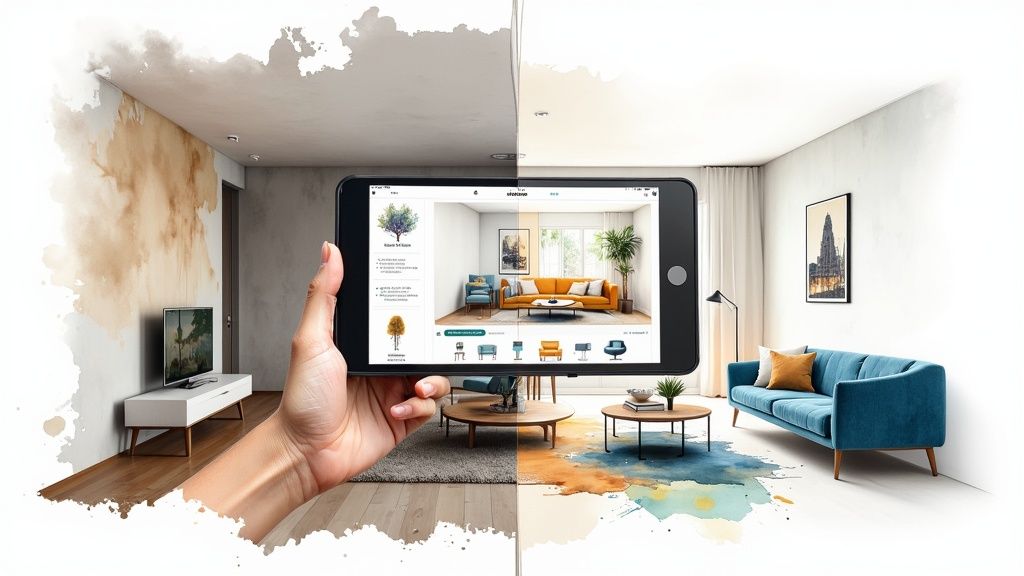
We’ve all been there—staring at a room, knowing it needs a change, but feeling completely stuck. An AI interior design app is your secret weapon against that creative block. At its core, it’s a tool that uses artificial intelligence to instantly whip up new design concepts for your actual space.
You just snap a photo, and like magic, the app can reimagine the room in a dozen different styles, swap out furniture, or even splash a new color on the walls.
The End of Design Guesswork
It’s one thing to think a dark green accent wall will look amazing, but it’s another thing entirely to visualize it. This is where AI interior design apps completely change the game. Imagine having a professional designer in your pocket, ready 24/7 to show you endless possibilities without the guesswork.
This technology takes a simple photo of your room and transforms it into a canvas for realistic design concepts. It’s not just about seeing a different paint color; it’s about confidently exploring entirely new aesthetics without moving an inch of furniture. These AI-powered design tools are a game-changer for everyone from seasoned designers to first-time homeowners.
Bridging Imagination and Reality
The real magic of an AI interior design app is how it erases uncertainty. Instead of just hoping that mid-century modern sofa won’t clash with your coastal decor, you can see it in seconds. This visual proof is a huge advantage.
- Avoid Costly Mistakes: You get to sidestep those expensive purchases that look great in the store but just don’t work in your space. A 2022 survey found that a staggering 24% of consumers regretted a home decor purchase, usually because of a style or size mismatch.
- Explore Fearlessly: Ever been curious about a bold style like Maximalism or Industrial chic but too nervous to commit? Now you can experiment with zero risk.
- Communicate Clearly: It creates a visual blueprint you can share with a partner, contractor, or designer, making sure everyone is working from the same vision.
Think of AI as your digital co-designer. It helps you test layouts, visualize styles, and present ideas with perfect clarity. It doesn’t replace your creative vision—it supercharges it.
Ultimately, these apps make the whole design process feel more accessible. They turn abstract “what if” ideas into concrete visuals you can actually use. This guide will break down everything you need to know, from how the tech works to picking the right app for your project. Let’s get started and finally conquer that design indecision for good.
How These Apps Actually Redesign Your Room
Ever wonder how an app can take a quick snapshot of your cluttered living room and spit out a stunning, magazine-worthy redesign? It’s not quite magic, but it’s close. It’s a clever mix of smart technologies working in sync, all kicked off by that one photo you upload.
The second you upload that picture, the app’s digital “eyes”—a technology called computer vision—start analyzing everything. This isn’t just about recognizing a couch or a window. It’s about meticulously mapping out the entire space, from the dimensions of the walls to the way the afternoon sun hits the floor.
This step is absolutely critical. It builds a digital blueprint of your room, giving the AI the essential context it needs to generate ideas that actually fit your space, both literally and stylistically.
From Analysis to Creative Generation
Once your room is digitally mapped, the generative AI steps in. Think of this as your tireless creative partner, an algorithm that has digested millions of design images and understands the rules of everything from Scandinavian minimalism to over-the-top Bohemian chic.
You give it a simple instruction, like “create a Mid-Century Modern living room,” and it gets to work. It doesn’t just slap new furniture on top of your old stuff. The AI digitally erases your current setup and then starts from scratch, generating entirely new concepts that respect your room’s architecture. The best part? This all happens in a matter of seconds.
This simple flowchart shows how an AI app can take you from feeling stuck to having a clear, actionable design in hand.
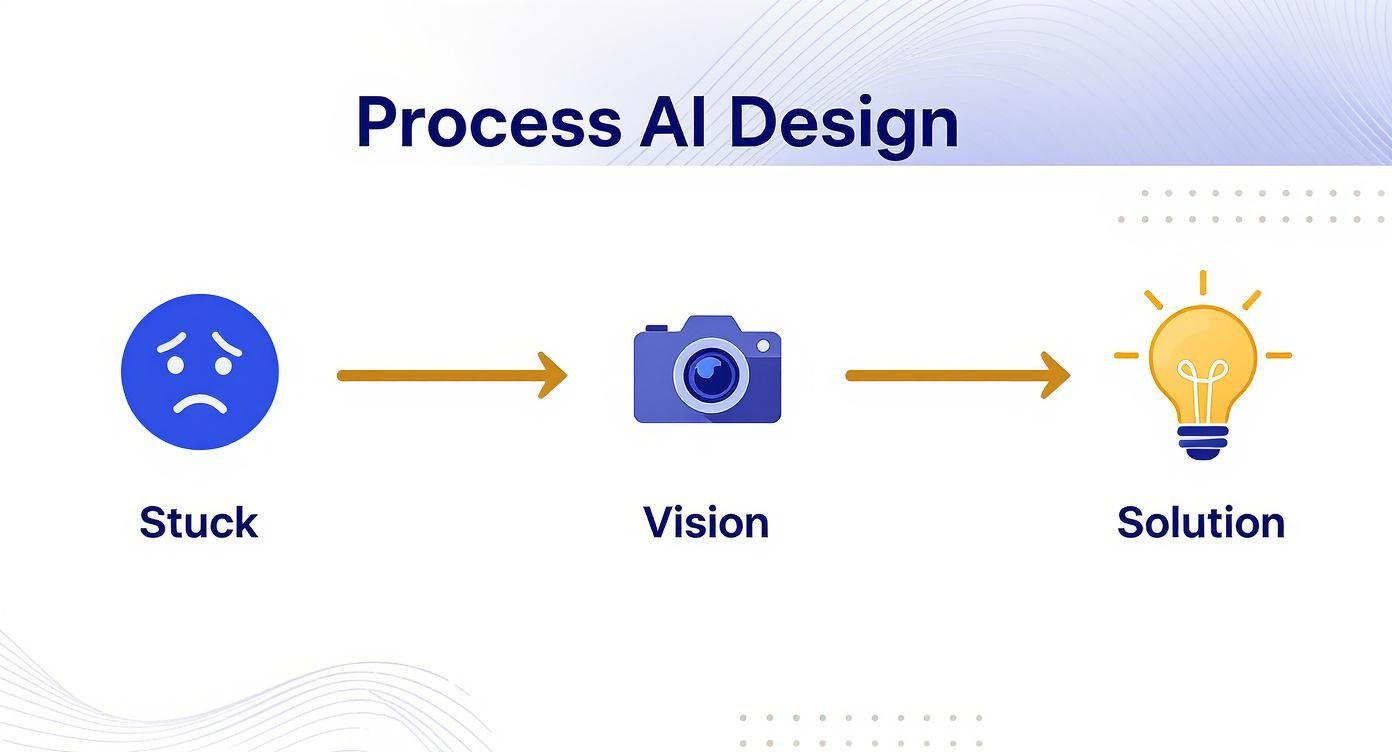
The journey starts with that common feeling of indecision, uses the app’s ‘vision’ to understand the room, and ends with a ‘solution’—a fresh design idea.
The Technologies Making It Possible
Several powerful technologies are bundled together to make an ai interior design app work so well. Pulling back the curtain on them helps show just how these tools produce such impressive results.
Core Technologies Powering AI Design Apps
This table breaks down the main AI technologies and what they do inside the app.
| AI Technology | What It Does in the App | Example of Use |
|---|---|---|
| Computer Vision | ”Sees” and interprets your room’s photo. It identifies walls, furniture, and measures dimensions. | Recognizing your current sofa to digitally remove it or calculating the distance between windows. |
| Generative AI | Creates new, original images based on your text prompts and the room’s data. | Generating a completely new “industrial loft” style living room from your blank space. |
| Natural Language Processing (NLP) | Understands your written or spoken commands. | Translating your prompt “add a rustic coffee table” into an instruction the AI can follow. |
This blend of technologies is precisely why the market for these tools is exploding. Projections show the global AI interior design market growing from $91 million in 2025 to $184 million by 2031, a clear sign that people want smarter, faster ways to design their spaces.
Think of an AI design app as a multi-talented translator. It translates your physical room into digital data, translates your text-based ideas into visual concepts, and then translates those concepts back into a realistic picture you can easily understand.
The final result is a photorealistic rendering—an image so crisp and detailed it’s hard to tell it’s not a real photograph. For a deeper look at the broader world of digital design tools, our guide on a top-tier ai interior design software offers more detail: https://www.room-genius.com/blog/ai-interior-design-software/
These apps don’t just create virtual layouts; they also serve up real, actionable inspiration. You can discover specific decorating ideas to maximize style and space that you might never have thought of on your own. This final image is what gives you the confidence to move forward, knowing exactly what your room will look like before you spend a dime or lift a paintbrush.
Key Features That Make a Real Difference
Not all AI interior design apps are created equal. While plenty of them promise a magical transformation, the ones that are actually useful are loaded with specific, powerful features. It’s about moving beyond simple photo filters and getting into tools that genuinely help you design. To find an app that’s worth your time, you have to look past the marketing fluff and focus on what it can actually do.
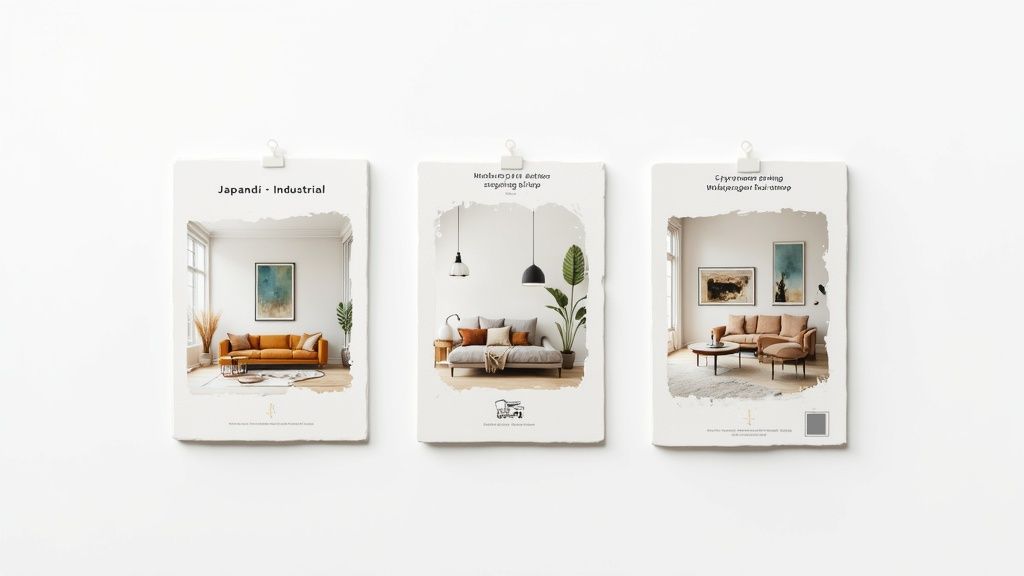
Think of the best tools as a digital sandbox. They give you the creative freedom to play around with wild ideas without any real-world consequences, so you can be absolutely sure you love the look before spending a dime or lifting a paintbrush.
A Deep and Diverse Style Library
First things first, check out the style library. A great app isn’t just going to give you generic options like “Modern” or “Traditional.” It should offer a much richer palette of aesthetics, letting you explore everything from the cozy simplicity of Scandinavian design to the bold drama of Hollywood Regency.
A deep library is your best friend for sparking inspiration. You might go in thinking you want a minimalist living room, but after the AI shows you a “Japandi” version of your space, you could fall in love with a whole new vibe. This is when an app stops being just a visualizer and starts acting like a real creative partner. Keep an eye out for apps that are constantly adding new styles to their collection.
Virtual Staging and Object Magic
This is where things get really cool. The most powerful feature is the ability to actually manipulate what’s in your photo. It’s not just about adding new furniture—it’s about virtual staging, where the AI can digitally erase your existing stuff (like that old, worn-out armchair in the corner) and replace it with new pieces that fit the design.
This is an absolute game-changer for a few reasons:
- A Clean Slate: It helps you see the room’s true potential without your current clutter getting in the way.
- Realistic Previews: A good app will place new items perfectly to scale, respecting the room’s perspective for a preview that feels real.
- Instant A/B Testing: You can swap between different sofas, coffee tables, or light fixtures in seconds to see what truly works.
This is basically the digital version of a full-blown room makeover. It lets you test-drive major furniture decisions virtually, saving you from the expensive mistake of buying a piece that looked great in the showroom but feels all wrong at home.
Swapping Materials and Playing with Color
Beyond just swapping furniture, the top-tier apps let you mess with the bones of your room. The best online interior design tool will let you swap out materials and paint colors, which is a massive help when you’re planning bigger renovations.
Ever wonder what your kitchen would look like with marble countertops instead of butcher block? Or how a dark, moody green accent wall would change your bedroom? This feature lets you find out with a click. It completely removes the guesswork from paint swatches and flooring samples. You get an immediate, full-scale visualization instead of trying to imagine what a tiny square will look like covering an entire wall.
Photorealistic Renders and Shoppable Links
Finally, the quality of the final image is what separates the good from the great. Photorealistic rendering is key. You want the images to be crisp, detailed, and believable—so much so that you could mistake them for a real photograph. The lighting should look natural, and the textures should feel almost tangible.
A feature that’s becoming a must-have is direct integration with furniture stores. This is what connects your digital dream board to reality. When you see a chair you absolutely love in one of the AI’s designs, a shoppable link will identify the exact piece (or a very close match) and let you buy it right then and there. It closes the loop from inspiration to action, making the whole redesign process feel seamless.
Who Actually Uses These Design Apps
You might think these tools are just for homeowners playing with paint colors on a weekend. But the reality is far more interesting. AI interior design apps are becoming an indispensable part of the toolkit for a whole range of people, each tackling very different problems.
The common thread? Everyone wants to see their ideas come to life before they commit. Whether you’re a renter trying to make a temporary apartment feel like home or a pro pitching a high-stakes design to a client, seeing the final product without spending a dime or lifting a hammer is a game-changer. This simple, powerful benefit is why these apps have found a home in so many different fields.
Let’s break down who’s using this tech and what they’re getting out of it.
Homeowners and DIY Enthusiasts
For homeowners, these apps are basically a confidence booster in their pocket. They’re the biggest audience, using the tech to close the gap between a vague idea and a real-life plan. A homeowner can finally see if that dramatic, dark green accent wall will make their small office feel like a cozy cave or just a cramped closet.
It takes the guesswork—and a lot of the anxiety—out of making big decisions. Instead of buying a dozen sample pots of paint and living with a patchwork of color on your wall for a month, you can get a surprisingly accurate preview in seconds. The app becomes your personal design sandbox, letting you experiment with styles and furniture layouts until you find what truly works.
Renters Making a House a Home
Renters have their own unique challenge: they want a space that feels like theirs, but they can’t make any permanent changes. An AI design app is the perfect co-conspirator for planning a beautiful, non-permanent makeover.
For instance, a renter can instantly visualize things like:
- Damage-Free Decor: How will a bold peel-and-stick wallpaper look behind the couch? Will a huge gallery wall make the room feel bigger or just cluttered?
- Furniture Layouts: Does their current sofa and coffee table even fit in the new, oddly shaped living room? They can figure it out before the movers arrive.
- Color Without Paint: They can experiment with adding color through rugs, pillows, and art to build a cohesive look that won’t violate their lease.
By testing their ideas virtually first, renters can confidently invest in decor that makes a temporary space feel like a real home—all without risking their security deposit.
”AI helped me explore ideas, but I realized I still needed a professional to make sure everything actually works together. It was a great starting point, but not a great ending point.”
This is a common sentiment we hear. These tools are fantastic for getting the ball rolling and clarifying your vision, even if you eventually bring in an expert to nail the final details.
Real Estate Agents and Developers
In the cutthroat world of real estate, you only get one chance to make a first impression. Agents and developers are increasingly turning to AI apps for virtual staging—digitally furnishing empty or outdated homes. Let’s be honest, an empty room feels cold and sterile, making it tough for buyers to imagine their lives there.
With an AI tool, an agent can take a photo of that vacant listing and, within minutes, transform it into a warm, fully furnished home. This creates an emotional connection, helping buyers see the property’s true potential. And it works—staged homes consistently sell faster and for more money. It’s a small investment that delivers a huge return.
Professional Interior Designers
Here’s the plot twist: many people thought AI would make designers obsolete, but the opposite is happening. Designers have embraced these apps as powerful creative partners. The data backs this up. In 2024, interior designers were the largest segment of the AI design market, commanding a 40.10% share, with real estate developers being the fastest-growing group. You can explore the full findings on the AI interior design market to see the trends for yourself.
For a professional, these tools don’t replace their expertise; they supercharge it. They use them to:
- Generate Concepts at Lightning Speed: Instead of spending hours sketching, they can produce a dozen different visual ideas for a client meeting.
- Communicate Clearly with Clients: Showing is always better than telling. A realistic render makes it so much easier for a client to understand a vision and sign off on it.
- Push Creative Boundaries: They can test out wild ideas or unusual color palettes without any risk, leading to more innovative and exciting designs.
Essentially, the app takes care of the grunt work of rendering. This frees up the designer to focus on what humans do best: understanding a client’s personality, creating flow, and weaving together the textures and details that turn a house into a home.
How to Choose the Right AI Design App
With a flood of options on the market, picking the right AI interior design app can feel a bit like wading through mud. The secret is to tune out the marketing buzz and focus on what you actually need for your project. The best tool isn’t the one with the most hype; it’s the one that fits your goals, your tech skills, and your wallet.
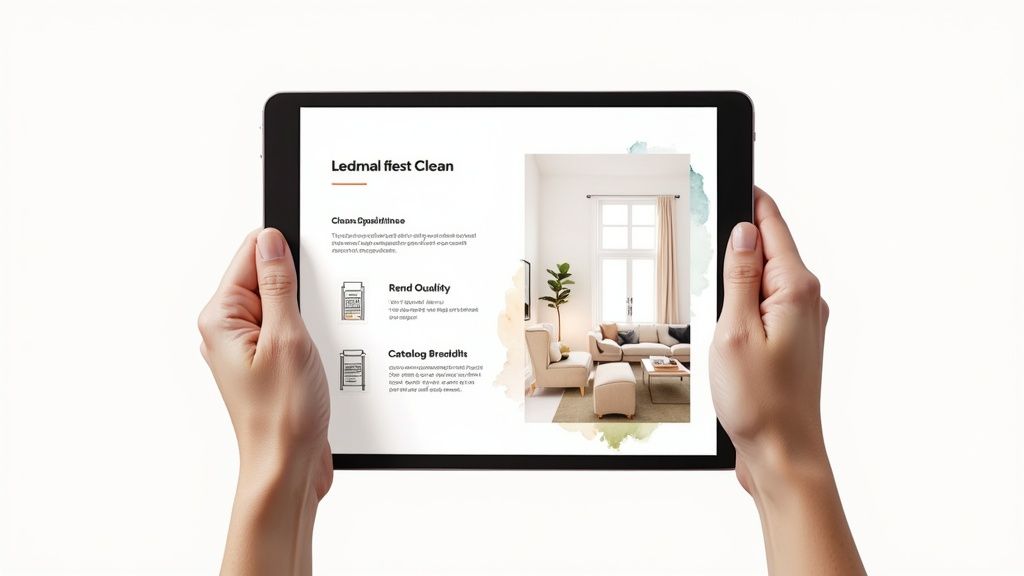
A pretty interface means nothing if the designs look fake or the furniture options feel like they’re from a 20-year-old catalog. To cut through the noise, you need a simple checklist. Let’s walk through the essential things to look for.
Start With the User Experience
The most powerful app in the world is useless if you can’t figure out how to use it. Your first test should always be the user experience (UX). Is the interface clean and intuitive, or do you feel like you need a crash course in 3D modeling just to get started?
Look for an app with a dead-simple workflow: a clear button to upload your photo, easy-to-browse styles, and an obvious “Generate” button. If you’re hunting for basic functions for more than a minute or two, it’s probably not the right tool. A good app should feel like a helpful guide, not a final exam.
Evaluate the Quality of the Renders
Next, put the output quality under a microscope. After all, the whole point is to get a realistic glimpse of your space’s potential. Do the generated images look convincingly real, or do they have that uncanny, plasticky sheen?
Pay close attention to the little things:
- Lighting and Shadows: Does the light coming from a window cast believable shadows across the floor and furniture?
- Textures and Materials: Can you feel the difference between a velvet sofa and a linen one just by looking? Do the wood grains look natural?
- Scale and Perspective: Is the furniture sized correctly for the room, or does that armchair look comically oversized?
High-quality renders are what give you the confidence to pull the trigger on real-world decisions. If the results look more like a scene from a video game than a photograph, it won’t be a reliable guide.
Check the Depth of the Style Catalog
A diverse and up-to-date style library is non-negotiable. An app that only offers vague options like “Modern” or “Classic” is going to hold you back. The best platforms offer a rich, specific catalog with aesthetics ranging from “Japandi” and “Coastal Grandmother” to “Industrial Loft”.
A deep style catalog is more than just a feature—it’s an engine for inspiration. It can introduce you to aesthetics you never considered, pushing your creative boundaries and helping you discover a look you truly love.
Just as important is the furniture and decor library. It’s a huge letdown when an app creates a beautiful design, but you can’t find anything like it in the real world. Some of the better tools even integrate with retailers, giving you direct links to purchase the items you see. For a deeper dive, our overview of various AI applications for interior design can provide more context on how different tools fit into the process.
Demystify the Pricing Models
Finally, you have to look at the cost. AI interior design apps usually follow a few common pricing structures, and the best one for you is all about how often you plan to use it.
Comparing AI Interior Design App Pricing Models
Understanding the financial side of things is crucial. This table breaks down the common models to help you find a match for your budget and project scope.
| Pricing Model | Best For | Pros | Cons |
|---|---|---|---|
| Freemium | Casual users just testing the waters or needing a couple of quick ideas. | No upfront cost to try out the core features and see if you like it. | Often comes with limited styles, lower-quality renders, and watermarked images. |
| Subscription | Designers, agents, or homeowners with multiple or ongoing projects. | Full access to premium features, unlimited renders, and top-tier image quality. | A recurring cost that might not make sense for a single, small project. |
| Pay-Per-Render | Anyone tackling a one-off project, like redesigning a single room. | You only pay for what you generate, often getting high-quality results. | Costs can add up quickly if you need many revisions or want to experiment a lot. |
Each model has its place. A freemium plan is perfect for satisfying your curiosity, while a subscription is a must-have for professionals. If you’re somewhere in between, the pay-per-render option offers a great middle ground.
Your Questions About AI Design Apps Answered
As AI design tools become more popular, it’s totally normal to have questions. From “What happens to my photos?” to “Can I really trust the results?”, getting straight answers is the key to using these apps confidently. So, let’s dig into some of the most common things people ask.
We’re here to give you honest, no-fluff information. The goal is to help you see both the incredible potential and the practical limits of these tools, so you can make smart choices on your design journey.
Is My Data Safe When I Upload a Photo?
Uploading a picture of your living room can feel a bit vulnerable, so data privacy is a huge and valid concern. Here’s how it generally works: when you upload an image, the app’s AI analyzes its geometry and features to understand the space. That’s it. Reputable apps aren’t interested in your personal life; they just need the data to create your design.
Before you upload anything, it’s always a smart move to quickly scan the app’s privacy policy. Look for clear language confirming your images won’t be splashed across the internet without your permission and are only used to generate your designs. Most well-known platforms, like RoomGenius, use secure servers and treat your data seriously.
How Accurate Are the AI Renders?
This is another big one. Do the AI-generated images actually get the scale right? For the most part, the technology is surprisingly good at keeping things proportional. The algorithms are trained to interpret the visual cues in your photo to place furniture and decor in a way that looks and feels realistic.
But—and this is an important “but”—these apps are meant for visualization, not for precision architectural planning.
- Great for Visualization: They’re fantastic for testing out a new style, playing with color palettes, or seeing if that sectional you love will overwhelm the room.
- Always Double-Check: Before you click “buy” on a pricey sofa, break out the tape measure. Always compare the furniture’s real-world dimensions against your actual space.
Think of the AI render as an incredibly detailed and inspiring first draft, not a final blueprint. It’s there to spark ideas and guide your creative eye.
”AI helped me explore ideas, but I realized I still needed a professional to make sure everything actually works together. It was a great starting point, but not a great ending point.”
Will AI Replace Human Interior Designers?
This is the question on everyone’s mind, and the answer is a resounding no. AI isn’t replacing designers; it’s becoming one of their best new tools. Pros are using these apps to quickly mock up initial concepts for clients, explore different layouts in minutes instead of hours, and bring their vision to life in a way that’s easy for homeowners to understand.
An app can generate a gorgeous room, but it can’t interview a family to understand their unique lifestyle, navigate tricky building codes, or manage the contractors and orders for a major remodel. AI tackles the “what if,” while a human designer masterfully handles the “how to.” It enhances their expertise, freeing them up to focus on the deeply personal, human-centric work that truly makes a house a home.
Ready to stop guessing and start visualizing? With RoomGenius, you can transform a simple photo of your room into stunning, realistic design concepts in seconds. See how that new style will look in your actual space and discover furniture that fits perfectly. Start your design journey with confidence and try RoomGenius today.