AI Basement Design Ideas That Actually Fit Your Space
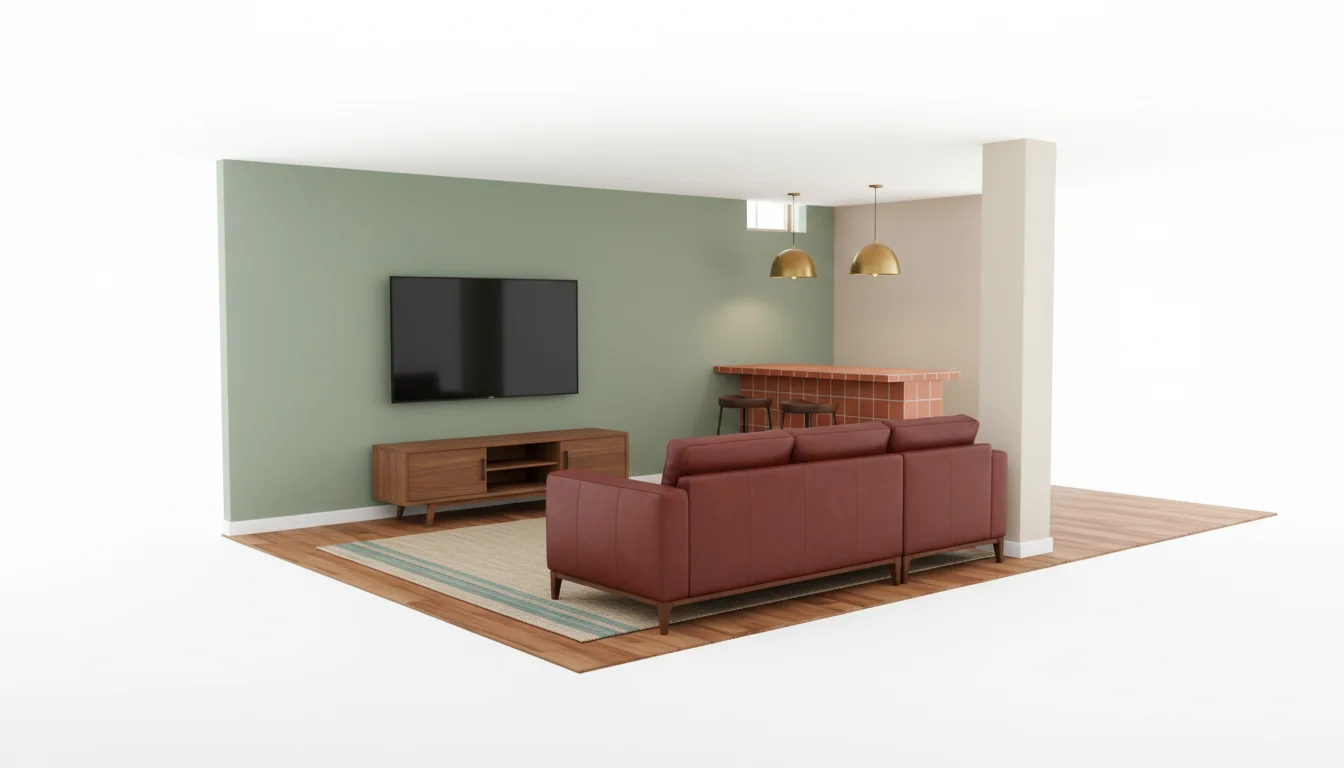
Basements lie. The square footage promises a guest suite, a home gym, and a media room. The reality is a 7-foot ceiling, a load-bearing column the architect forgot to mention, two narrow window wells pretending to be daylight, and a furnace closet eating the corner you wanted for the bar. Most homeowners walk down those stairs every weekend for a year before committing to anything, because the room is genuinely hard to picture finished.
AI basement design is the first tool that meaningfully cracks that visualization problem. Upload a photo of the basement as it is — bare concrete, rough framing, or a tired 1990s drop ceiling — and a modern AI interior design app renders the same room finished, in the style and use case you want, in under a minute. The renders are not perfect, but they are specific to your basement, not a stock photo of someone else’s.
This guide covers what AI basement design does well, where it predictably fails, four use-case renders to ask for first, and how to use them to estimate cost before a contractor visit.
What is AI basement design? AI basement design is a photo-to-render workflow where an AI model analyzes a photo of your existing basement and generates finished previews in your chosen style and use case — rec room, guest suite, home gym, media room, or office. The best apps return shoppable furniture and finish recommendations alongside the render, turning a hard-to-visualize space into a concrete plan in under ten minutes.
Why Basements Resist Traditional Design Visualization
Above-grade rooms are easy to imagine because they share visual rules with rooms you have lived in — eye-height windows, a clear focal wall, doors where you expect them. Basements break almost all of those rules at once, and that is why traditional mood boards never quite stick.
Three things make basement visualization uniquely hard. The proportions are wrong on purpose — long and narrow with a ceiling closer to your head than you remember, throwing off any magazine reference. The light comes from below the horizon line, often from soffit-mounted fixtures, so shadows fall in a way no above-grade room ever does. And the room is full of obstacles you cannot move — the support column, the electrical panel, the HVAC trunk, the sump pump — that any honest render has to design around.
Pinterest cannot help with that. A perfect photo of a Brooklyn brownstone basement does not tell you what your basement will look like with the same finishes, because your column is in a different spot. AI basement design starts from your photo, so the column, the soffit, and the window well stay where they actually are. The render reorganizes everything around them — and the same homeowner who could not picture the basement finished will, after three good renders, suddenly have an opinion.
Low-Ceiling and Low-Light Previews
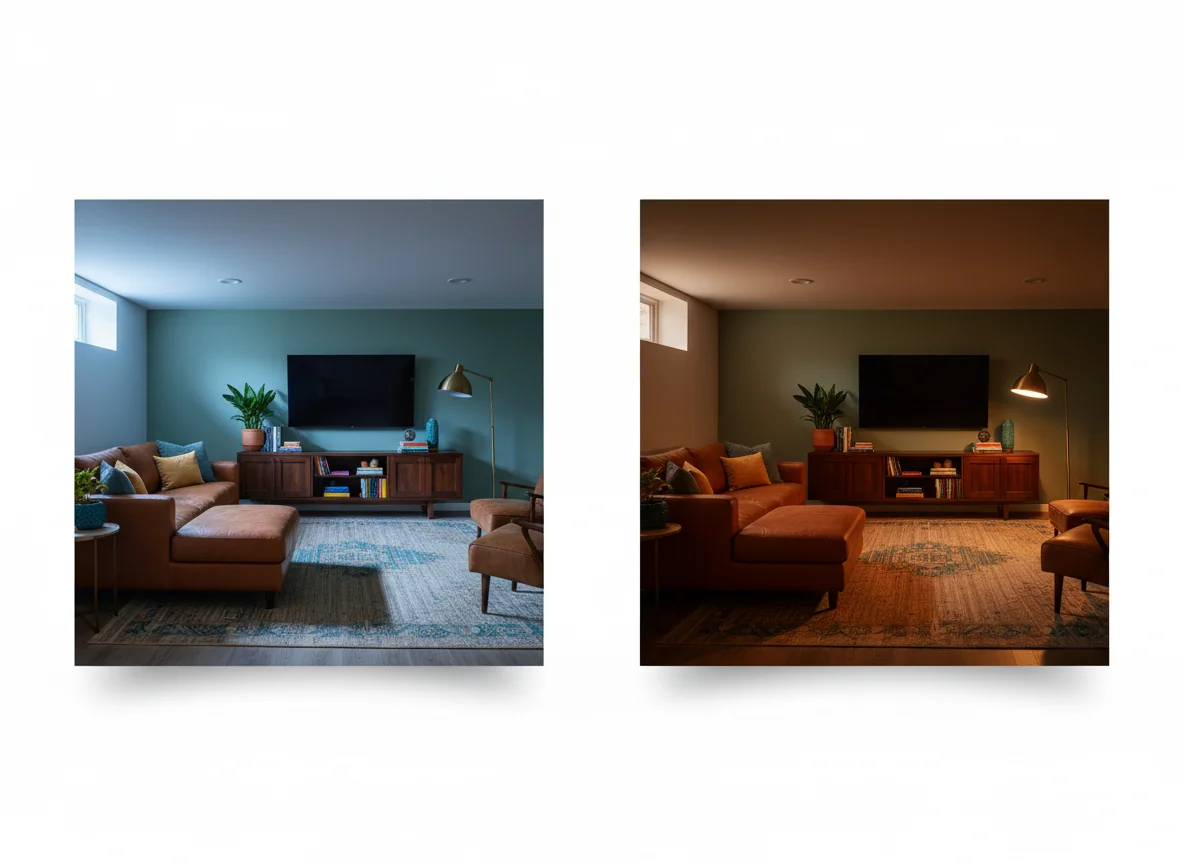
The two constraints almost every basement shares — ceiling height under the standard 8 feet, and limited natural light — are also the two things AI renders can flatter you about if you do not prompt them carefully. A model that has never been told the room is low-ceilinged will happily render a chandelier that would clip a six-foot adult. A model that has never been told the room is low-light will render midday sun streaming through a window well that, in reality, faces a foundation wall.
Two prompt habits fix most of this. First, name the actual ceiling height — “basement, 7 foot ceilings” or “basement, 6 foot 10 inch ceiling near soffit” — and the AI swaps in flush-mount fixtures, lower-profile sectionals, and shorter bookshelves. Second, ask for “lamp light only, evening” as a second render. The room you are designing will be used in the evening more than at noon, and the evening render is the honest one.
A few low-ceiling moves the AI tends to recommend correctly when prompted:
- Flush-mount or recessed lighting only. No pendants over seating, no chandelier over the pool table.
- Low-profile furniture — sectionals under 30 inches tall at the back, beds without footboards, media consoles under 24 inches.
- Wall-hung shelving and TVs to keep the floor visually open.
- Vertical paneling or vertical-stripe wallpaper on one accent wall to draw the eye up.
- Warm whites with a slight yellow undertone — they read taller than cool whites in basement light.
For low-light specifically, the American Lighting Association’s home lighting guide is worth reading before you commit to fixtures. Layer recessed cans, task lighting (lamps and sconces), and accent lighting (wall washers or LED tape under shelving) at warm color temperatures around 2700K to 3000K. Cool white LEDs make a basement feel like a parking garage no matter how nice the furniture is.
Four AI Basement Design Renders to Ask For First
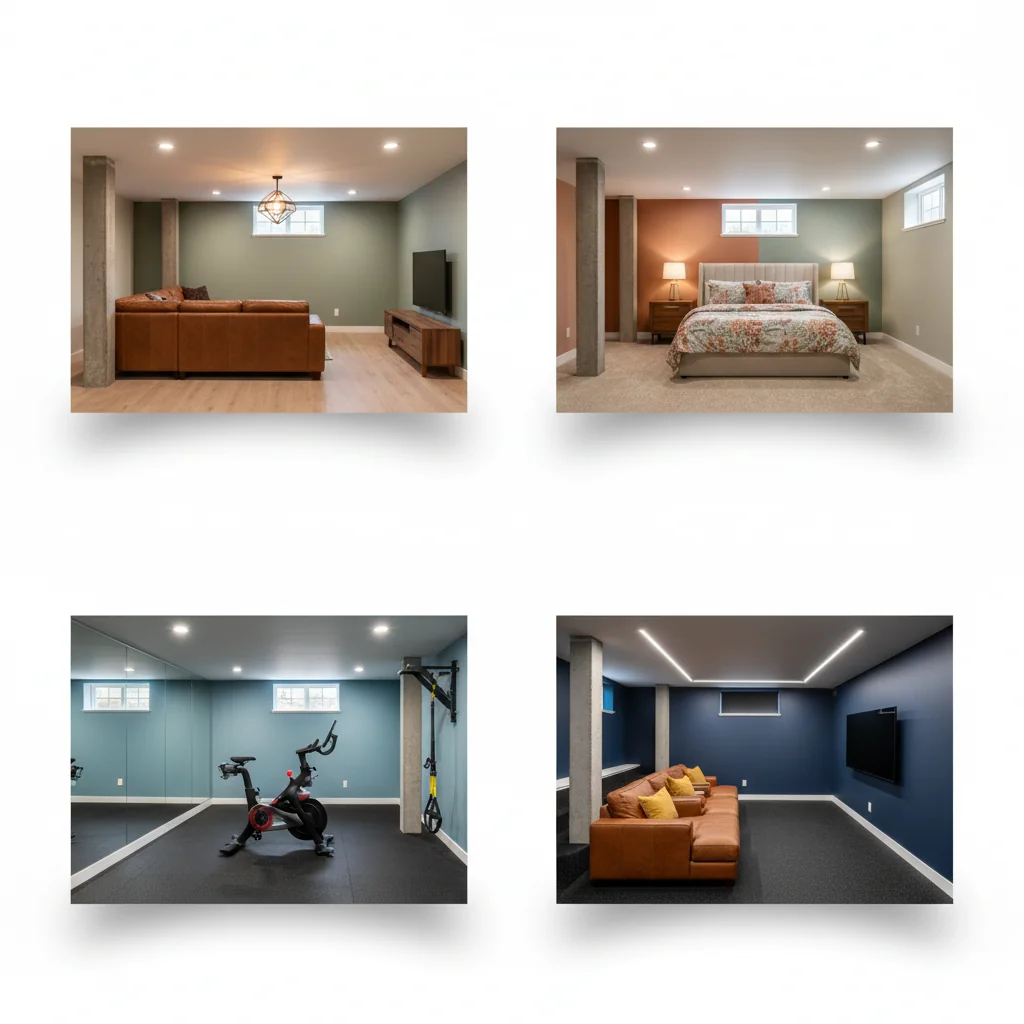
The fastest way to find out what your basement wants to be is to render four use cases in parallel from the same starting photo. The AI generates each in under a minute, and the side-by-side reveal often surprises you — the basement you had assumed wanted to be a rec room turns out to look much better as a guest suite, or vice versa.
Rec Room
The classic finished basement. Sectional facing a wall-mounted TV, beverage fridge in the corner, a pool or shuffleboard table near the open end, a rug to define the seating area. The AI renders this cleanly because the training data is saturated with it. Ask for “casual rec room, sectional, low ceiling, warm lighting, no pendants over seating” and the result lands close on the first try. This is also the most forgiving render for an unfinished photo — the AI fills in drywall, flooring, paint, and trim believably and gives you a sense of how much room you actually have.
Guest Suite
A guest suite is bedroom plus three-quarter bath plus a small sitting area, with the goal of making a guest comfortable for two to four nights. The AI handles bedroom layout cleanly (queen bed against the long wall, two nightstands, low dresser), but it will quietly invent a window where there is none. If the render shows a window that does not exist in your photo, you have an egress problem the next section addresses.
Home Gym
A basement gym is the easiest room to render and the hardest to use, because the AI defaults to a more aspirational layout than you will actually maintain. You will see a Peloton, a wall-mounted TRX, a power rack, a cable column, and rubberized flooring all in the same render. Pick two, not five. The useful prompt is “basement home gym, two pieces of equipment, rubber flooring, mirrored wall, natural light prioritized.” If you have a window well, position the cardio piece facing it — staring at concrete while you run is the most common reason home gyms go unused.
Media Room
A media room is the most demanding render because it depends on a precise viewing geometry the AI does not always honor. Specify screen size and seating distance: “media room, 85 inch TV on long wall, two-row seating, 10 foot viewing distance, blackout treatment on window wells.” The AI renders blackout window-well covers, dark warm wall colors, and tiered seating on a low platform convincingly. Where it stumbles is the ceiling — it will sometimes render cove lighting on an 8-foot ceiling you do not have. If your ceiling is 7 feet, say so and skip the cove.
Egress and Code Sanity Checks the AI Will Not Catch
This is the section that turns a fun render into a buildable plan. AI basement design generates beautiful pictures. It does not generate code-compliant ones.
The most important check is egress. Any room used as a sleeping room — including the guest suite scenario above — must have an egress window or door of a specific minimum size, with a window well that meets minimum dimensions and includes a permanent ladder if it is deeper than 44 inches. The exact requirements come from the International Residential Code section R310 and are enforced by your local jurisdiction. The AI does not know your jurisdiction and does not check window sizes against egress minimums. Verify this before you frame a bedroom wall.
Four other categories to spot-check against any render:
- Ceiling height — most jurisdictions require a 7-foot finished ceiling minimum for habitable rooms, with allowances down to 6 feet 4 inches at beams and ducts. If your render shows a ceiling that requires lowering the joists, check first.
- Smoke and CO detectors — every habitable basement room and every level of the home needs them. The render will not show these. Add them to your scope explicitly.
- Electrical — any new outlet within 6 feet of a sink (a basement bar or bathroom) must be GFCI protected. Bedrooms need AFCI protection. The AI does not draw electrical.
- Plumbing slope and venting — adding a basement bath usually requires an ejector pump or sewage grinder plus a properly vented stack. That is its own conversation with a licensed plumber.
The honest framing for any AI basement render is that it is a design intent document, not a construction document. A contractor reading the render can price it and call out the gaps. Skipping the contractor step is not optional.
Moisture-Savvy Finishes the AI Recommends (and the One It Misses)
Basements are wet — not always actively, but always potentially. Even a basement with no visible moisture will accumulate condensation on cool surfaces in summer, see a humidity spike during a heavy rain, and eventually deal with a sump pump that runs longer than usual. Every finish you specify has to survive that reality.
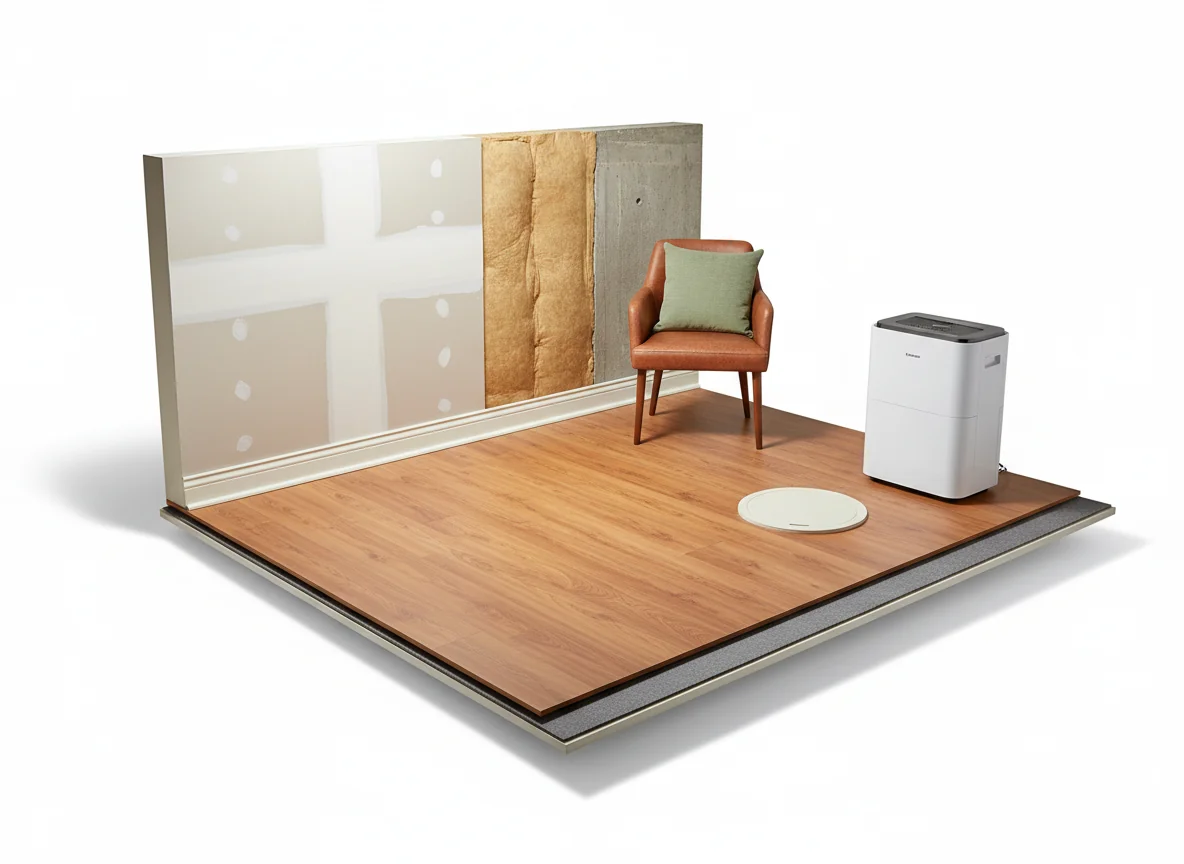
The AI is decent at this when prompted. Ask for “moisture-resistant basement finishes” and most modern interior design apps return luxury vinyl plank or sheet vinyl for the floor (never solid hardwood), closed-cell spray foam or rigid foam as wall insulation (not fiberglass batts behind drywall), painted MDF or PVC trim instead of pine baseboard, mold-resistant drywall (the green or purple-paper variety) on any wall sharing a partition with the foundation, and a dehumidifier sized to the square footage and vented to the floor drain or sump.
The one finish the AI consistently under-emphasizes is the vapor barrier behind the framing. The render shows the finished wall; it does not show whether there is a continuous polyethylene or membrane vapor barrier between the foundation wall and the new framing. Without one, you trap moisture in the wall cavity and grow mold inside walls that look pristine for the first three years and catastrophic in year four. Specify this with your contractor whether or not the render mentions it.
For homes more than thirty years old, layer the basement design conversation with the broader ideas for renovating an old house playbook — older basements often have parging that needs repair, undersized electrical panels, and asbestos in the original duct insulation, all of which change scope before the design conversation even starts.
Budget Basements vs Full Suites
The same starting photo can be rendered as a $12,000 weekend refresh or a $90,000 full guest-suite buildout. The AI happily renders both. The choice is yours, and the render is the cheapest way to test it before you commit.
Three budget tiers tend to fall out of the renders in 2026, with rough cost ranges that vary heavily by region but give you a useful starting point.
| Tier | Typical scope | 2026 cost range (national average) | What the AI renders well |
|---|---|---|---|
| Refresh | Paint, lighting, rug, sectional, TV mount, basic shelving. No drywall or flooring change. | $4,000–$15,000 | Color palette, furniture layout, lighting placement. |
| Mid-build | New flooring, drywall touch-ups, painted ceiling, built-in shelving, beverage station. | $20,000–$45,000 | Material continuity (floor + trim + paint), bar layout, accent wall. |
| Full suite | Egress window, framed bedroom, three-quarter bath, kitchenette, separate HVAC zoning. | $60,000–$120,000+ | Layout zoning, finished bath, kitchenette geometry. Code: not its job. |
Regional swings of plus-or-minus 30 percent depending on labor and permit fees are normal. The best use of the AI is to render the same basement at all three tiers and look at them side by side. The mid-build render almost always wins on cost-per-design-impact. A refresh will look like a refresh — the existing flooring and ceiling date the render no matter what you do to the furniture. A full suite looks transformative but costs more than the rest of your house’s per-square-foot value can usually support, particularly if you are not staying long enough to recover the spend.
For comparison, our cost to renovate a bedroom breakdown uses the same tier framework — basements run roughly 40 to 60 percent more per square foot than an above-grade bedroom, mostly because of moisture mitigation and egress.
Prompting AI Basement Design: A Short Field Guide
The renders you get back are only as good as the photo and the prompt you put in. Six habits separate a useful render from a misleading one:
- Photo from the bottom of the stairs, eye-height, with the long axis of the basement going away from you.
- Name the constraints early: ceiling height, column locations, window count, existing utilities.
- Pick one use case per render. “Rec room” beats “rec room with a guest bed and a treadmill.”
- Specify lighting twice — once for daytime, once for evening. Generate both.
- Include the obstacles by name — “render around the support column near the center” — so the AI does not erase them.
- Ask for material callouts in plain language so you can hand the render to a contractor without translating it.
If your basement is under 600 finished square feet, pair this with our how to decorate small spaces post — the small-space heuristics translate directly to a tight basement footprint.
Frequently Asked Questions
Is AI basement design accurate enough to plan a real renovation?
Accurate enough to set the scope and the style direction, not accurate enough to skip a contractor walkthrough. The AI gets the geometry within a few percent and the material recommendations within reason, but it does not know your local code, your foundation condition, or your existing electrical capacity. Treat the render as a design brief that a contractor or architect will refine, not as a buildable plan.
Can AI render an unfinished basement into a finished one?
Yes, and this is where AI basement design is most useful. Upload a photo of bare studs, exposed joists, and a concrete slab, and the AI will fill in drywall, flooring, ceiling treatment, paint, lighting, and furniture in the style you choose. The unfinished-to-finished render is the one that most often changes a homeowner’s mind about whether the project is worth doing at all.
How does AI handle low ceilings in basements?
Reasonably well when you tell it the ceiling height in the prompt. Without that input, the AI defaults to standard 8-foot proportions and renders fixtures that would not fit. With “7 foot ceiling” in the prompt, it switches to flush-mount lighting, low-profile furniture, and visual tricks like vertical paneling or wall-hung shelves. Always include ceiling height — it is the single most important constraint you can specify.
Will the AI tell me where to put an egress window?
No, and this is a deliberate limitation. AI basement design generates aesthetic and layout previews. Egress code compliance — minimum window opening size, well dimensions, ladder requirements — is a building code question that varies by jurisdiction. If your render shows a bedroom in the basement, plan to add an egress window as a separate line item and verify the spec with your local building department before you frame the wall.
How long does an AI basement render take?
Thirty to ninety seconds per render. A full session — uploading the photo, generating four use-case renders, and tapping through the shoppable furniture in your favorite — typically takes under fifteen minutes. The same exercise with a designer takes two to three weeks of back and forth, plus the consultation fee.
Does AI basement design work for walk-out basements?
Yes, and walk-outs are the easiest case for the AI because they look more like above-grade rooms in the photo. The wall of windows or sliding doors gives the model a horizon line to anchor against, and natural light makes the renders feel less subterranean. Lean in — ask for renders that maximize the connection between the indoor space and the patio outside.
See Your Basement Finished — Before You Frame a Single Wall
Basements are the hardest room in the house to picture finished, which is exactly why they are the room AI design helps with most. RoomGenius takes one photo of your current basement — bare or builder-finished — and renders it back as a rec room, guest suite, home gym, or media room, with the column, soffit, and window wells in their actual places. Stop scrolling Pinterest for someone else’s basement. Render yours.
Download RoomGenius on the App Store or Google Play, snap your basement, and finally see what it could be.